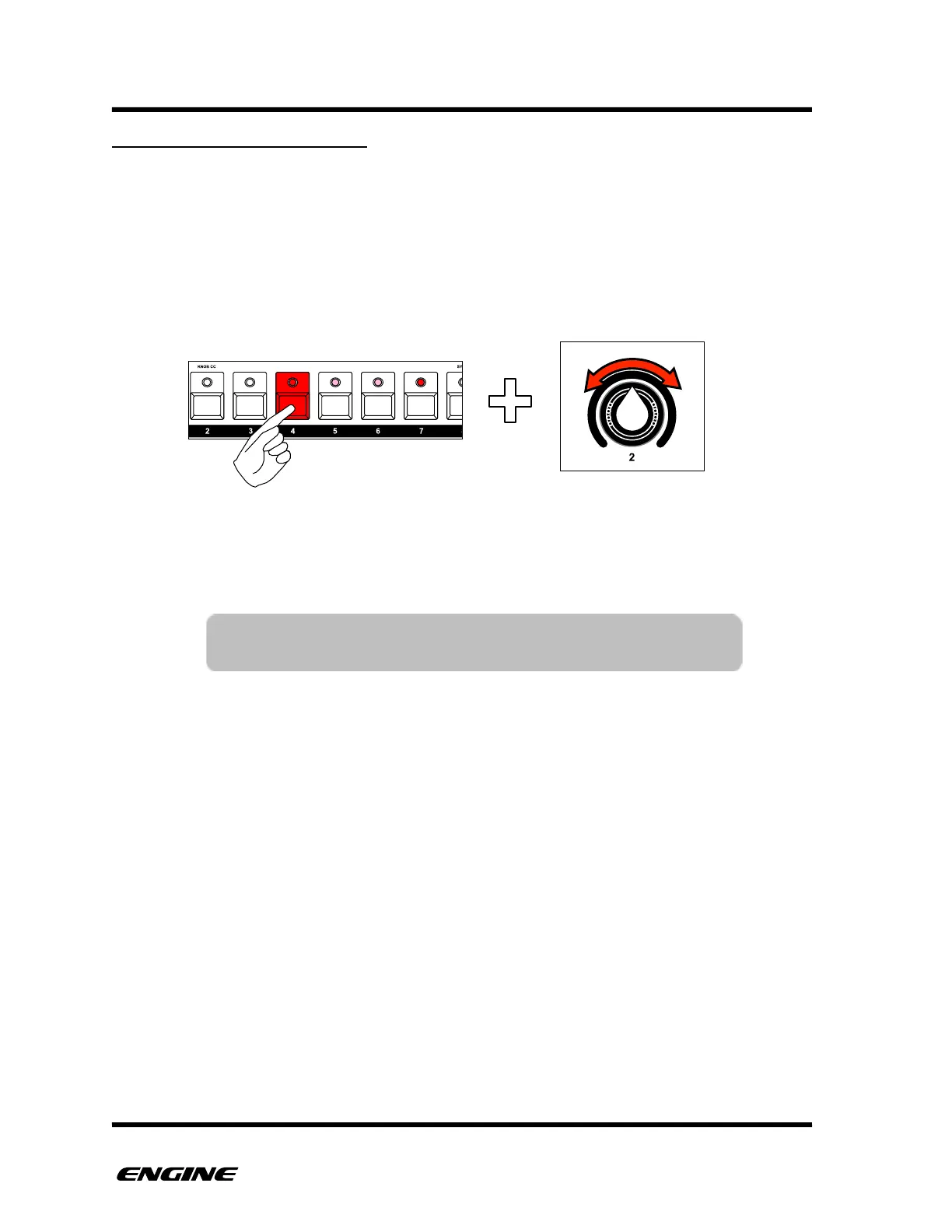
FINE TUNING GATE LENGTH
The length of each step can be fine tuned to create longer or shorter note events. By
default a note is created with 50% gate length. This means that by default, a note
behaves the same as the sequencer on a TB-303.
You can change the gate length of any step by rotating control knob 2 while holding the
step button. The LED display will show the current gate length of the step as a
percentage.
For SYNTH1 type patterns, if you turn the control knob completely clockwise, the note will
be set to SLIDE, indicating that the note length will overlap with the next note. The LED
display will show “SLD” when a note is set to slide.
When fine tuning the length of a note that extends over several steps, only the length of
the last step is modified. This means that you can fine tune the “tail” of a step even for
long notes.
The available resolution of note length changes with different time scales. For 1x scale,
the available length is between 1 and 12 clock ticks. When changing to different time
scales, the step length of steps will change in proportion to the selected scale. This means
that note length is set relative to the sequencer tempo, not absolute time.
When a pattern is set with shuffle timing, notes that are set with a length greater than the
step time will be automatically truncated during playback to prevent unwanted slides.
When turning a step off and then back on, the gate length will be reset back to one half
the step resolution.



 To Next Page