SNAPSHOTS
Snapshots are used to store the current settings of all tracks. They are extremely useful
for live performance, to recall the settings for all tracks with a single button press.
A snapshot records the following settings for all tracks:
•
pointers to selected patterns and pattern chains
•
track mute status
•
pattern transpose value for selected SYNTH type patterns
•
drum instrument mutes for selected DRUM type patterns
•
controller mutes for selected CONTROL patterns
•
MIDI effects values for each track
•
MIDI channel and port assignments for each track
•
The current sequencer tempo
"
There are two groups of 64 snapshots (four banks of 16) for a total of 128 snapshots
available.
Songs are created using a sequence of snapshots.
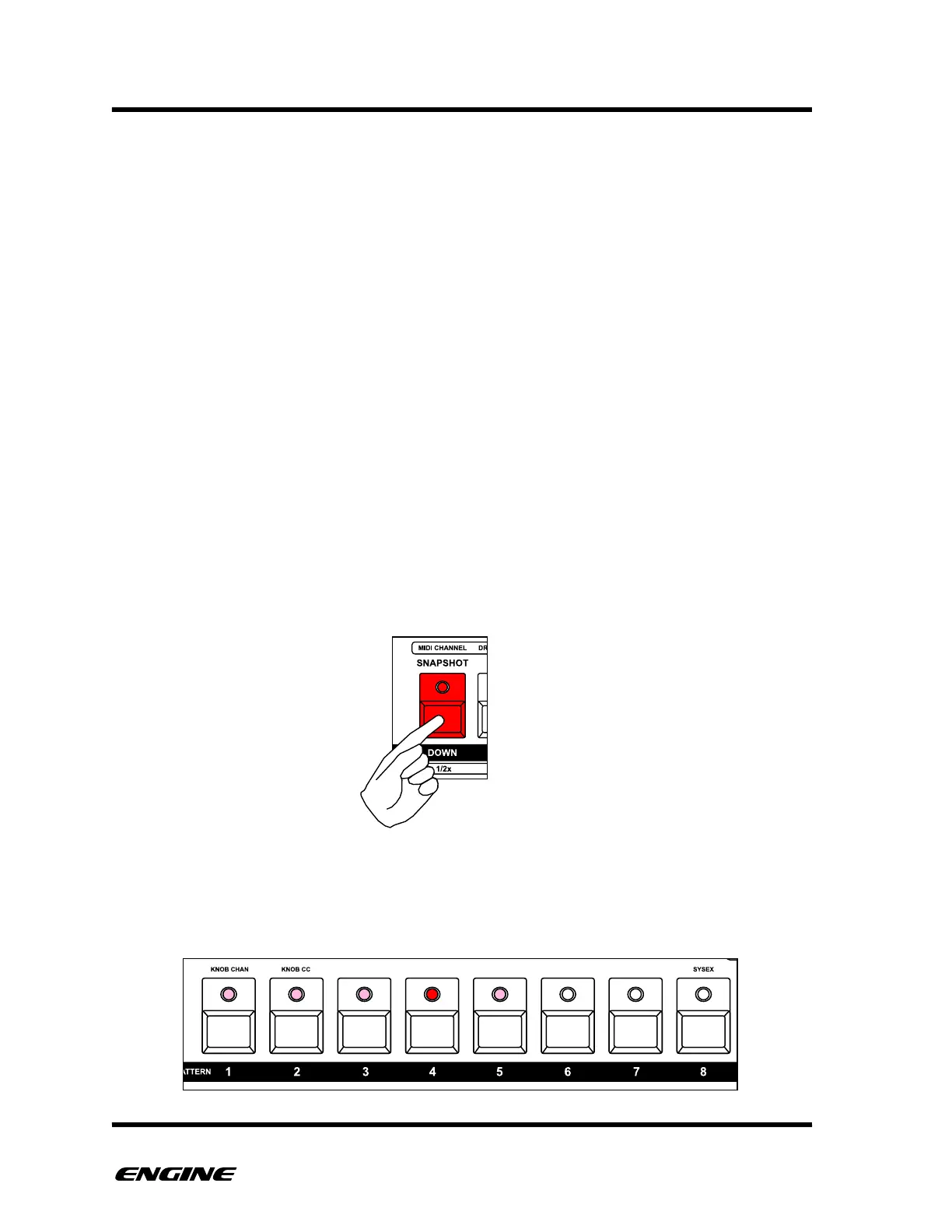
To enter SNAPSHOT mode, press and hold (or double click) the SNAPSHOT (down)
button. The snapshot LED will light or blink to indicate you are in SNAPSHOT mode.
Used snapshot locations will be shown with a dimly lit LED, while the current snapshot is
shown with a brightly lit LED. If no snapshots have been created, then snapshot location
1 is automatically selected.



 To Next Page