CV EXPANSION MODE
There are several modes available for the optional CV expansion board. These can be
changed as needed after the CV expansion board has been installed and enabled.
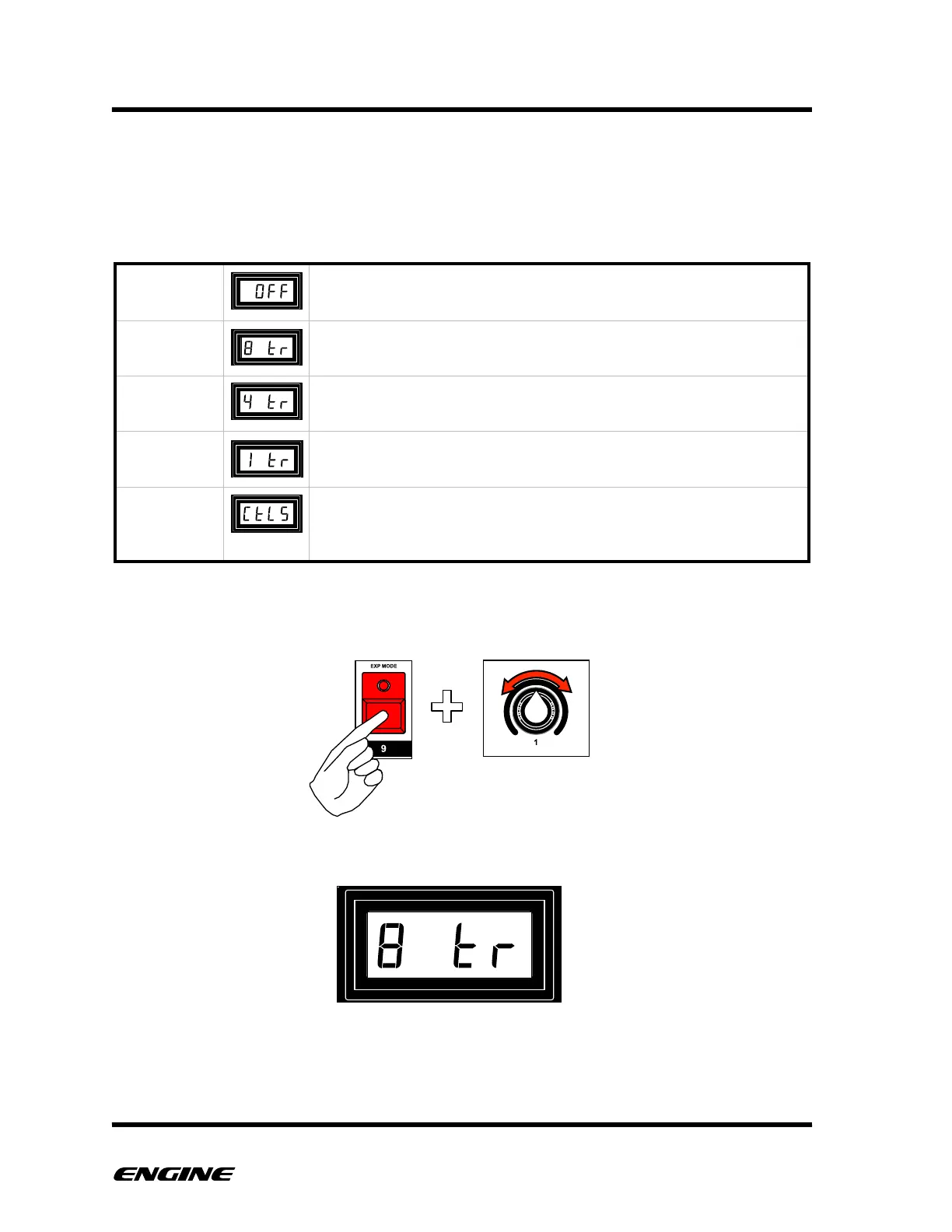
The available modes are:
"
To set the CV mode, while in CONFIG mode, press and hold the EXP MODE (step 9)
button. Rotate control knob 1 to change the current CV mode.
The current CV mode will be displayed on the LED display.
Changing the CV mode takes effect immediately.!
The six control knobs and tempo knob will be output as continuous
control voltages along with various clock signals from the CV/Gate
outputs.



 To Next Page