ENABLING THE CV EXPANSION BOARD
After installing the CV output expansion board, the machine must be configured to use the
board. If the CV board is not enabled, any settings that relate to CV will show “- - - -“ on
the LED display when accessed.
Enabling the CV board should only need to be performed once, and is maintained even
after factory reset of memory.
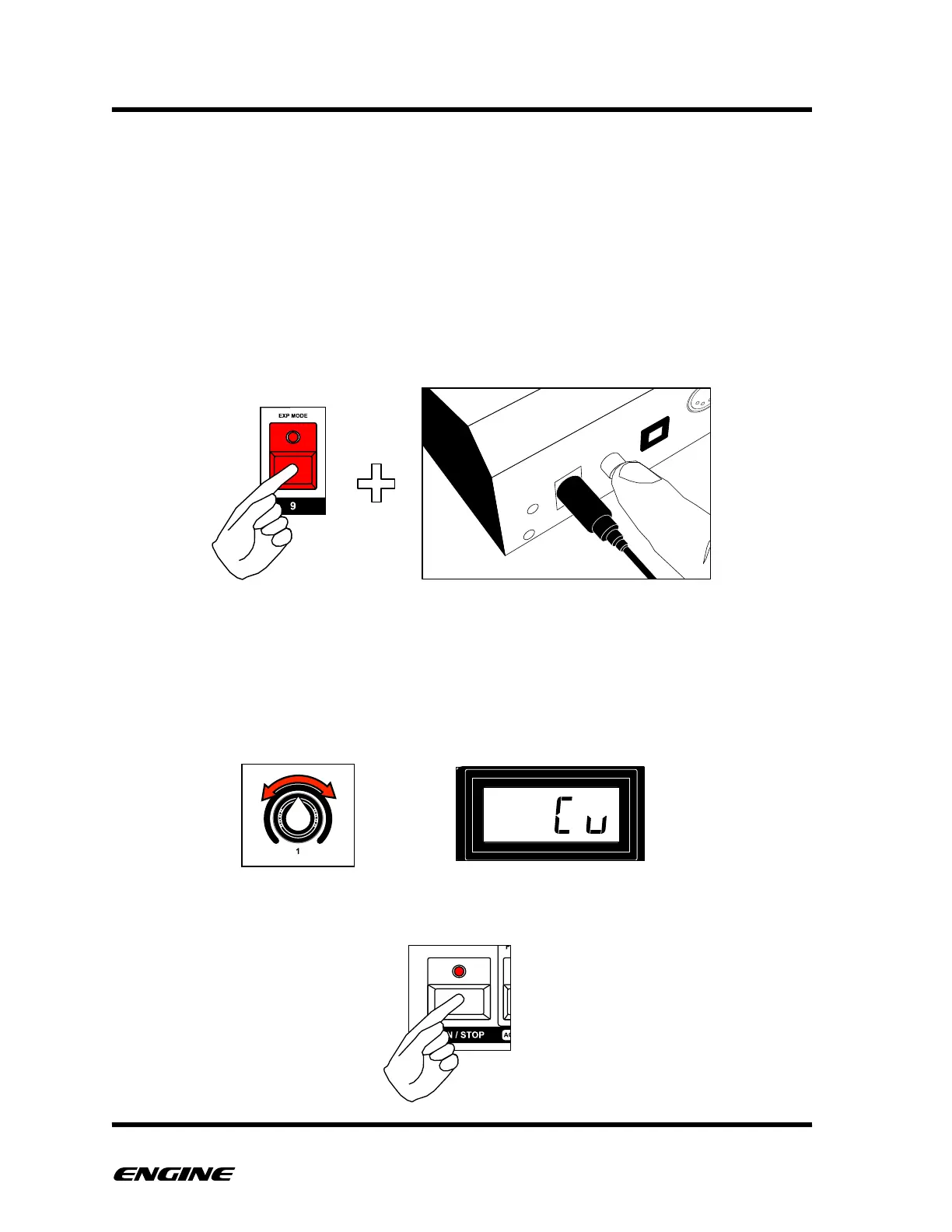
To enable the CV board, you must boot Engine while holding down the EXP MODE (step
9) button.
The LED display will show the current expansion board setting. The default setting is
“Off”.
Change the expansion setting by rotating control knob 1 or clicking the FORWARD button
to select “CV”.
After selecting the “CV” setting, click the RUN/STOP button to resume normal operation.!



 To Next Page