SETTING THE TRACK MIDI CHANNEL
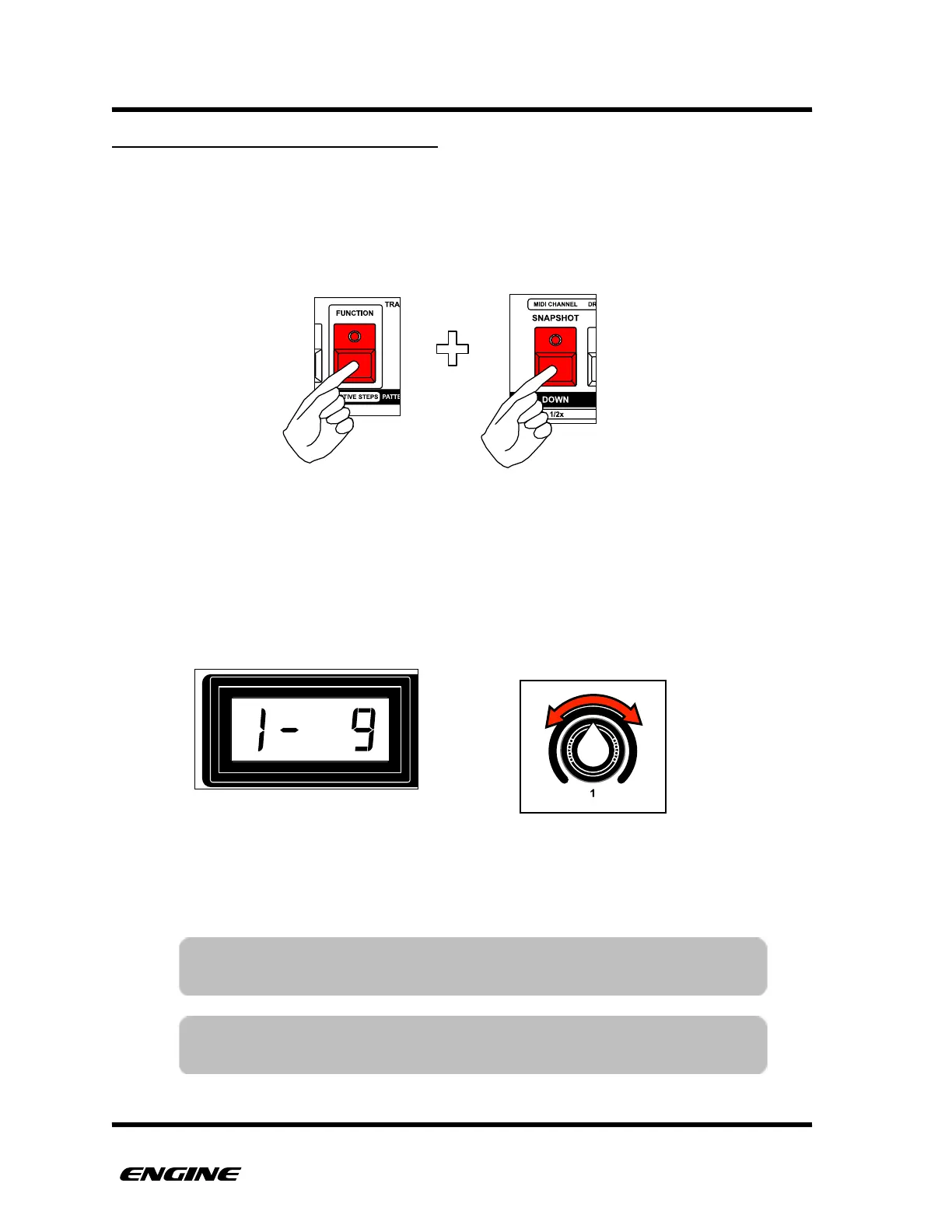
The MIDI output channel and output port can be set for each track. To view the MIDI
output channel for a track, press and hold (or double-click) the FUNCTION button, then
press and hold the MIDI CHANNEL (down) button.
The display will show the port and MIDI output channel for the selected track.
To change the MIDI channel, while in MIDI channel mode, rotate control knob 1 (or click
the BACKWARDS/FORWARDS buttons). The LED display will change to show the new
MIDI channel and port. The USB MIDI output port is designated as port “U”.
You can also use the three sharp buttons (F sharp, G sharp, A sharp) as a shortcut to
selecting the three available ports, and the 16 pattern step buttons as a shortcut to select
the MIDI channel.
Use the track select buttons to switch tracks while in the MIDI channel mode, to quickly set
the output channel for multiple tracks.
TIP: You can assign the same MIDI output channel to multiple tracks to
control a single device from multiple patterns.
TIP: You can set the MIDI output channel to OFF for tracks that may
be using only the (optional) CV expansion board.



 To Next Page