UPDATING FIRMWARE
Occasionally the Engine operating system may need to be updated for bugfixes or new
features. This can be done using the USB connection on the back of the machine.
There is a video of the update process available from the Social Entropy website.
Start by downloading the new OS file and the update utility from the Social Entropy
website. (http://www.socialentropy.com/engine).
You will need the update utility to get the new operating system onto the machine.
From the update utility, choose the new OS hex file to upload to Engine.
Now, set the update utility to automatic mode by pressing the AUTO mode button in the
update utility.
After installing the update utility and loading the OS hex file, you will need to connect
Engine to your PC using the included USB cable.
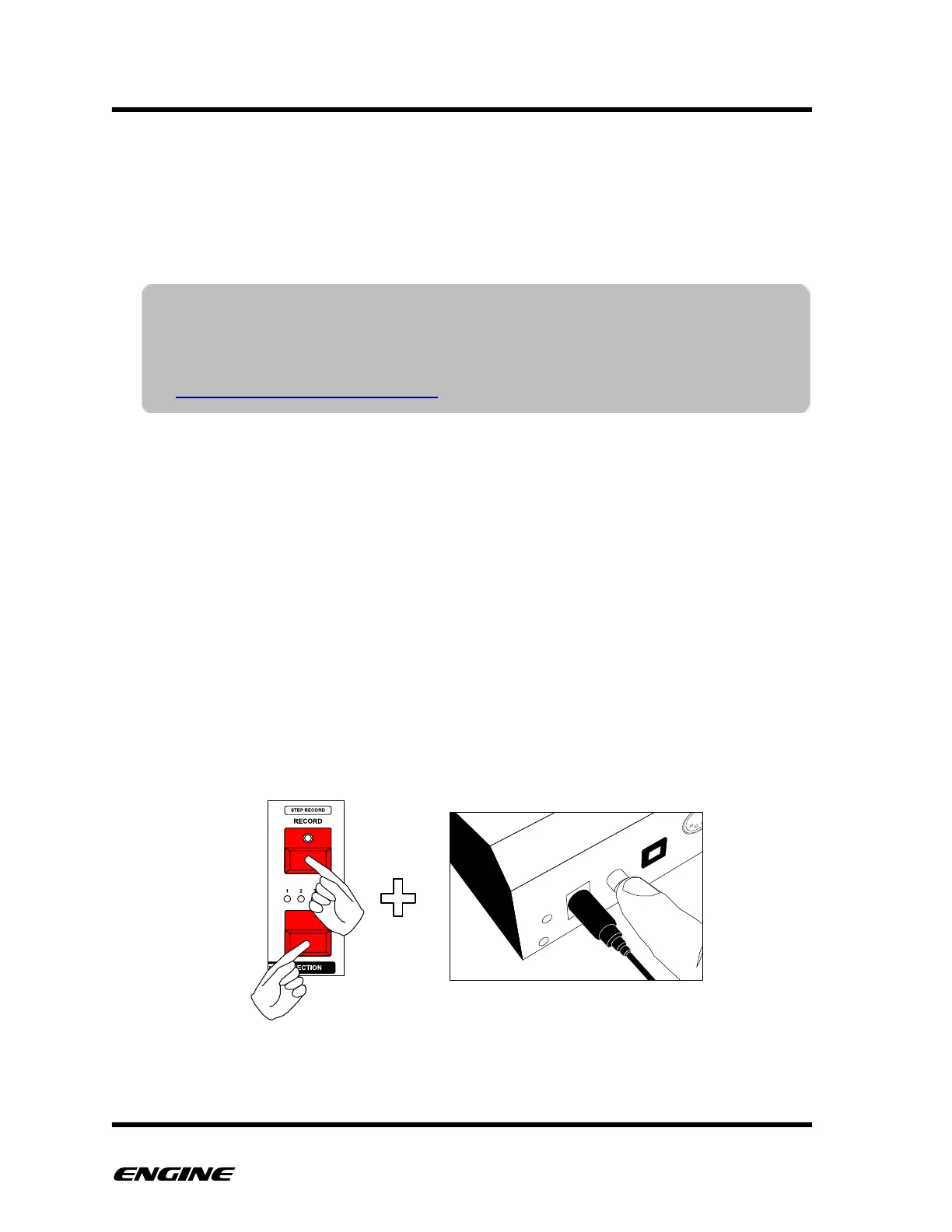
With the Engine connected to your PC, you will now boot in update mode. To do this,
press and hold both the SECTION button and the RECORD button while turning on the
machine.
You should see the update utility recognize Engine and begin uploading the new
operating system automatically, you can release the SECTION and RECORD buttons now.
NOTE: There is a USB “limitation” with Windows PCs prior to Windows 10 that
may cause the update to fail on the first attempt. Engine will appear bricked
in this case, but don’t freak out! Engine can be reset to force an update to
proceed. Please see the video describing how to recover from a bad update:
https://youtu.be/XtdymDkLp_c



 To Next Page