SETTING KNOB CONTROLLER NUMBERS
The MIDI controller number for each control knob can be set separately. This allows each
control knob to be used to control a different parameter of a device if needed.
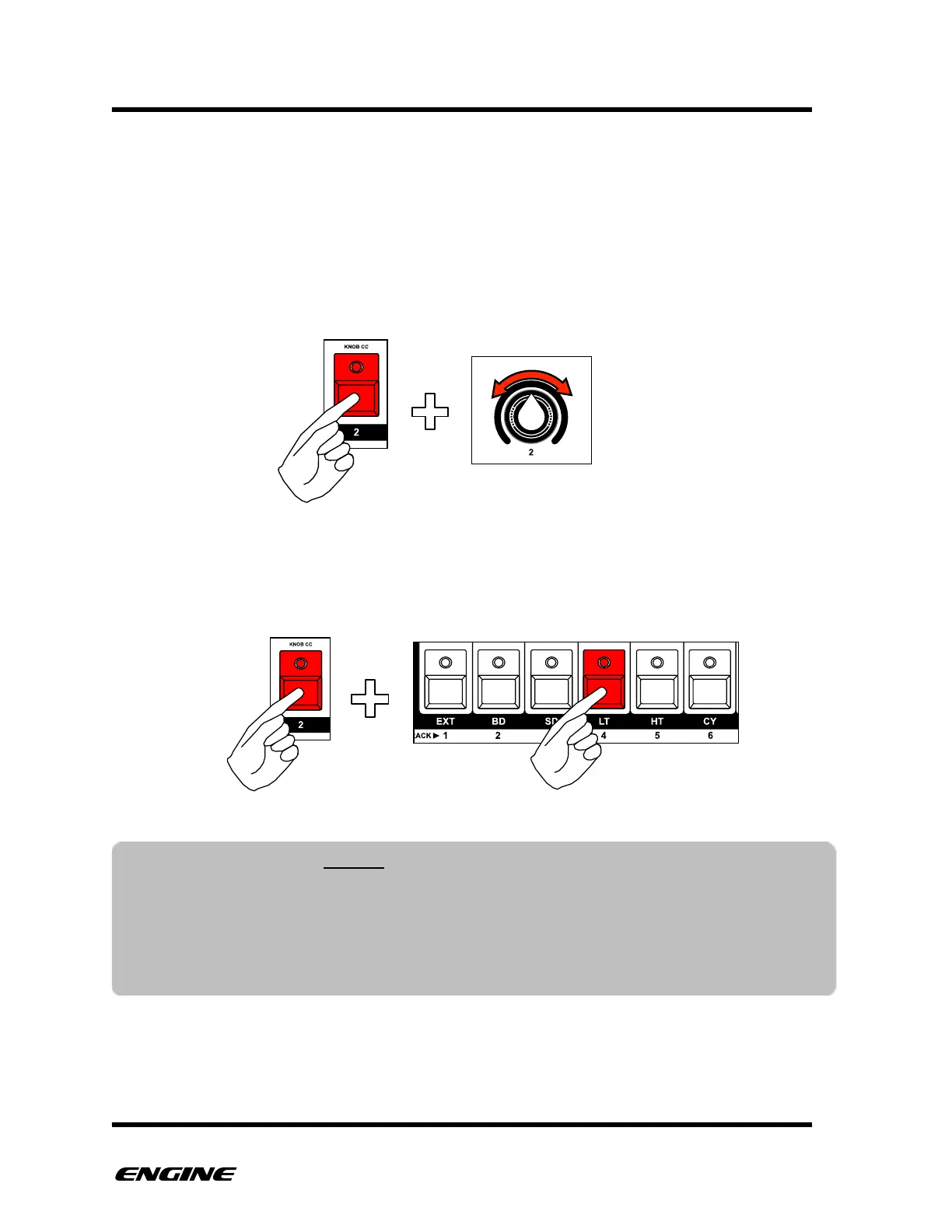
To set the MIDI controller number for a control knob, while in CONFIG mode, press and
hold pattern step button 2, then turn the control knob you wish to set. The controller
number of the knob will be displayed on the LED display. You can set the controller
number from the range 0 to 127.
If you just want to view the current controller assigned to a knob without changing it,
while holding pattern step button 2, press and hold the track select button corresponding
to the controller knob that you wish to view.
NOTE: If the global knob channel is set to “TR”, the knob is configured to use track
level settings and the global controller is not used. In this case the controller setting
will show “- - - -“ and cannot be changed."
"
For more details on setting the track specific controllers, please see the section on
TRACK UTILITY mode.



 To Next Page