DRUM TYPE PATTERNS
Drum type patterns are well suited for programming percussion sequences. A drum
pattern has sixteen individual drum instruments that can be programmed, allowing a
complete drum sequence to be created using a single track.
SELECTING DRUM INSTRUMENTS
Drum instrument selection is split into two groups of eight instruments.
The drum instruments are labeled as EXT for external, BD for bass drum, SD for snare
drum, LT for low tom, HT for high tom, CY for cymbal, OH for open hihat and CH for
closed hihat.
The EXT instrument is also used to send triggers from the (optional) CV Gate output
expansion in 8 track mode.
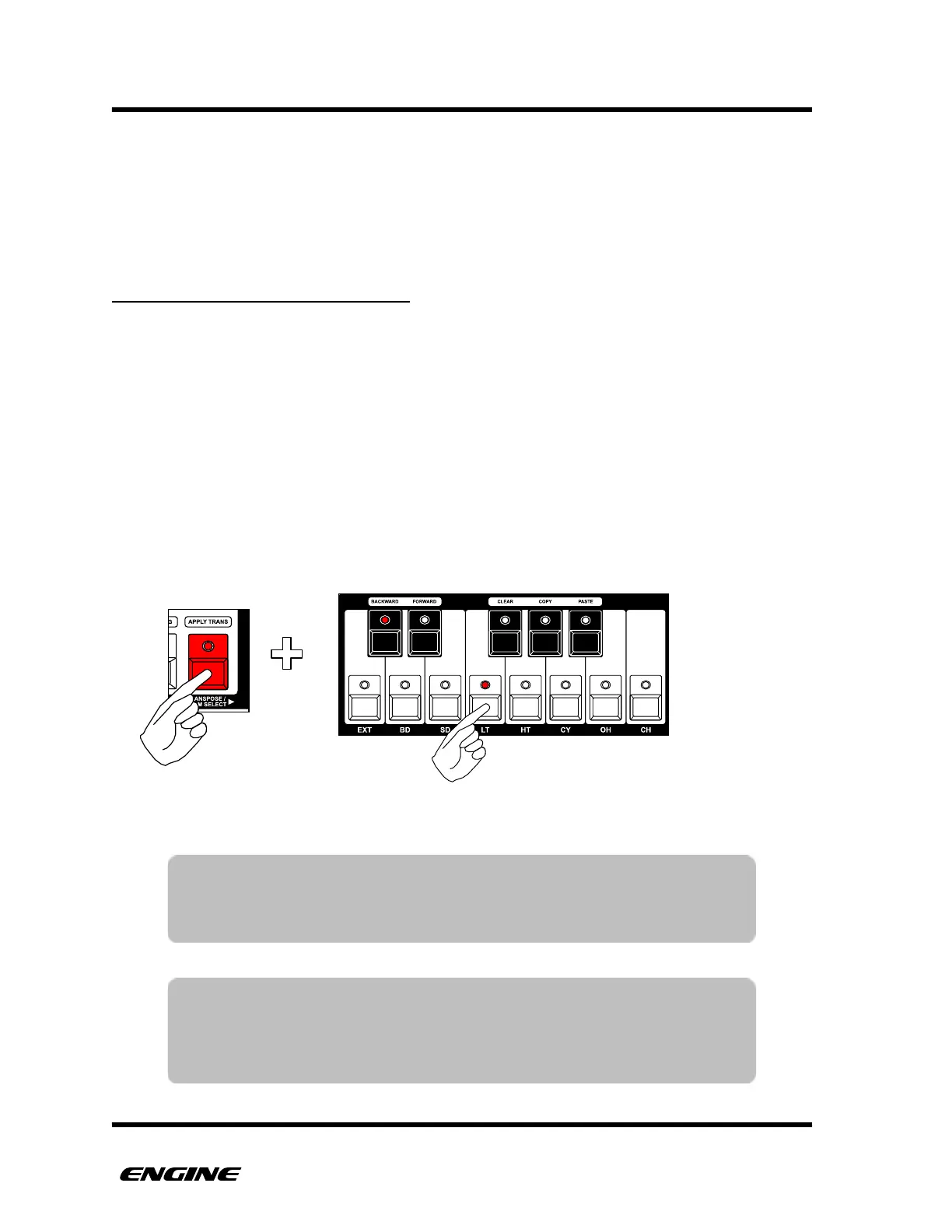
When editing a drum pattern, select which drum instrument is currently displayed on the
pattern step LEDs by holding the TRANSPOSE/DRUM SELECT button to the left of the mini
keyboard and then selecting the drum instrument using the white buttons of the mini
keyboard.
TIP: While holding the DRUM SELECT button, the track LEDs flicker
briefly each time a drum instrument is played. This gives a good
visual indicator of what instruments are playing. Muted
instruments will not flicker.
TIP: When the sequencer is not playing, the drum instrument will be
played as it is selected. This makes it easier to preview the drum
sound.



 To Next Page