CHANGING STEP PITCHES
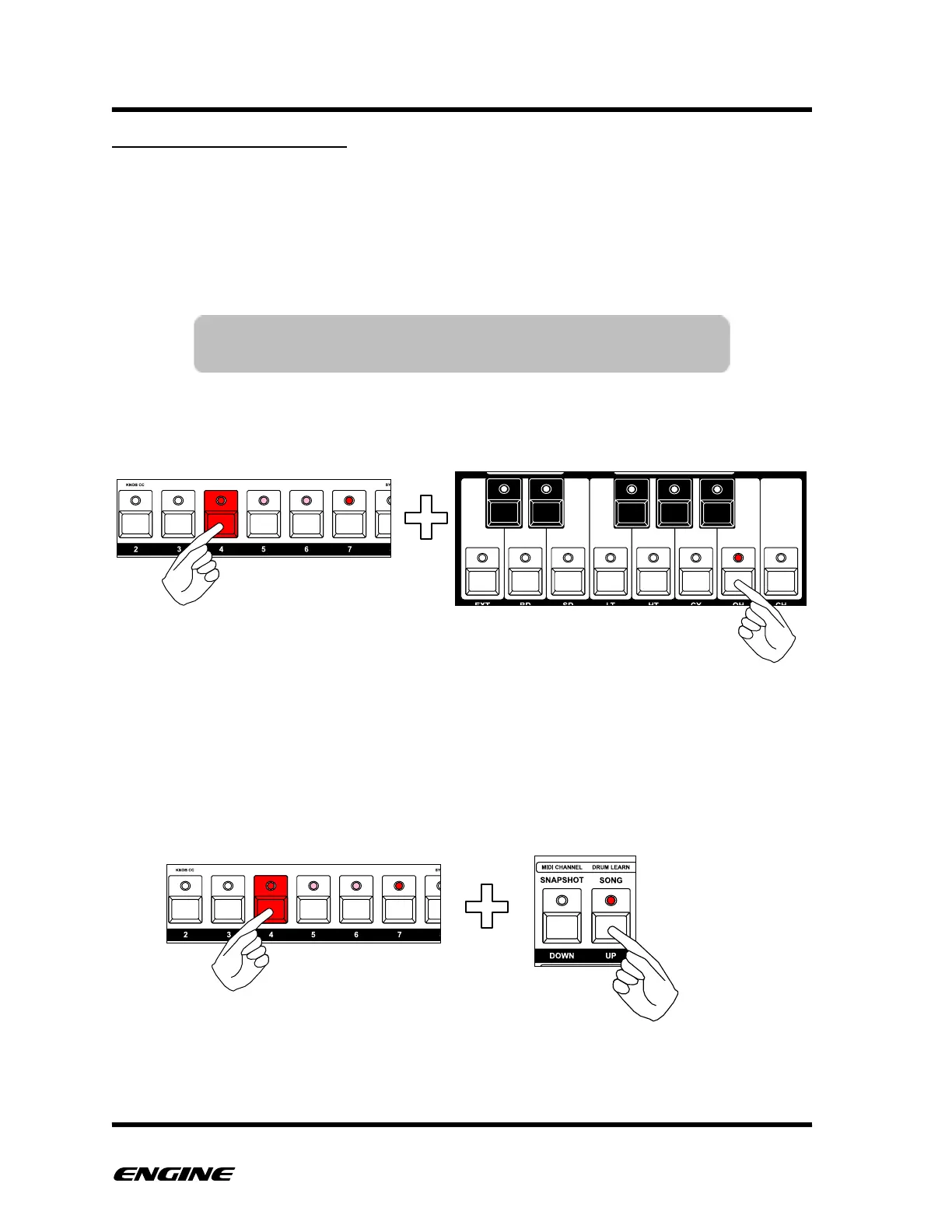
While holding a step button, you can see and change the programmed pitch for the step.
The semitone pitch is displayed on the mini keyboard, while the octave of the note is
shown on the UP and DOWN octave LEDs to the right of the mini keyboard.
To change the step pitch, while holding the step button, press any semitone button on the
mini keyboard.
For SYNTH1 type patterns, if PITCH SLOT 2, 3 or 4 is currently selected, you can
deactivate the pitch by clicking the mini-keyboard button for the current programmed
semitone. You cannot deactivate PITCH SLOT 1, it will always be played if the step is
triggered.
To change the octave of the selected pitch, press the octave UP or DOWN buttons to the
right of the mini keyboard.
TIP: If pitch entry over MIDI is enabled for the selected track,
you can also set the step pitch using a MIDI controller.



 To Next Page