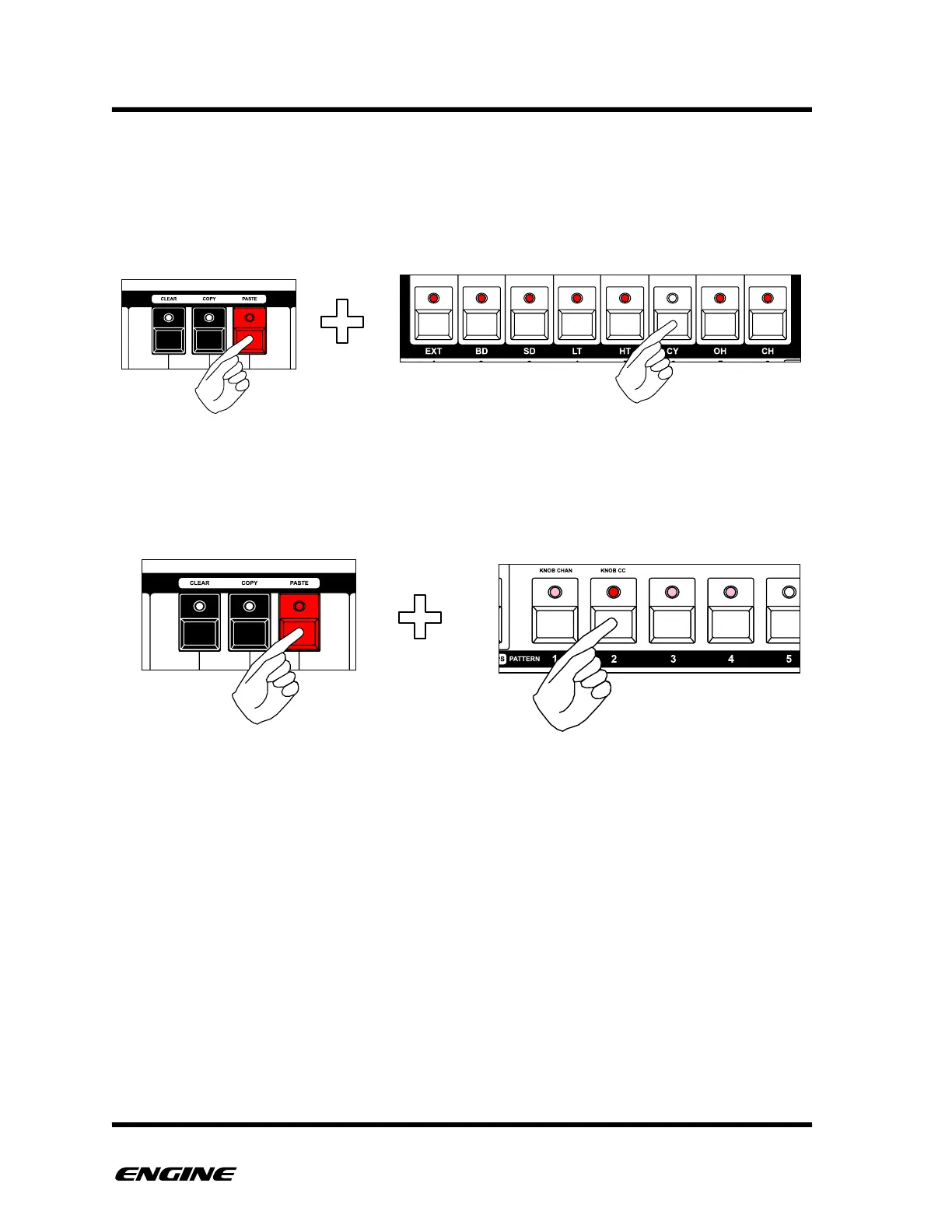
While the PASTE button is held, you will also notice that the eight track select LEDs will be
lit. These indicate which of the eight tracks will be copied forward into new pattern
locations. To exclude a track from the pattern paste operation, click the track button to
disable it. An excluded track will continue to use the current selected pattern in the new
snapshot.
Once you have selected the tracks to copy forward, click the pattern select button of the
new snapshot location to create. The new snapshot will be automatically selected and
point to the new patterns that were also copied forward.
The new pattern locations used by the pasted snapshot will always be the pattern with the
same number as the new snapshot. For example, if you paste into snapshot location 9, all
patterns copied forward will be pasted into pattern location 9 across all tracks. Any
existing pattern data in these locations will be overwritten!
Because there are 128 (2 groups x 64) total snapshots, and only 64 total patterns per
track, pasting a snapshot in one snapshot group could overwrite pattern data used by the
same numbered snapshot in the other snapshot group. In general, it is recommended to
only use SNAPSHOT PASTE within one snapshot group per project, using the second
snapshot group as a “variation” of the first, possibly with varied track mute settings or
MIDI effects that will apply to the same patterns.!



 To Next Page