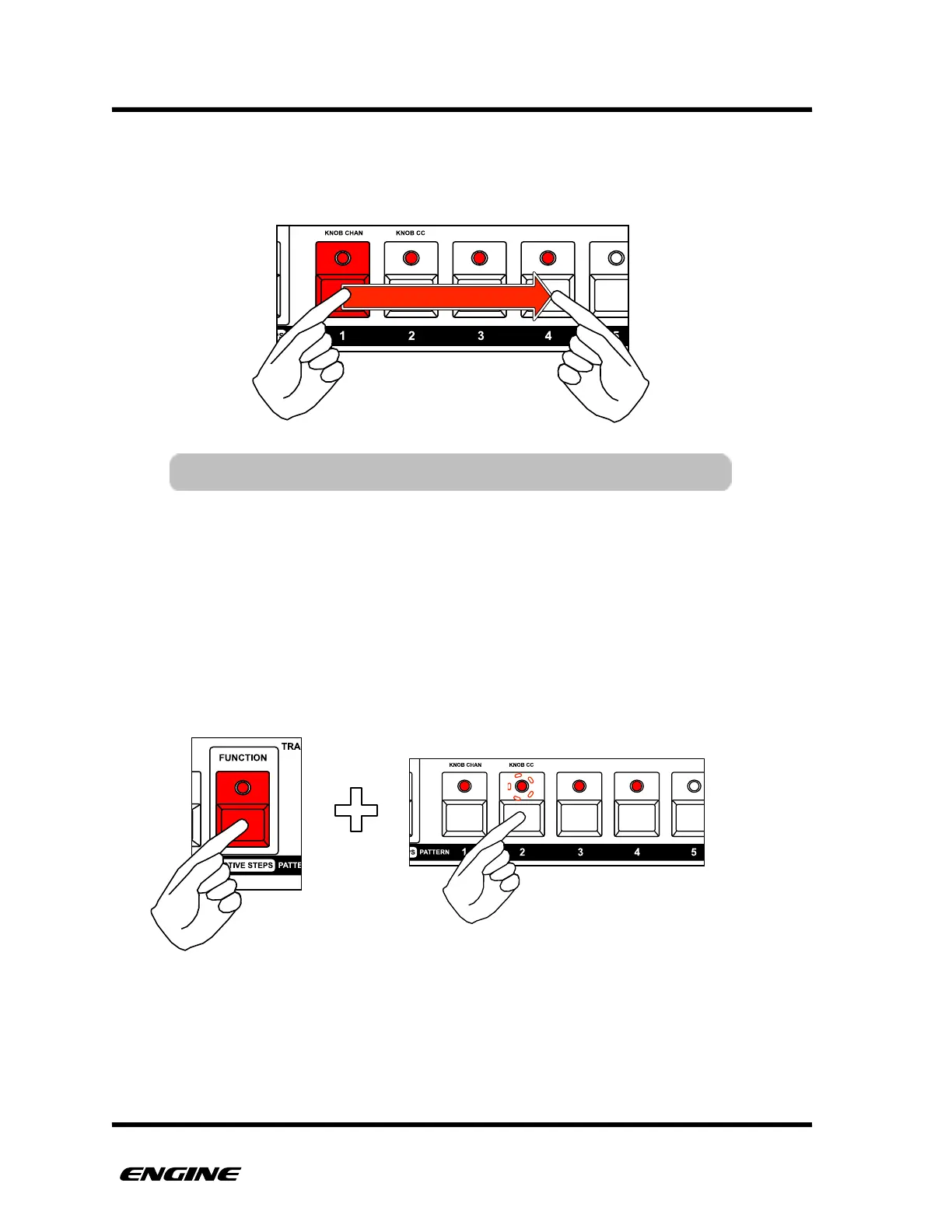
To select a pattern chain, press and hold the pattern step button for the first pattern in the
chain, then click the pattern step button for the last pattern in the chain. The pattern
chain should light across all selected patterns.
When chaining patterns, one pattern will be shown as the current pattern for editing. This
pattern is designated with a blinking LED, while other patterns in the chain are shown with
bright LEDs. Other (unselected) patterns will be show with dim LEDs if they contain
pattern data.
To change the selected edit pattern within a chain, while still holding the selected track
button, press and hold the function button and then click one of the patterns in the pattern
chain to make it the edit pattern. You will only be able to select patterns within the
current chain.
You can select different patterns and pattern chains for each of the eight tracks. The
patterns and pattern banks for each track are not shared, this means there are a total of
512 patterns available across the eight tracks. You can use the pattern copy/paste
functions to move patterns between tracks if needed.



 To Next Page