Vista Digital Mixing System
Date printed: 20.08.09 SW V4.1 Software V4.1 11
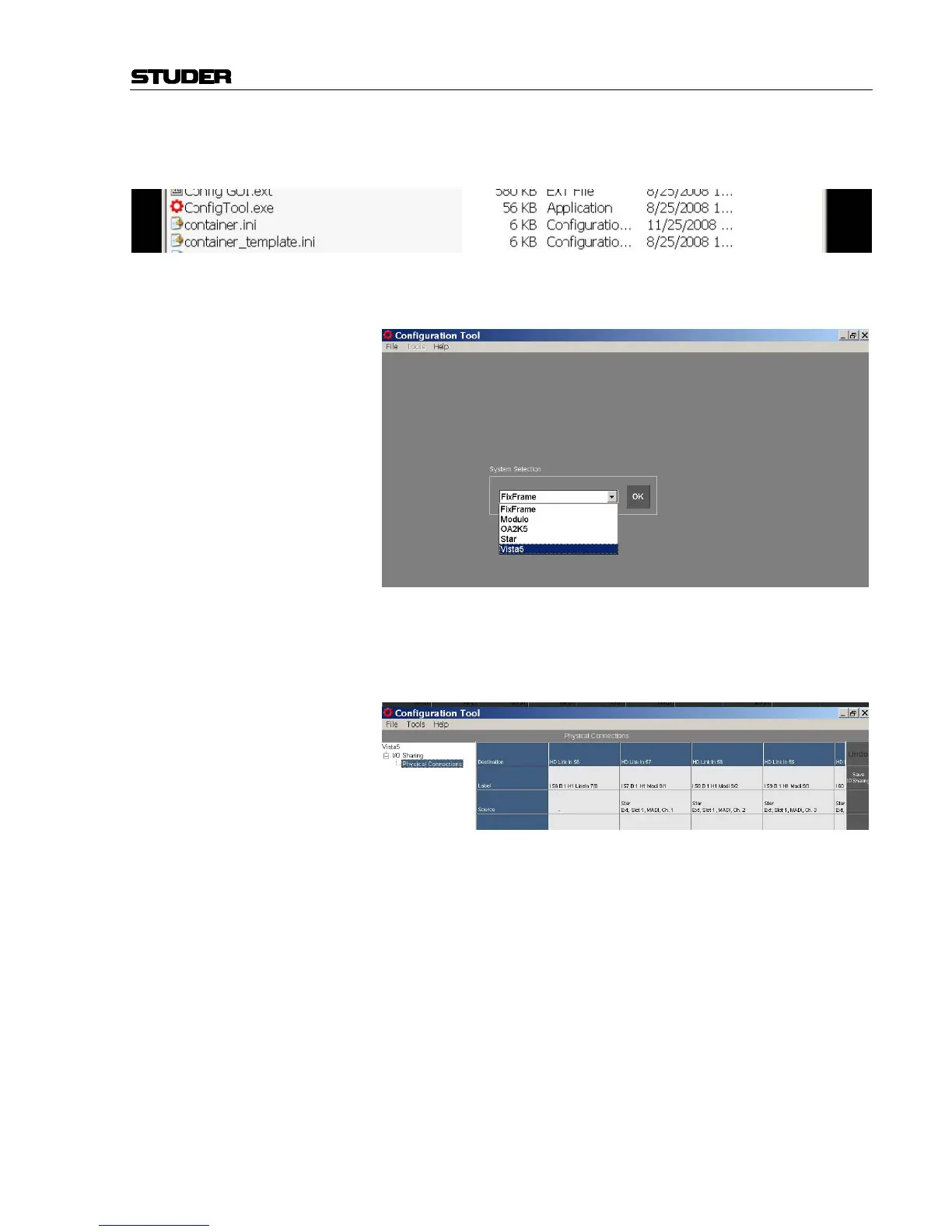
Start ‘Config tool for DNet applications’ in the Vista console’s C drive
(C:\Release ConfigTool\ConfigTool.exe)
Select one of the DNet systems available in the network, select the appro-
priate Vista system.
If the Vista or the other connected systems are not appearing, please refer
to chapter 7.1.2 to verify the settings in the Container.ini file.
In the configuration tool, go to Physical Connections. Under Destina-
tion all HD links within your system are listed.
Select the physical inputs to be used as tie lines. Once they are configured
as tie lines, they will no more be visible in the Vista general patch. Con-
figuration always takes place on the consumer system (target system). Only
the tie line inputs need to be configured, i.e., the tie lines that are directed
towards our system. The tie lines that go away from our system are config-
ured as inputs on the other systems, such as the router.
Select the appropriate system (e.g. the Star router, as shown below):



 To Next Page