S820E UG PN: 10580-00343 Rev. H 8-15
Vector Voltmeter 8-5 Table Display Format
The following procedure describes working with the features of Table Display
Format.
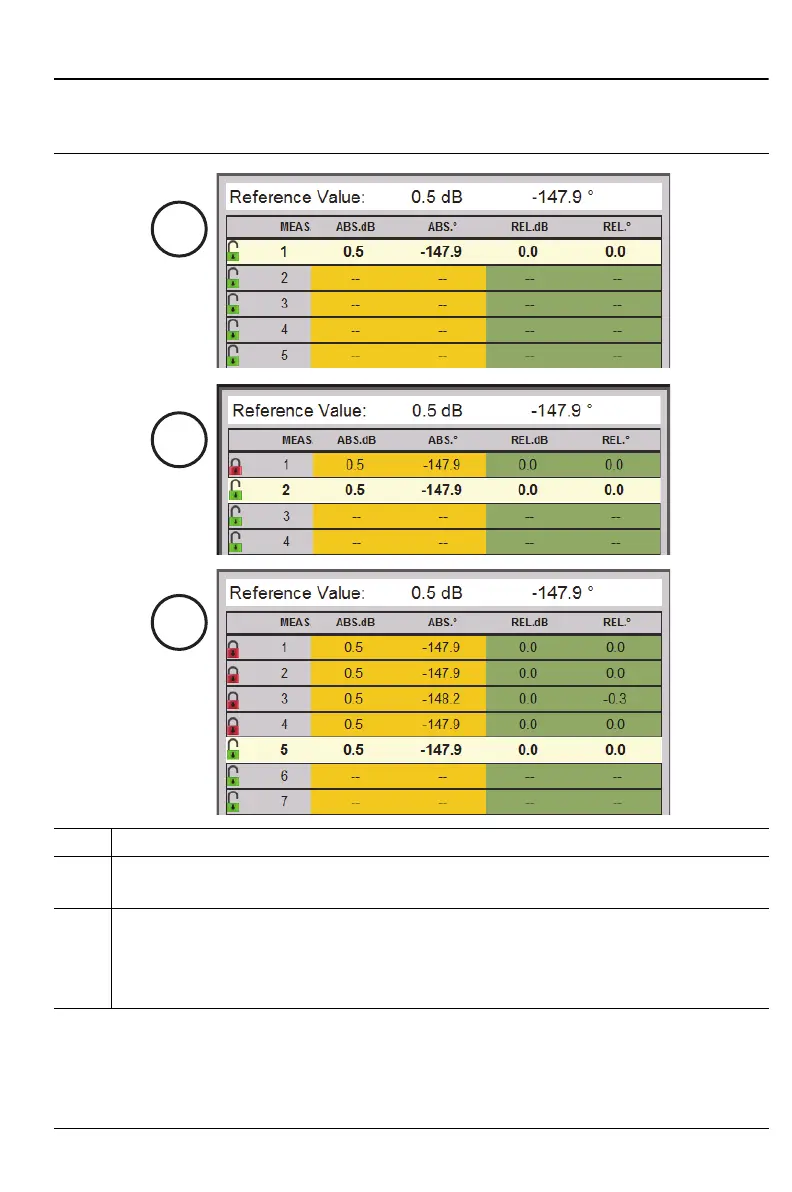
1. Row 1 is active and highlighted.
2. Press Enter. Row 1 is saved (lock icon becomes red).
Row 2 becomes active and highlighted.
3. Press Enter for Row 2, then for Row 3, then for Row 4.
Rows 1 through 4 have stored measurements (icons show locked).
Row 5 is active and highlighted.
Note that the measured values are identical except for Row 3.
Figure 8-10. Working with Table Display Format – 1 of 3











 To Next Page