8-16 PN: 10580-00343 Rev. H S820E UG
8-5 Table Display Format Vector Voltmeter
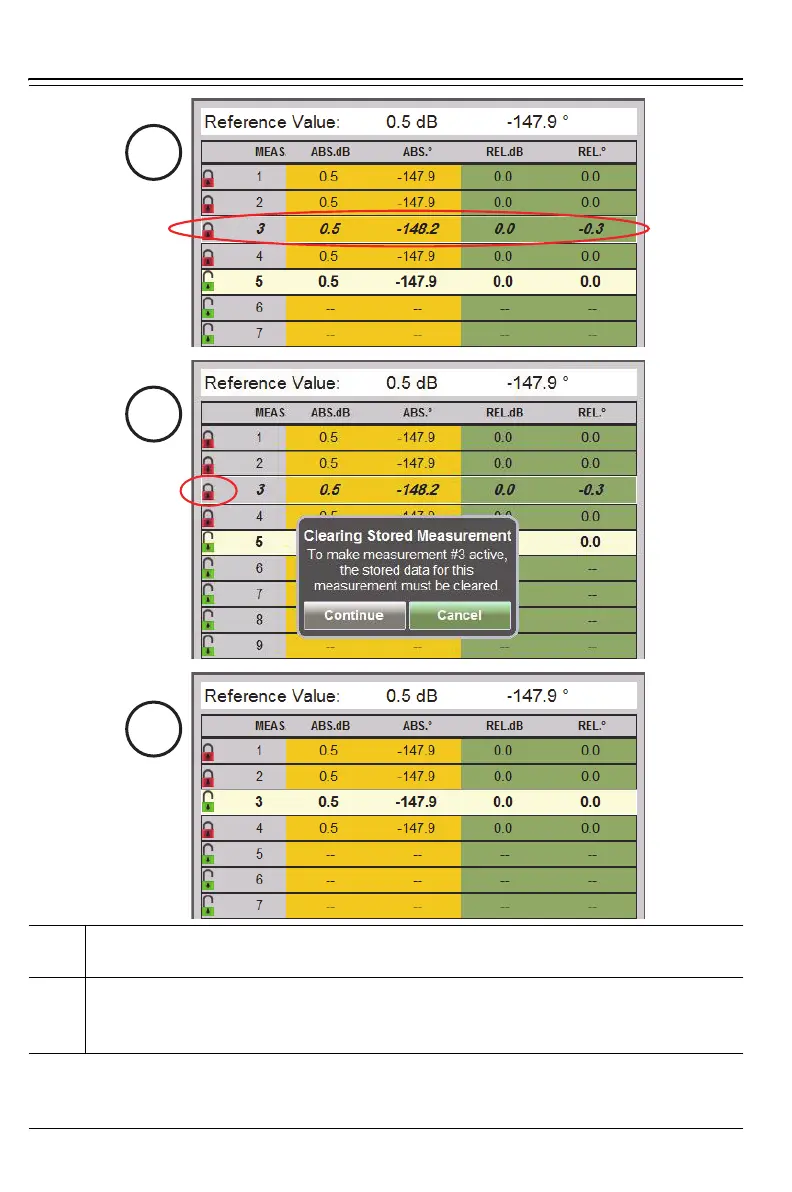
4. Use arrow keys or rotary knob to highlight Row 3 (until the numerals
are bold and slanted). Row 5 remains active.
5. Press Enter or tap the lock icon for Row 3. Then tap Continue to make
Row 3 active. Note that previously saved data are overwritten with
the current live data, as shown in Step 6.
Figure 8-11. Working with Table Display Format – 2 of 3











 To Next Page