S820E UG PN: 10580-00343 Rev. H 8-17
Vector Voltmeter 8-5 Table Display Format
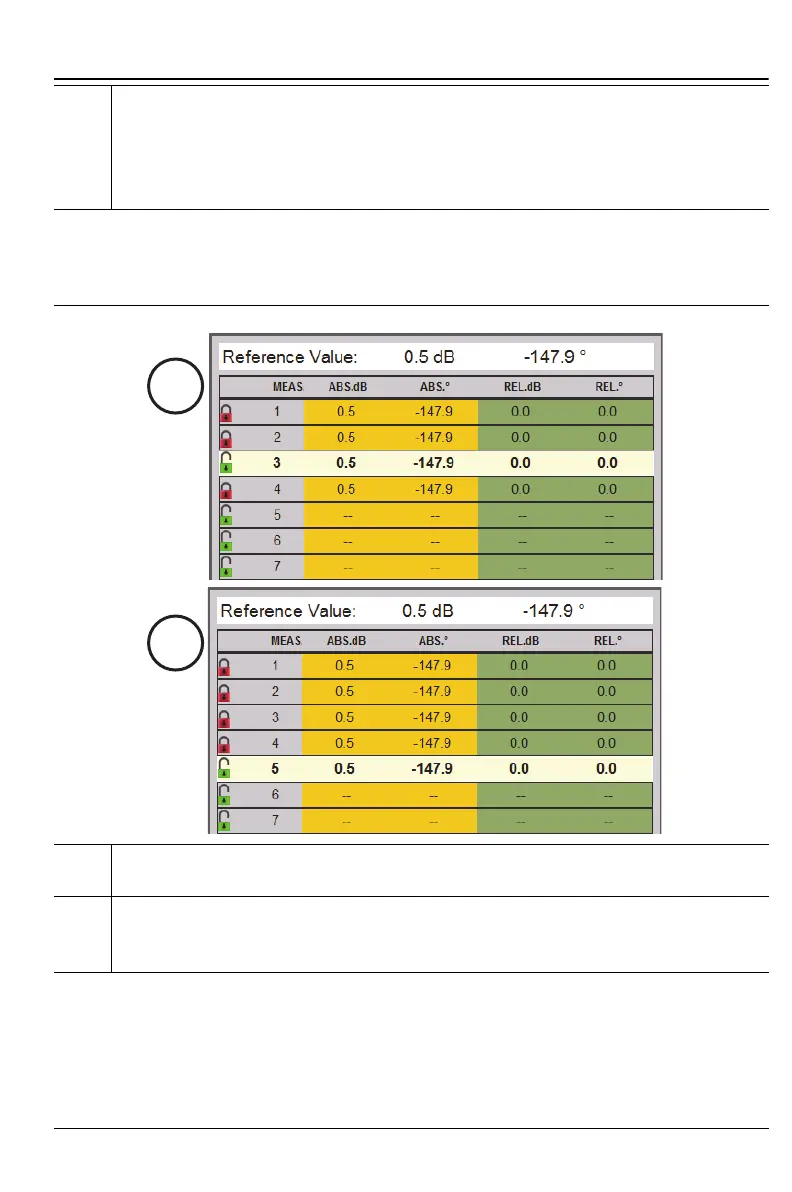
6. Row 3 is active and highlighted. The data that were in Row 5 prior to
making Row 3 active are not saved because it was not locked in. After
new data are locked in Row 3 by pressing the Enter button, the active
measurement drops down to the next available row in the table. In
this case Row 5 becomes active again. See Step 7.
7. In the example of Step 6, the Enter key was pressed to save the data in
Row 3. This is a view of the table just before pressing Enter.
8. Press Enter to save the measurement in Row 3 and to make Row 5
active. Note that measurement data in Row 3 were stored, and all
measurements are now identical.
Figure 8-12. Working with Table Display Format – 3 of 3
Figure 8-11. Working with Table Display Format – 2 of 3











 To Next Page