3.
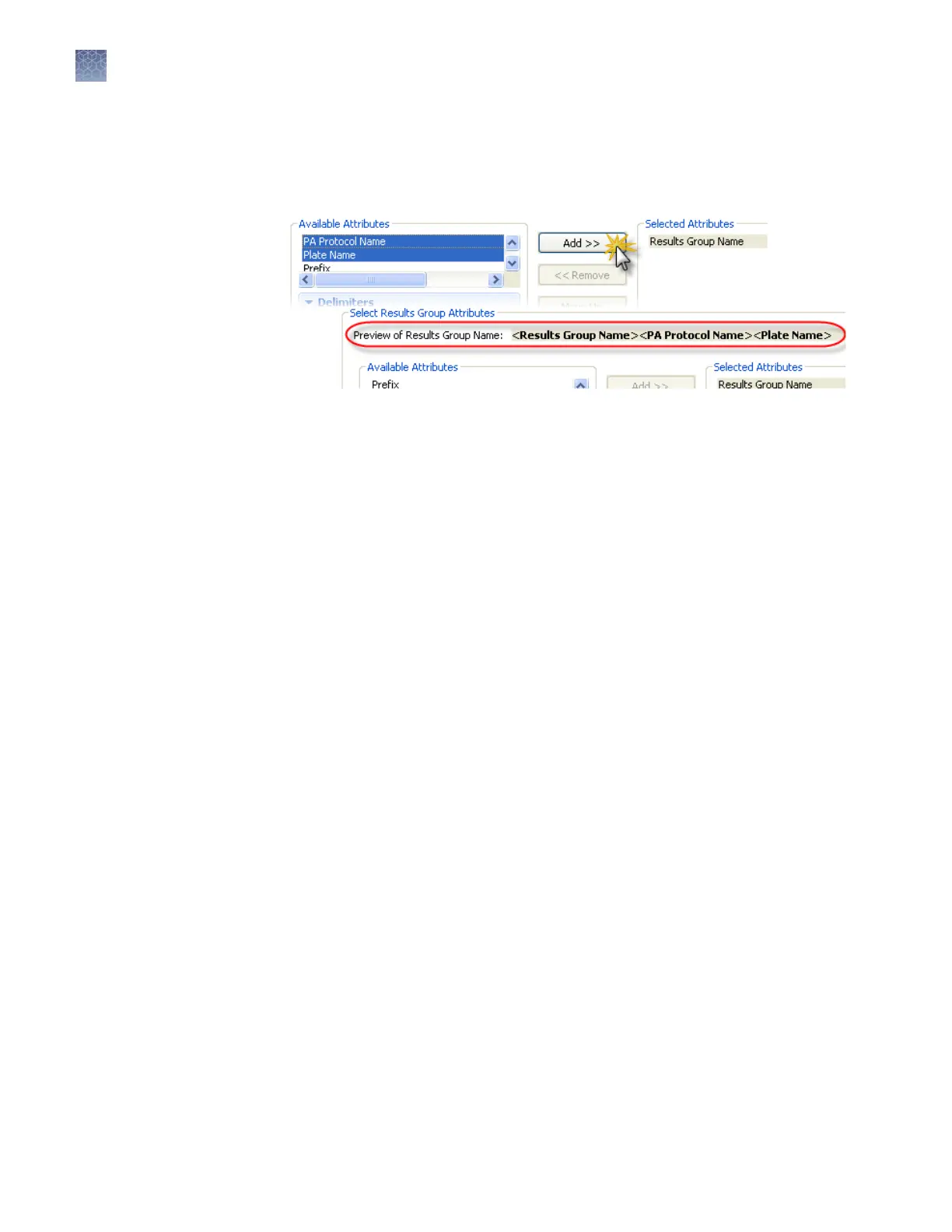
In the Create Results Group dialog box (Figure 13 on page ), select aributes and
delimiters (“Results group seings“ on page 155).
As you select aributes, the software displays a preview of the results group
name.
4.
T
o add delimiters between items in the Selected Aributes list:
a.
Ctrl-click or Shift-click to select two or more aributes.
b.
Select a delimiter.
c.
Select the Add between aributes check box.
d.
Click Add.
5.
Save the results group:
• If you are creating the results group from the Library, click Save.
• If you are creating the results group from the Assign Plate Contents screen,
click Apply to Plate or Save to Library.
Chapter 7 Manage libr
ary resources
Results Group library
7
154
3500/3500xL Genetic Analyzer User Guide—Data Collection Software v3.1


 To Next Page