The library contains factory-provided normalized size standards that you can use to
normalize fragment analysis and HID data:
•
Fragment analysis:
– GS600LIZ+Normalization
– GS600(60-600)LIZ+Normalization—For applications that have primer peaks
that obscure the 20 and 40-mer peaks of the GS600 size standard.
• HID:
– GS600(80-400)LIZ+Normalization
Normalization corrects for instrument, capillary, and injection variability. For each
sample, the software calculates a normalization factor based on a threshold seing.
The normalization factor is used as a multiplier to adjust the peak height of the
sample peaks relative to the GS600 LIZ
™
v2.0 size standard peaks.
IMPORTANT! Normalization is not applied to samples with failing sizing quality
.
Select a size standard denition le appropriate for your application that accurately
sizes samples. For example, if your application includes small fragments that may be
obscured by primer peaks, or large fragments that may not be present due to slower
migration rates, specify a size standard denition le that eliminates these fragments
from sizing.
For more information, see “Review normalized data“ on page 96.
If factory-provided size standards do not suit y
our needs, you can create new size
standards:
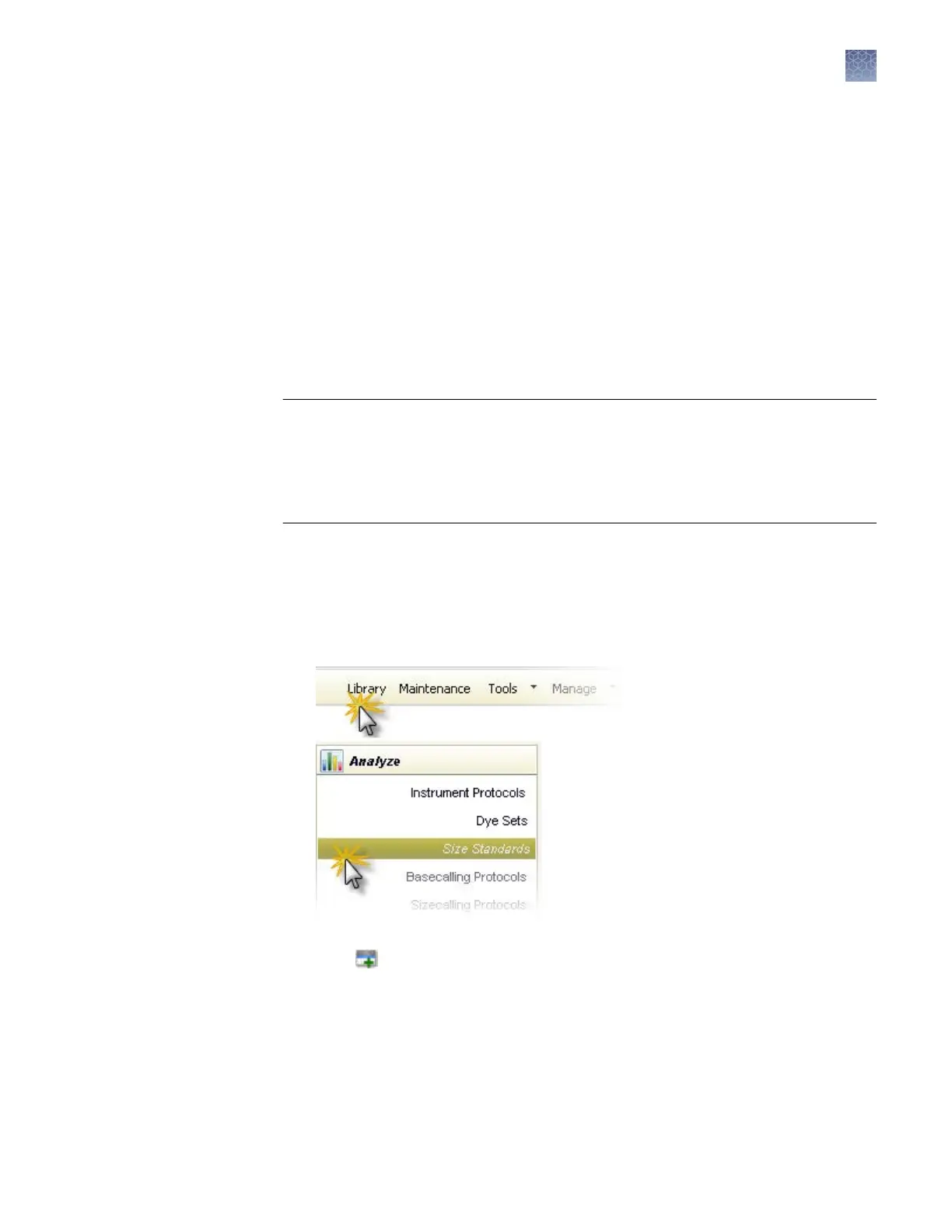
1.
Access the Size Standards library.
2.
Click Create.
3.
In the Create New Size Standard dialog box (Figure 22), enter a size standard
name.
Normalization
size standards
provided
Create a new size
s
tandard
Chapter 7 Manage libr
ary resources
Size standards library
7
3500/3500xL Genetic Analyzer User Guide—Data Collection Software v3.1
171


 To Next Page