EasyManua.ls Logo

Applied Biosystems 3500 - User Manual

Applied Biosystems 3500
326 pages
Print Icon
To Next Page IconTo Next Page
Loading...
For Research Use Only. Not for use in diagnostic procedures.
Applied Biosystems
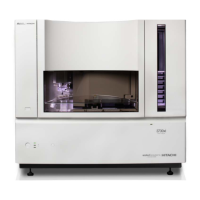
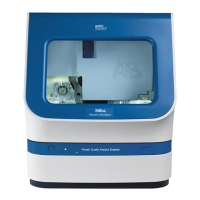
3500/3500xL Genetic
Analyzer
USER GUIDE
with 3500 Series Data Collection Software 3.1
Catalog Numbers 4405186, 4405187
Publication Number 100031809
Revision C

Table of Contents

Questions and Answers

Applied Biosystems 3500 Specifications

General IconGeneral
Number of capillaries8
Capillary Length50 cm
LaserSolid-state laser
Instrument TypeCapillary electrophoresis system
TechnologyCapillary Electrophoresis (CE)
Weight95 kg
Power Requirements100–240 V

Summary

CHAPTER 1 Instrument and software description

Instrument and software description

Overview of the Applied Biosystems 3500/3500xL Genetic Analyzer and its software.

Instrument and computer requirements

Details on hardware and software specifications for the instrument and computer.

Instrument consumables handling, usage limits, and expiration

Guidelines for handling, usage limits, and expiration of instrument consumables.

CHAPTER 2 Start the system

Start the computer and instrument

Step-by-step instructions for powering on the computer and instrument.

Start the software

Procedure for launching the 3500 Series Data Collection Software.

Check system status in the Dashboard

How to verify system status, consumables, and calendar reminders.

CHAPTER 3 Set up and run

Prepare the instrument

Steps to ensure the instrument is ready for a run.

Create or import a plate

Instructions for creating new plates or importing existing ones.

Assign plate contents

Details on assigning samples, assays, and file name conventions to plate wells.

Prepare and load sample plates

Guidance on preparing sample plates and loading them into the instrument.

Monitor the run

How to track the progress of an ongoing instrument run.

Check sequence or sample quality and re-inject samples

Methods for checking sample quality and re-injecting samples.

CHAPTER 4 Review sequencing results

Review sequence quality

Evaluating the quality metrics of sequencing data.

CHAPTER 5 Review fragment;HID analysis results

Review sample quality

Evaluating the quality of fragment and HID analysis data.

CHAPTER 6 Run calibrations and install checks

Section 6.1 Run spatial and spectral calibrations

Procedures for performing spatial and spectral calibrations.

Section 6.2 Run an install check

Steps for running sequencing and fragment/HID install checks.

CHAPTER 8 Use Security, Audit, and E-Sig functions (SAE Module)

CHAPTER 9 Maintain the Instrument

Maintenance schedule

Overview of routine and scheduled maintenance tasks.

APPENDIX A Troubleshoot

Instrument troubleshooting

Common symptoms and causes of instrument issues.

Error messages

Explanation of common error messages and their solutions.

Run, re-run, or re-inject troubleshooting

Resolving issues related to starting or re-running experiments.

Data;electropherogram troubleshooting

Troubleshooting issues with data quality and electropherograms.

Spatial calibration troubleshooting

Diagnosing and resolving spatial calibration failures.

Spectral calibration troubleshooting

Diagnosing and resolving spectral calibration failures.

Sequencing install standard troubleshooting

Troubleshooting issues with sequencing install checks.

Fragment;HID install standard troubleshooting

Troubleshooting fragment/HID install check failures.

APPENDIX B Run modules and dye sets

APPENDIX H Safety

Instrument safety

General safety precautions for operating the instrument.

Electrical safety

Guidelines for safe use of electrical power.

Chemical safety

Guidelines for safe handling of chemicals.

Related product manuals