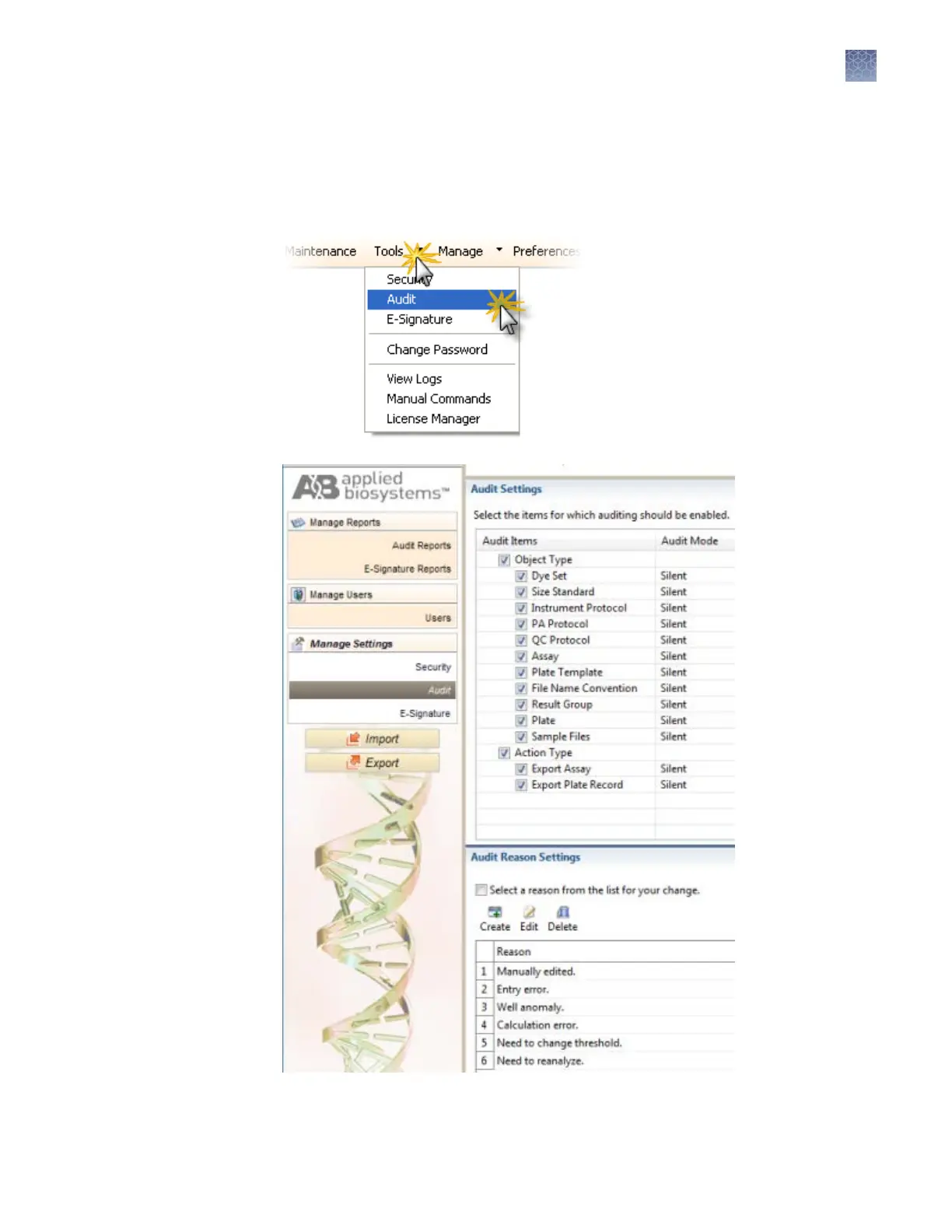
Access the Audit Settings screen
The Audit Seings screen controls the events that are audited, and the reasons
available to users when audit mode is set to Prompt or Required.
Access the Audit Seings screen.
Figure 30 Audit Settings
Manage auditing
Chapter 8 Use Security, Audit, and E-Sig functions (SAE Module)
Administrators
8
3500/3500xL Genetic Analyzer User Guide—Data Collection Software v3.1
201


 To Next Page