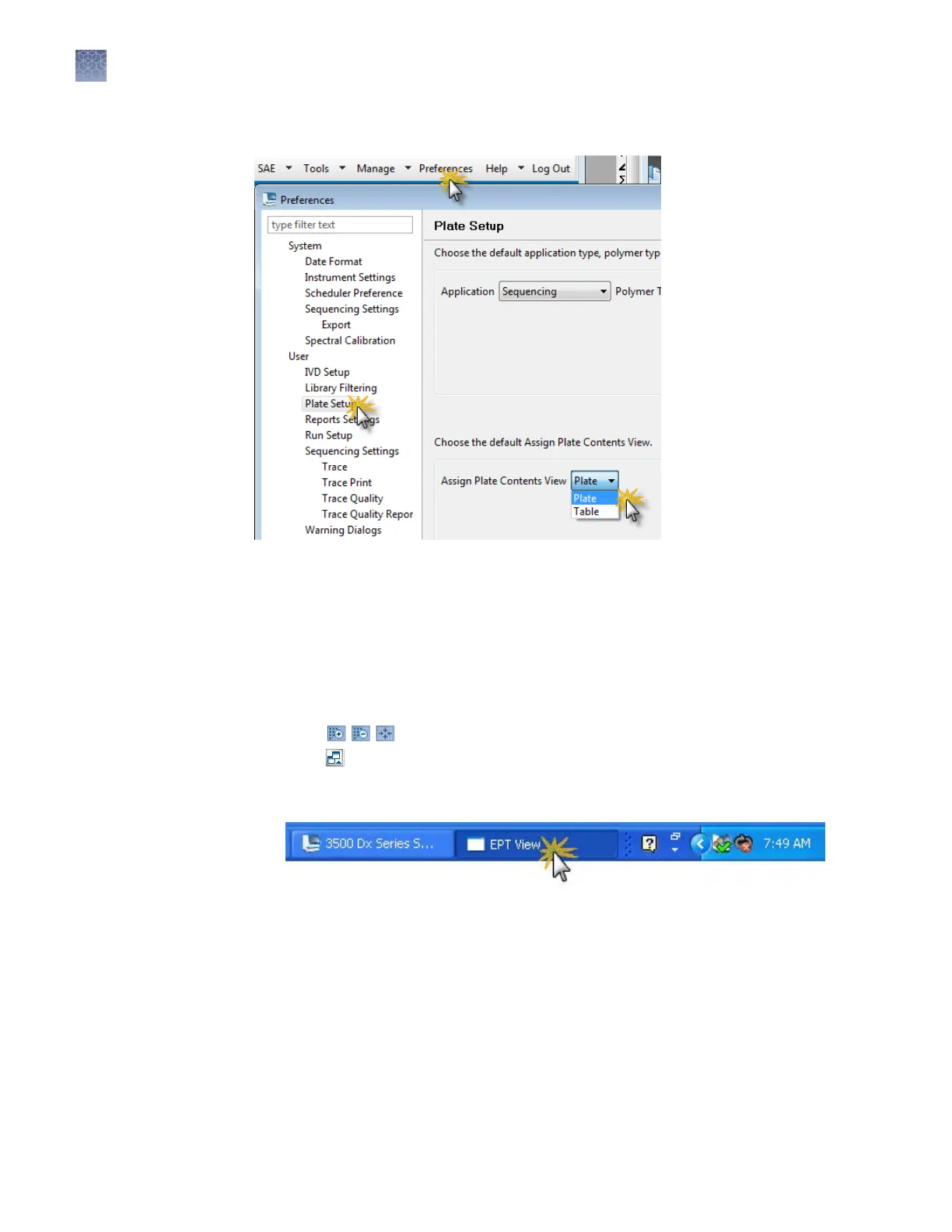
Specify the default plate type for the Open Plate dialog box in Preferences.
When you print any report, you can select CutePDF W
riter as the printer, to save the
report to .pdf.
More features in Monitor Run
Select an injection, then click an instrument run view tab. As needed:
• Click
to zoom in and out.
•
Click
to detach a view and display it in a separate window that you can move
around on the screen.
T
o locate a detached view, click the 3500 task bar icon.
Specify the default
plate type for the
Open Plate dialog
box
Save electronic
v
ersion of reports
Review the
Instrument Run
views
Chapter 3 Set up and run
More features in Monitor Run
3
80
3500/3500xL Genetic Analyzer User Guide—Data Collection Software v3.1


 To Next Page