10. Maintenance
10.19 System Battery
Image 10-44
Before you p rocee d remo ving the System Battery you need to rem ove t he Bottom Panel as outlined in the
related procedure.
The System B attery can also b e replaced a fter the System Power board is remo ved from the unit.
Concerned parts
V327007 Battery
Necessary tools
None.
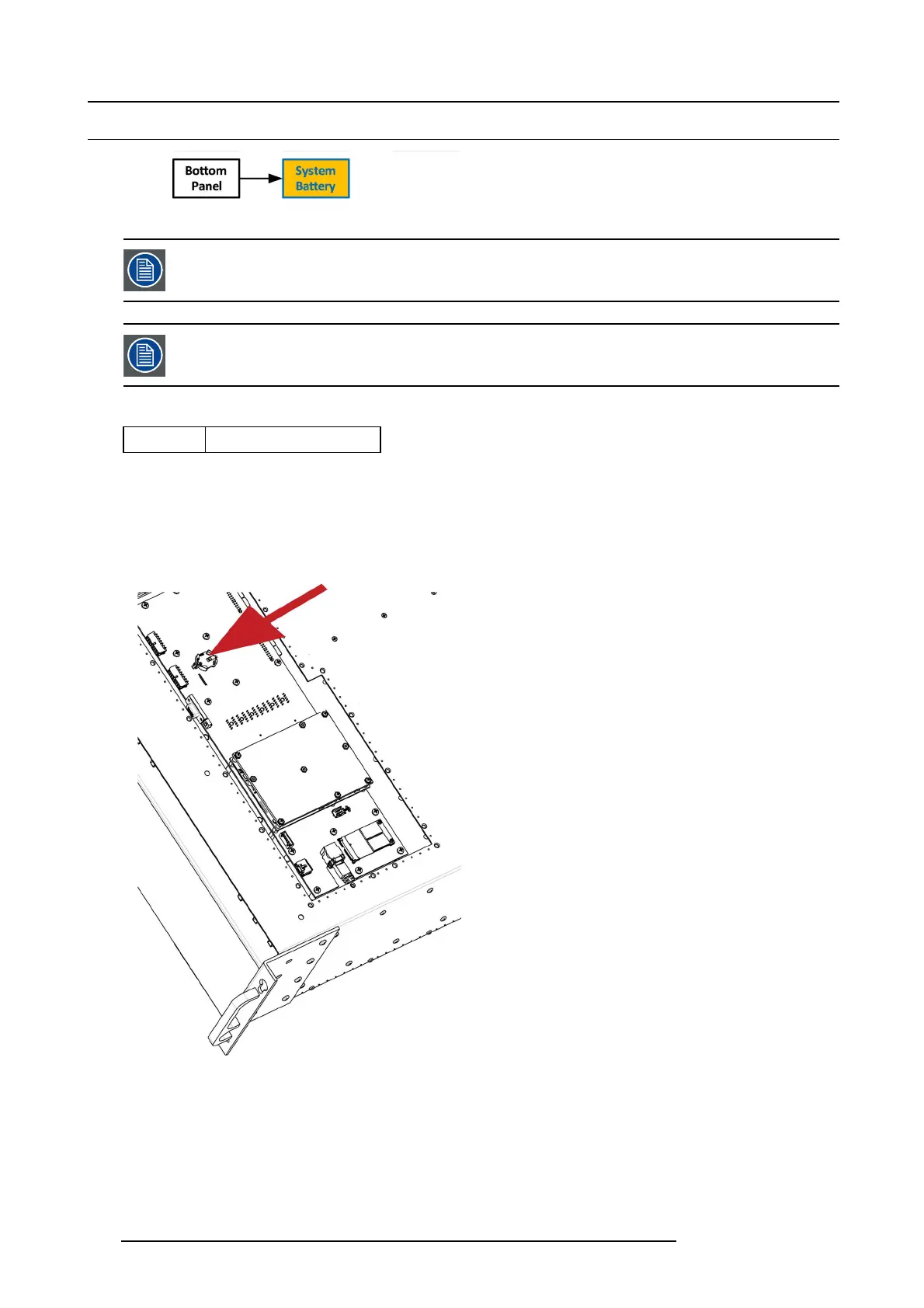
How to remove the System battery
1. Carefully remove the battery from its socket.
Image 10-45
How to install the System battery
To install t he Sys tem battery follow the same procedure in the reverse order.
240
R5905948 E2 12/12/2014



 To Next Page