10. Maintenance
10.26 VFD Cable
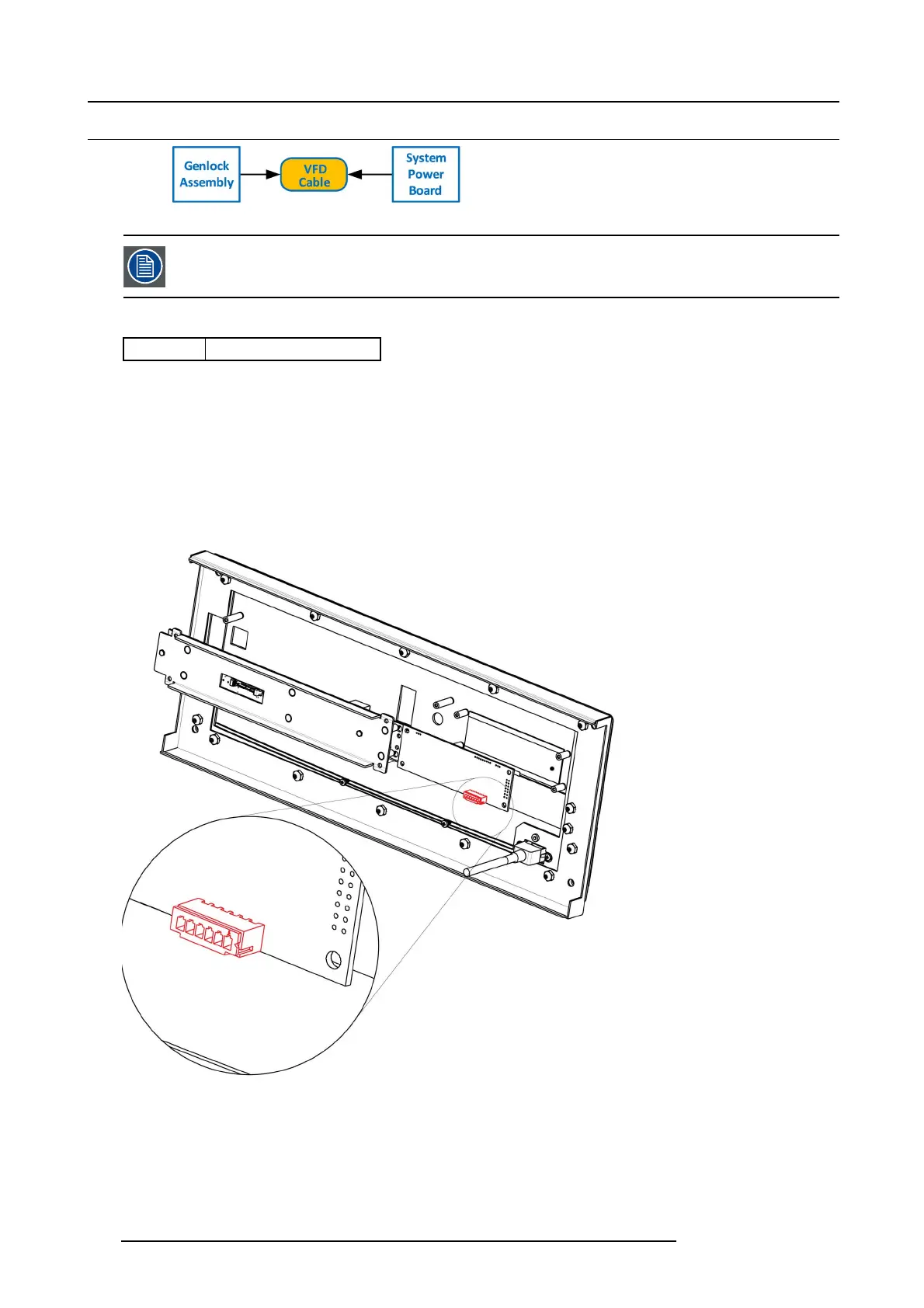
Image 10-66
The flat ribbon VFD cab le co nnects the VF D assembly to the System P ow er board. This procedu re provides
instructions on how to disconnect the cable on both sides.
Concerned parts
R767269K
Cable K it S et
Necessary tools
• 1 x Phillips Screw driv e r #2
• Hex Sc re w driver
How to remove the VFD Cable
1. Partially r emov e the front panel assembly and pull it away to expose the cables behind it (refer to the related procedure).
2. Push out the side latches on VFD connector to release the VFD cable.
Image 10-67
3. Gently push the cable t hrough t
he grommet located in the 1RU tray.
258
R5905948 E2 12/12/2014



 To Next Page