HTTP Settings
Setting SSL Keys and Certificates
Proxy Settings
Multicast Discovery Settings
SNTP Settings
Department ID Management PIN Configuration Settings
Setting IP v. 4
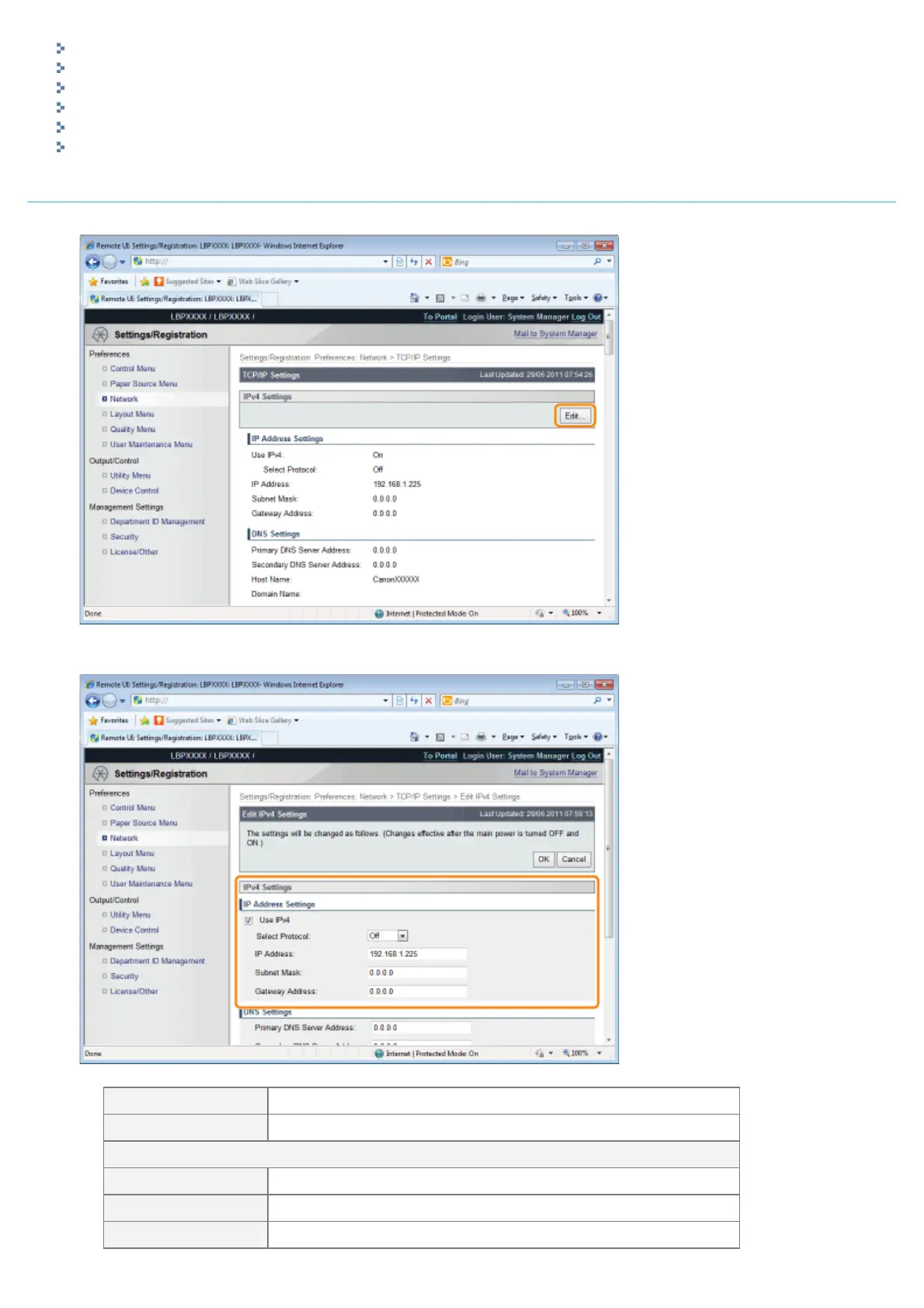
(1) Click [Edit...] in [IPv4 Settings].
(2) Set the IP address.
[Use IPv4] When the check box is selected, use IPv4.
[Select Protocol] Select the protocol used from [Off], [DHCP], [RARP] or [BOOTP].
When [Off] is selected using [Select Protocol], set the following items.
[IP Address] Enter the printer's IP address.
[Subnet Mask] Enter the subnet mask used by the TCP/IP network.
[Gateway Address] Enter the gateway address used by the TCP/IP network.
㻠㻞㻥㻌㻛㻌㻥㻣㻜



 To Next Page