GE HEALTHCARE
DIRECTION FC091194, REVISION 11 VIVID 7 SERVICE MANUAL
Chapter 3 - System Setup 3 - 59
3-9-14-2 DICOM Server IP Address Setting on the Scanner (cont’d)
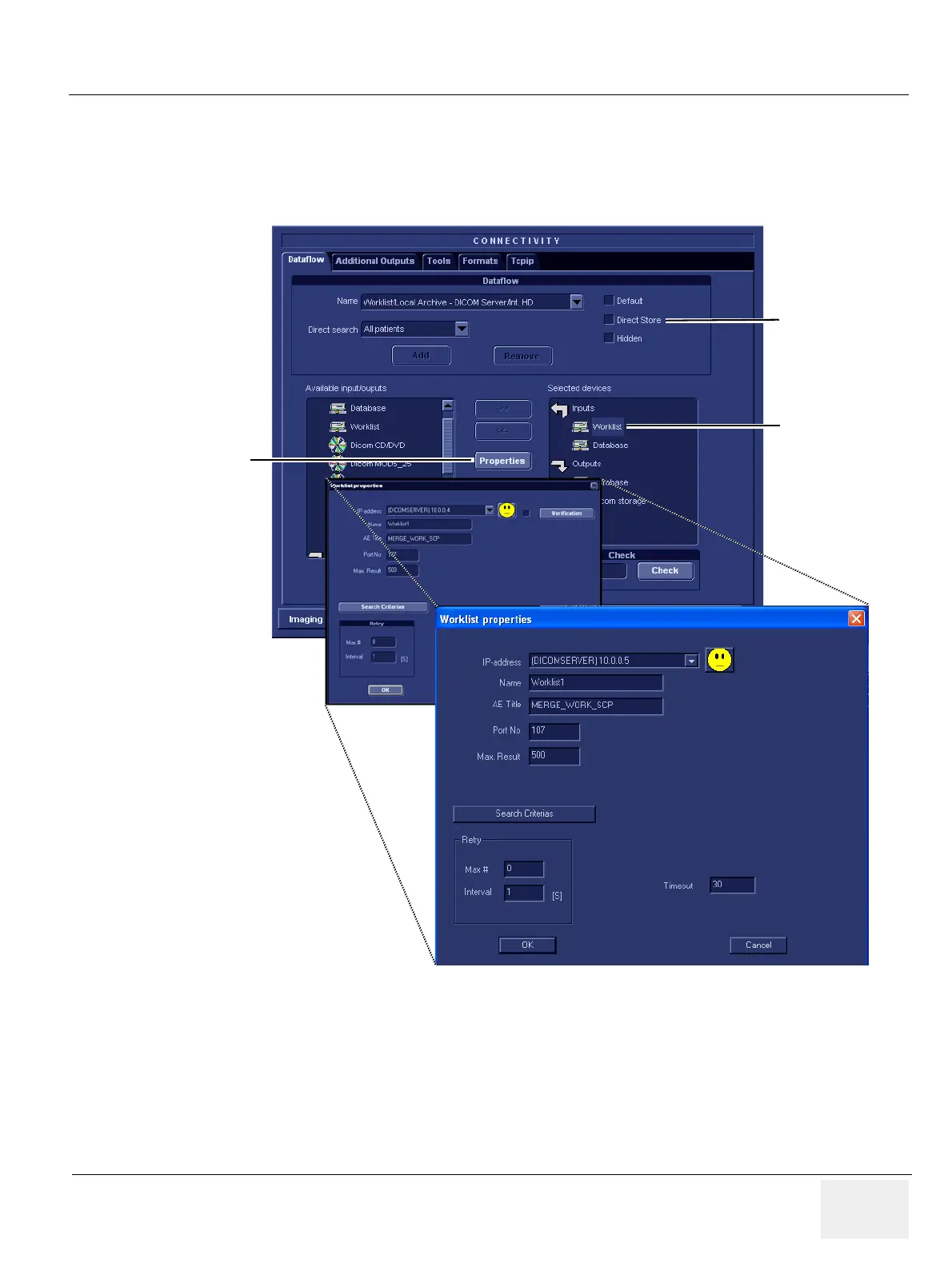
In Figure 3-54, the selected flow, Worklist/Local Archive - DICOM Server/Int. HD, is shown. Setup of
other dataflows are similar to this example.
6.) Select Worklist (so it is highlighted) and then select Properties to display the Properties dialog.
If Direct Store is enabled, the image will go to the DICOM server immediately after it is acquired. You
will need to verify that the DICOM server is capable of keeping the connection open for the time it takes
to complete an examination.
Figure 3-54 Worklist/Local Archive - DICOM Server/Int. HD flow
WORKLIST
PROPERTIES
DIRECT STORE


 To Next Page