
 Need help?
Do you have a question about the Gemalto Cinterion EHS6 and is the answer not in the manual?
This document presents the AT Command Set for EHS6 GSM/UMTS Mobile Engine, Release 03.001.
Lists the Open Source Software provided by or on behalf of Licensor and subject to license conditions.
Lists all related documents, including 3GPP TS, ITU-T recommendations, and application notes.
Explains document conventions, including abbreviations, acronyms, and notations used throughout the document.
Describes the AT command syntax, including prefixes, terminators, and response formats.
Details the communication between the Customer Application (TE) and the EHS6 (ME), including flow control and timing.
Explains the supported character sets (GSM 7 bit, UCS2) and their coding/conversion.
Describes Unsolicited Result Codes (URCs) issued by the ME without request and lists common URCs.
Explains the format of error result codes (+CME ERROR, +CMS ERROR) and their meaning.
Resets AT command settings to their factory default values. Affects parameters listed in Section 21.5.
Returns the current parameter setting. Configuration varies based on PIN authentication status.
Stores current AT command settings to a user-defined profile in non-volatile memory.
Controls whether the EHS6 transmits any result code to the TE. Other information text is not affected.
Determines the contents of header and trailer transmitted with AT command result codes and information responses.
Determines whether EHS6 transmits particular result codes and controls dial tone/busy signal detection.
Resets AT command settings to factory default values, then restores from user defined profile.
Controls EHS6's functionality level and can be used to reset the ME. Supports full functionality or airplane mode.
Initiates EHS6's power-off procedure. Do not send other AT commands after this command.
Controls the format of error result codes, allowing selection between plain "ERROR", error numbers, or verbose messages.
Returns an extended error report regarding the reason for the last call release, call setup failure, or service issues.
Allows configuration of flow control on asynchronous serial interfaces ASC0 and ASC1 (UARTs). RTS/CTS is recommended.
Controls the behavior of the ME's DCD line, setting it to always on or only when data carrier signal is present.
Determines how the ME responds if the DTR line is changed from ON to OFF state during data connection or active Internet Services.
Determines how the ME sets the DSR line depending on its communication state.
Controls if the EHS6 echoes characters received from TE during AT command state.
Controls character framing and parity format used for receiving and transmitting data via EHS6's asynchronous serial interfaces (UART).
Allows querying and setting the bit rate of the EHS6's asynchronous serial interface (UART).
Enables the use of virtual channels set up over one single serial interface, handling multiple AT command sessions.
Delivers a product information text, including Cinterion, EHS6, and Revision details.
Returns a manufacturer identification text, typically "Cinterion".
Returns a product model identification text, typically "EHS6".
Delivers a product firmware version identification.
Delivers the International Mobile Equipment Identity (IMEI) of the module. Identical to AT+GSN.
Delivers the International Mobile Equipment Identity (IMEI) of the module. Identical to AT+CGSN.
Delivers the International Mobile Subscriber Identity (IMSI), identifying the SIM attached to the ME.
Used to enter PIN for network registration or SIM/PH-SIM password replacement. Read command checks PIN status.
Controls authentication of SIM PIN2. Read command checks required PIN2, write command verifies password.
Locks, unlocks, or interrogates network or ME facilities like SIM cards or fixed dialing phonebooks.
Allows defining a new password for a password-protected facility lock function.
Checks if the ME is waiting for a password and the number of remaining attempts.
Connects the EHS6 to an incoming voice or data call, indicated by a "RING" URC.
Sets up outgoing voice and data calls, or sends *# codes for Supplementary Services.
Sets up an outgoing call to a specified number using memory storage and index.
Sets up an outgoing call to a stored number using the index number.
Searches the active phonebook for a given string and dials the assigned phone number.
Redials the last voice and data call number used in ATD command.
Releases all active calls and held calls, but not waiting calls.
Releases all active calls, but neither waiting nor held calls.
Terminates calls indicating a specific 3GPP TS 24.008 release cause.
Controls the automatic answering feature for data calls, setting the number of rings before answering.
Switches the ME from command mode to data mode or PPP online mode.
Switches from data mode or PPP online mode back to command mode.
Selects bearer service, data rate, and connection element for data calls.
Selects the type of number for further dialing commands ATD according to 3GPP Technical Specifications.
Sets radio link protocol (RLP) parameters used when non-transparent data calls are originated.
Lists all current calls, showing call identification, direction, state, mode, and multiparty status.
Enables or disables voice call status reporting using an unsolicited result code.
Configures the TA whether or not to transmit an intermediate result code +CR when a call is being set up.
Controls the format of the incoming call indication.
Triggers an eCall to the network, supporting test, reconfiguration, manual, or automatic calls.
Implemented for compatibility reasons only and has no effect on module behavior.
Implemented for compatibility reasons only and has no effect on module behavior.
Implemented for compatibility reasons only and has no effect on module behavior.
Implemented for compatibility reasons only and has no effect on module behavior.
Returns the list of operator names from the ME, including numeric and alphanumeric equivalents.
Queries network registration status and allows automatic or manual network selection.
Forces the selection of Radio Access Technology (RAT) used in the protocol stack for network registration.
Queries network registration status and uses EONS specification for handling operator name strings.
Monitors the EHS6's network registration status, reporting changes via URCs.
Indicates the received signal strength and the channel bit error rate.
Queries and edits the list of preferred operators. Response depends on AT+CPLS setting.
Selects a preferred PLMN list defined in Elementary Files of the SIM card or USIM application.
Enables/disables event reporting for time zone and daylight saving time changes via URCs.
Enables/disables automatic time zone update via NITZ. AT+CTZR activates indicators for changes.
Designed for GPRS-ONLY SIM cards for PS data connectivity, as AT+COPS is not fully usable.
Supplies information of the serving cell, including parameters like LAC, cell ID, and signal strength.
Supplies information of active cells and all neighbour cells for handover or softer handover.
Allows monitoring of various network information, such as cell scan results.
Returns current ACM value or resets Advice of Charge related to accumulated call meter.
Returns current ACMmax value or sets Advice of Charge related maximum home units allowed.
Controls the Advice of Charge supplementary service function mode.
Activates or deactivates explicit CUG invocation, sets index, and specifies preferential group/outgoing access suppression.
Controls call forwarding supplementary service: registration, erasure, activation, deactivation, and status query.
Controls the "Call Waiting" supplementary service, supporting activation, deactivation, and status query.
Controls Supplementary Services Call Hold and Multiparty: calls can be put on hold, recovered, released, and added.
Enables/disables presentation of CLI at the TE for mobile terminated calls.
Refers to CLIR supplementary service, restricting calling line identification presentation.
Enables/disables presentation of COL at the TE for mobile originated calls.
Enables/disables presentation of CNI at the TE for mobile terminated calls.
Returns current parameters of PUC or sets Advice of Charge related price per unit and currency table.
Enables or disables the presentation of URCs for supplementary services.
Controls the handling of Unstructured Supplementary Service Data (USSD) and presentation of "+CUSD" URCs.
Serves to create and edit Internet connection profiles, defining connection type and parameters.
Requests the current status of Internet connection profiles, showing state, services, and addresses.
Saves and loads Internet connection and service profiles to non-volatile memory or resets them.
Sets up parameters for Internet service profiles, used with other AT commands for data link control.
Monitors the status of Internet service profiles, providing details on state, received/sent bytes, and acknowledged data.
Starts the Internet session configured by the service profile, controlling progress via URCs or polling.
Closes the TCP/IP connection to the remote peer, releasing resources and resetting counters.
Triggers a read operation (download) or queries bytes in the internal buffer for Internet services.
Triggers a write operation (upload) and queries the amount of data sent but not acknowledged.
Applies to Transparent TCP or UDP client services, entering transparent access mode for data transfer.
Intended for Transparent TCP Listener service to disconnect an established client connection from the server side.
Sends ICMP Echo Requests (Ping) to a target IP address or DNS host name.
Returns the current error status of a specified Internet service profile.
Describes the syntax and parameters of the "^SIS" URC and command response of AT^SISE.
Provides selective examples for configuring and using Internet service profiles, illustrating URC and polling modes.
Activates or deactivates the specified PDP context(s) for packet switched services.
Requests EHS6 to respond to a network request for PDP context activation (accept or reject).
Attaches the MT to, or detaches the MT from the Packet Domain service.
Disables or enables an automatic positive response to a Request PDP Context Activation message.
Performs actions necessary to establish communication using one or more PDP types, including PS attach.
Specifies parameters for a PDP context identified by the context identifier <cid>.
Modifies specified PDP context(s) with respect to QoS profiles and TFTs.
Specifies a minimum acceptable Quality of Service Profile checked against the negotiated profile.
Specifies a Quality of Service Profile used when MT sends an Activate PDP Context Request.
Enables or disables sending of unsolicited result codes (+CGEV) for events in the Packet Domain.
Returns a list of PDP addresses for all defined contexts or specified context identifiers.
Specifies a minimum acceptable Quality of Service Profile checked against the negotiated profile.
Specifies a Quality of Service Profile used when MT sends an Activate PDP Context Request.
Monitors the ME's Packet Domain network registration status, reporting changes via URCs.
Specifies the service or service preference for sending MO (mobile originated) short messages.
Accepts a network request for PDP context activation announced by unsolicited result codes.
Establishes communication between TE and the external PDN, performing necessary actions for Packet Domain service.
Enters the type of authentication for the specified PDP context.
Configures the used E/GPRS Multislot Classes.
Defines various parameters used for SMS operations, including message format, storage, and addressing.
Transmits a short message to the network (SMS-SUBMIT). Waits for a prompt before entering text or PDU.
Deletes a short message from the preferred message storage.
Specifies the input and output format for short messages (PDU or Text mode).
Lists SMS messages with a specified status value from the preferred message storage.
Reads an SMS message from the preferred message storage location.
Transmits a short message to the network (SMS-SUBMIT). Waits for prompt ">" before entering message.
Transmits a short message (SMS-DELIVER or SMS-SUBMIT) from TE to memory storage.
Controls the continuity of the SMS relay protocol link, allowing faster sending of multiple messages.
Sends a message with a location value from message storage to the network.
Confirms reception of a new SMS in text mode or sends acknowledgement in PDU mode.
Selects the procedure for indicating new SMS receipt to the TE when TE is active.
Selects memory storages (<mem1>, <mem2>, <mem3>) for reading, writing, etc.
Updates the SMSC address for mobile originated SMs.
Selects which types of CBMs are to be received by the ME.
Sets whether detailed header information is shown in text mode result codes.
Controls additional parameters for SMS sent to network or stored in text format.
Specifies the service or service preference for sending MO SMS messages.
Lists messages from preferred storage based on status type, without changing read status.
Reads a short message without overwriting its status to "REC READ".
Serves to query the USIM card identification number from EFICCID.
Offers access to Elementary Files on the USIM, restricted to specific commands.
Allows direct control of the USIM and more control over the USIM interface.
Activates the Remote-SAT interface and determines mode and alphabet.
Returns the set of proactive commands supported, providing a URC for each.
Allows entering response to a USAT proactive command displayed by URC +STKPRO.
Allows sending an envelope command from ME or TE to the USIM Application.
Reports the status of call control activities via URCs.
Shows the status of the USAT proactive session via unsolicited result code.
Provides selective examples for configuring and using the USAT Toolkit with Explicit Response mode.
Returns the subscriber's own number(s) from the SIM.
Reads one or more entries from the phonebook selected with AT+CPBS.
Selects the active phonebook storage for subsequent phonebook commands.
Creates, edits, and deletes a phonebook entry at a specified location.
Searches the active phonebook for alphanumeric entries starting with a given string.
Sets the number to the voice mail server. Read command returns status and selected number/type.
Implemented for V.250ter compatibility reasons only and has no effect.
Mutes the microphone input. Usable in all audio modes during a voice call.
Refers to an integer defining the length of tones transmitted with the AT+VTS command.
Sends ASCII characters to MSC to transmit DTMF tones to a remote subscriber.
Configures the audio interface, enabling digital input/output and selecting master/slave modes.
Controls microphone path amplification, referring to active audio mode.
Returns the microphone mute status and allows switching the microphone's audio path.
Controls the earpiece path amplification. Works in audio modes 2 to 10.
Sets the audio mode required for the connected equipment, allowing alternative interface operation.
Offers basic support for CTM (Cellular Text Telephone Modems) and sets module's speech system into CTM mode.
Returns current ring tone type and volume, allows selecting melody and adjusting volume.
Allows playing voice prompts in AMR format and handling recording of speech.
Manages Java applications, including install, start, stop, remove, and list operations.
Allows downloading a file into the ME Flash File System by starting the download process in binary mode.
Configures the Java Midlet security, including keystore usage and certificate verification.
Creates a profile with parameters needed for automated network access through a dialup connection.
Controls and starts OTAP operations for installing and updating Java applications over the air.
Launches a Java application. Deprecated command, also performs automatic deinstallation.
Repeats the previous AT command line. Useful for reissuing commands.
Implemented for compatibility reasons only and has no effect on module behavior.
Implemented for compatibility reasons only and has no effect on module behavior.
Implemented for compatibility reasons only and has no effect on module behavior.
Allows the application manufacturer to download EHS6 firmware into the ME.
Provides access to the Flash File System for reading, creating, deleting, renaming, and copying files.
Queries and configures various settings of extra services supported by the EHS6.
Provides access to extra services, including COMBAIN cell based positioning.
Sets the Real Time Clock in the ME and shows the current time.
Allows setting an alarm time for the EHS6, which triggers a URC or wakes up the ME.
Monitors the supply (or battery) voltage of the module.
Monitors the operating temperature range of the EHS6 device.
Controls the LED function provided by the EHS6's STATUS pin.
Controls the Analog-to-Digital Converter for measuring voltage of external devices.
Enables the module to be connected to external I²C or SPI devices.
Controls the PWM signals generated by means of the GPIO7/PWM1 or GPIO6/PWM2 lines.
Serves to add (or remove) and configure GPIO lines, considering shared functions with other interfaces.
Gets the current state (Low/High) of a specified GPIO pin.
Sets the state (Low/High) of a specified GPIO pin.
Starts and stops polling a pin specified with <io_id>. Polling is only applicable to input pins.
Reads, starts, restarts, and stops the pulse counter.
Configures the GPIO8 line as a pulse counter to measure signals.
Implemented for compatibility reasons only and has no effect.
Lists command strings that can be sent using ATD for network operations.
Provides a table of available AT Commands and their dependency on SIM PIN status.
Details the availability of AT Commands depending on the ME's operating mode (Normal, Airplane).
Lists AT Commands whose settings can be stored to the user profile using AT&W.
Lists factory default settings that can be restored using the AT&F command.
Provides a summary of Unsolicited Result Codes (URCs) used by the module.
An alphabetical list of all AT Commands with their corresponding sections and page numbers.
 General
| Category | Control Unit |
|---|---|
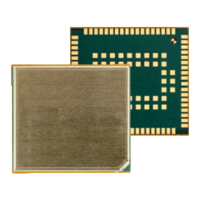
| Module Type | EHS6 |
| Form Factor | LGA |
| Operating Temperature | -40°C to +85°C |
| Frequencies | 850/900/1800/1900 MHz |
| Manufacturer | Gemalto |
| Technology | GSM / GPRS |
| Power Supply | 3.3 - 4.5 V |
| Storage Temperature | -40°C to +85°C |
| Data Transmission | GPRS, EDGE |
| Interfaces | UART, USB 2.0, SPI, I2C, GPIOs, ADC, Digital Audio |
| SIM Interface | 1.8V / 3V |
| Certifications | CE, FCC, PTCRB, GCF |
| Software Features | TCP/IP, HTTP, FTP |
| Operating System Support | Linux, Windows |
| Firmware Update | Via UART or USB |
| Special Features | SMS |
| Frequency Bands | Quad-Band GSM |

 To Next Page

