CS193/CS173/CS163 8-91
Application functions
8
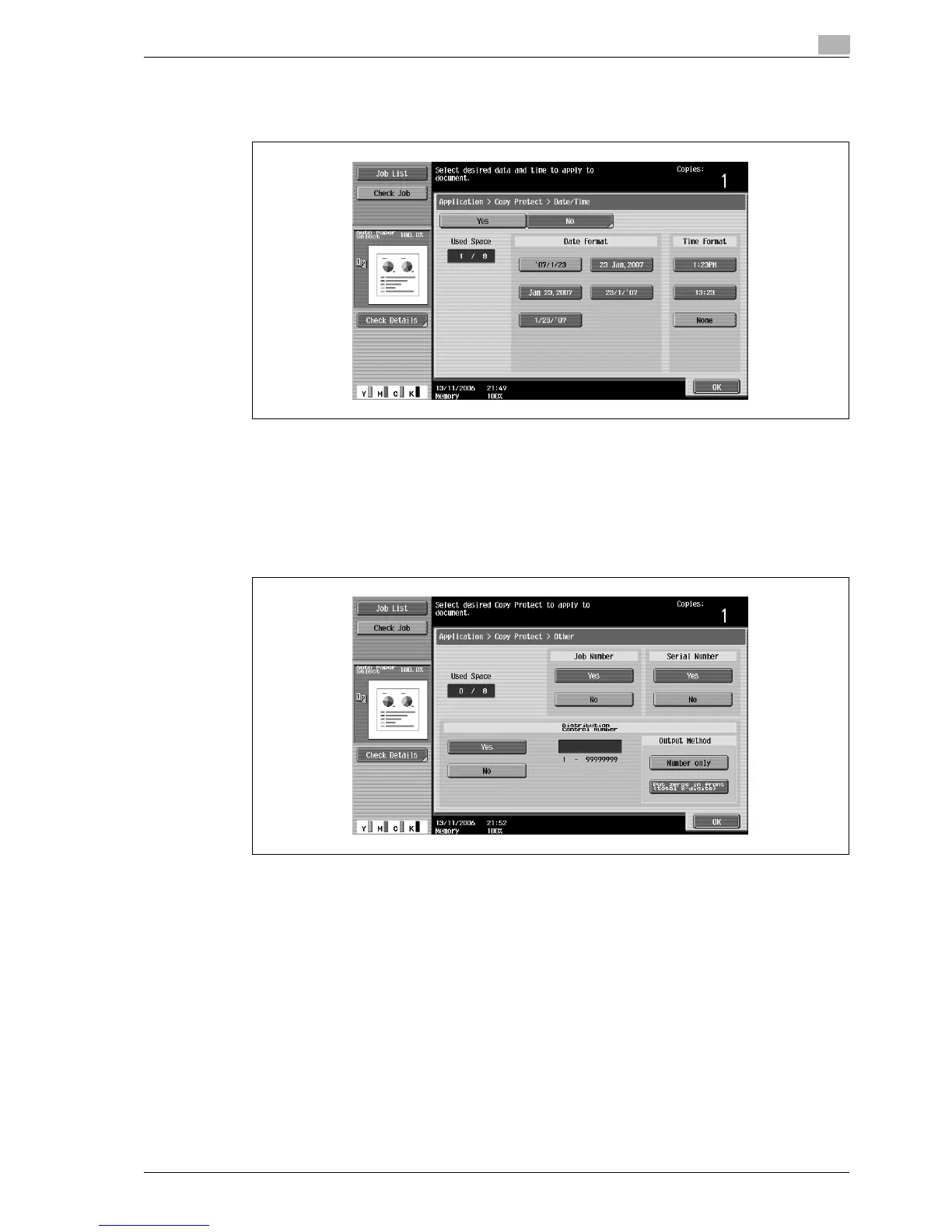
– Touching [Date/Time] displays the Copy Protect > Date/Time screen. Select the desired settings
under "Date Format" and "Time Format", and then touch [OK].
– The copy protection date and time that is printed is the date and time when the original is scanned.
– Touching [Other] displays a screen for specifying settings for other stamps. Touch the button for the
desired stamp, and then touch [OK].
– To cancel the changes to the settings in each copy protection settings screen, touch [No].
– To print the copy job number, touch [Yes] under "Job Number".
– To print the serial number of this machine, touch [Yes] under "Serial Number". For details on
specifying settings for the serial number, contact your service representative.
– To print the copy distribution number, touch [Yes] under "Distribution Contorol Number". A
distribution number between 1 and 99,999,999 can be specified.



 To Next Page