178
Chapter4 Basic Operation of SD Manager 3
F3SG-SR
User’s Manual
Setting with SD Manager 3
4-2-4. Starting SD Manager 3 Offline
4-2-4-1. Creating New Configuration File
You can create a configuration file when the F3SG-SR is not connected to the PC (or offline).
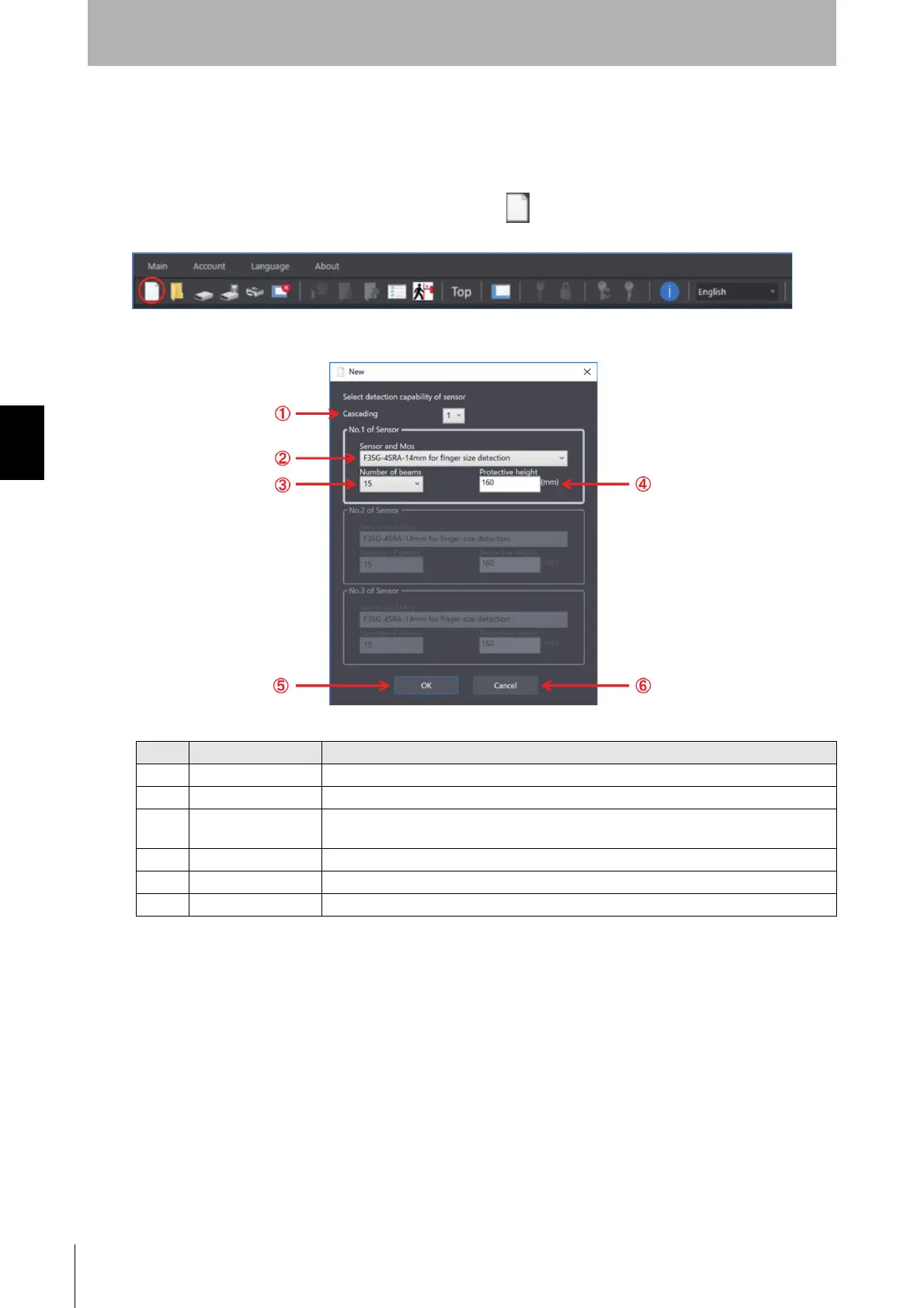
Start SD Manager 3 offline and click the [New] button on the tool menu.
The following dialog is displayed.
No. Function Description
1 Cascading Select the number of cascaded sensors.
2 Sensor and Mos For F3SG-SR, select the sensor model and detection capability.
3 Number of beams Select the desired number of beams from the drop-down list.
The protective height is changed automatically according to the number of beams selected.
4 Protective height Displays the protective height of the sensor.
5 OK Enables SD Manager 3 to create a configuration file according to the settings made.
6 Cancel Cancels the creation of a new file.



 To Next Page
 Loading...







