RADWIN2000UserManual Release2.8.30 4‐20
TheIDU‐H:AnAlternativetoPoEDevices
ConnectingtheODUtothePoEdevice
ConnecttheODUtotheLAN‐Outportonly.ItwillnotworkontheLAN‐Inport.
ConnectingthePoEDevicetoaNetwork
ConnectthePoEtonetworkequipmentsuchasaswitchfromtheLAN‐Inport.Connecting
networkequipmenttotheLAN‐Outportmaydamageit.
PoweringuptheODUfromaPoeDevice
ConnectingtheODUportlabelledIDUtoapoweredupPoEissufficient.Ifyouhavenot
alreadyclosedandweather‐sealedtheODUIDUport,theninsideityoucanseeanamber
coloredpowerLEDwhichturngreenwhentheODUisconfigured.(SeeChapter6.)
TheIDU‐H:AnAlternativetoPoEDevices
UsinganIDU‐HinsteadofseveralPoEdevices
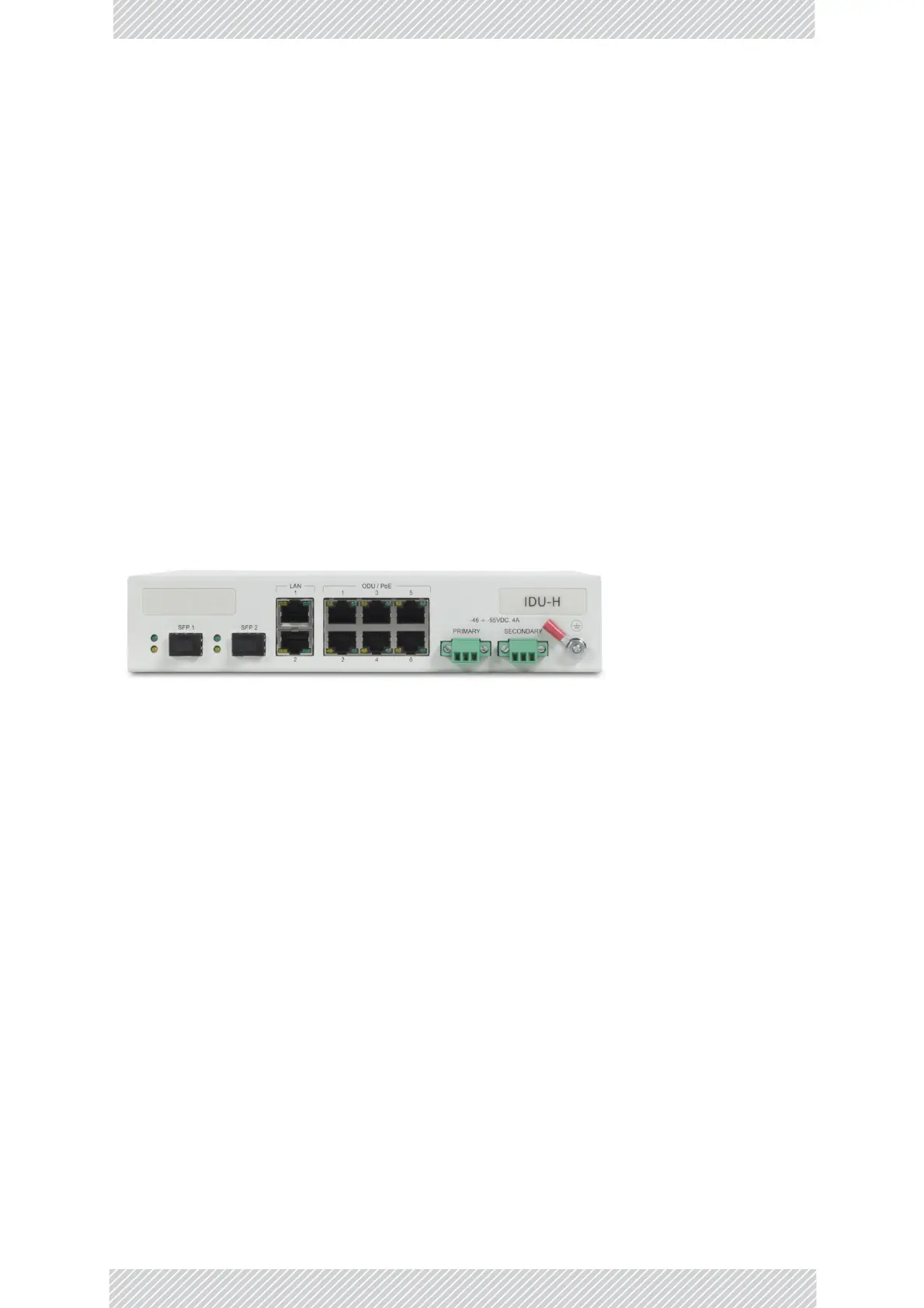
TheIDU‐HisanaggregationswitchwiththefunctionalityofsixPoEdevices.Itisidealforuse
atasitehavingseveralcollocatedODUs.Italsoaffordstheconnectivityrequiredtouse
EthernetHSSforcollocation(seeChapter13).
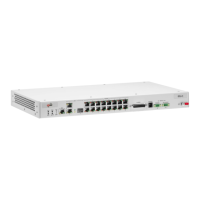
Figure4‐32:IDU‐Hfrontpanel
InstallinganIDU‐H
TheIDU‐Hcansitonatabletop,butisbestinstalledinarackusingthesuppliedearsasin
Figure4‐11andFigure4‐12.
ConnectingtheODUtoanIDU‐H
ConnecttheODUIDUporttoanyofthesixPoEportsoftheIDU‐H.
ConnectingtheIDU‐Hdevicetoanetwork
TheIDU‐HhastwoLANports,eitherofwhichmaybeusedfornetworkconnection.
GroundingandPoweringUptheIDU‐H
TheIDU‐Hhasredundantpowerconnectioncircuits.Anenlargedviewofthepower
connectorsisshowninbelow:


 To Next Page