RADWIN2000UserManual Release2.8.30 4‐22
InstallinganIDU‐E
TheIDU‐HLEDs
InstallinganIDU‐E
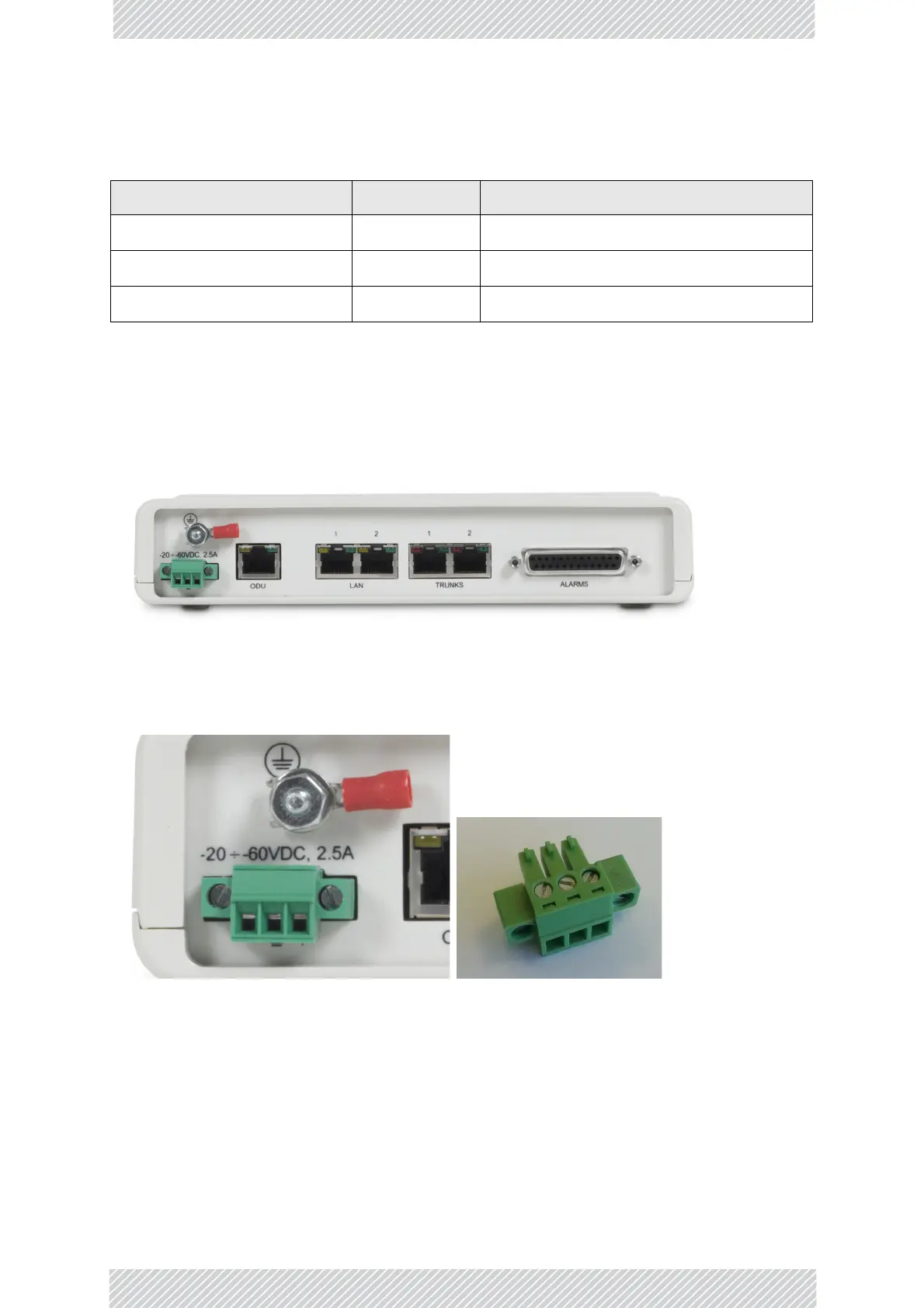
TheIDU‐Ecanbewallmounted,placedonadesktoportak euponehalfofa1Urackslot.The
unitlooksdeceptivelylikeasimpledomesticrouter:Itisnot.Itmustbeproperlygrounded,
cabledtotheODUandconnectedtopowerusingthesuppliedAC/DCadapter.
.
Figure4‐35:IDU‐E:Rearpanel
AlthoughthethreepinpowerplugisphysicallysimilartothatoftheotherIDUs,thepower
requirementsarequitedifferent:
Figure4‐36:IDU‐Epowerconnector,groundinglugandpowerplug
• FordirectDCconnection:Theconnect orisa3pininlinefemale,withpolarities(leftto
right)minus,ground,plus.
• ForACconnection:ToavoiddamagetotheIDU‐H,alwaysuseanAC/DCadapterand
powerplugsuppliedbyRADWIN.
Table4‐3:IDU‐HLEDIndicators
Port Green Yellow
WAN(2xRJ45LEDs) Link/Activity DuplexorPort’sPoEstatus(configurable)
LAN(2xRJ45LEDs) Link/Activity Duplex
SFP(2panelmountedLEDs) Link/Activity Duplex


 To Next Page