Edit
127
4
❖ Orientation: Booklet, Magazine
You can select the orientation of copies to open when using Booklet or Mag-
azine mode.
• Open to Left
•Open to Right
❖ Copy on Designating Page in Combine
You can specify whether to make a combined copy on the inserted slip sheets
in Desig./Chapter mode.
• Combine
•Don not Combine
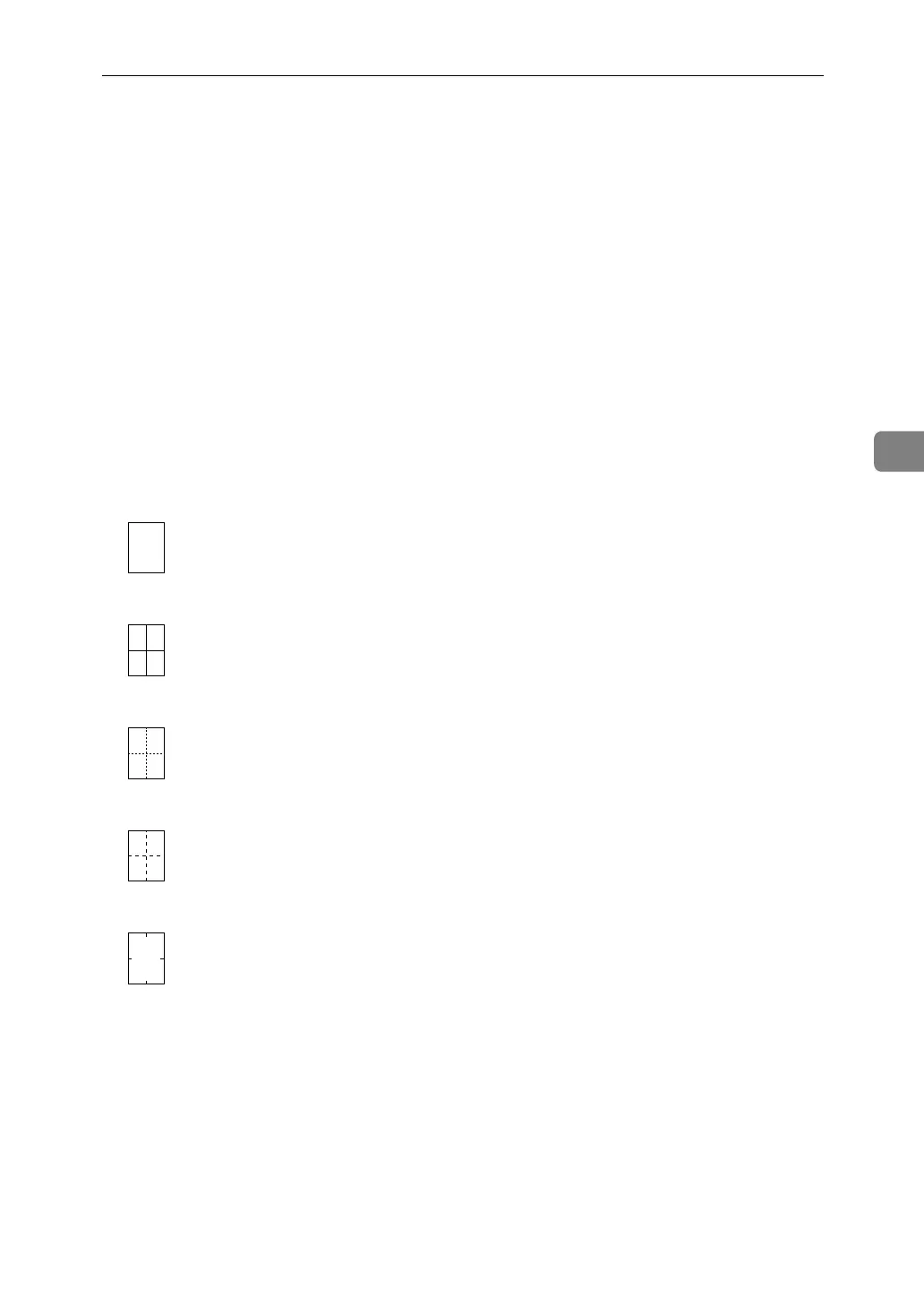
❖ Image Repeat Separation Line
You can select a separation line from: None, Solid, Broken A, Broken B, or
Crop Marks.
• None
• Solid
•Broken A
•Broken B
• Crop Marks


 To Next Page
 Loading...