Copying from the Multi Bypass Tray
45
2
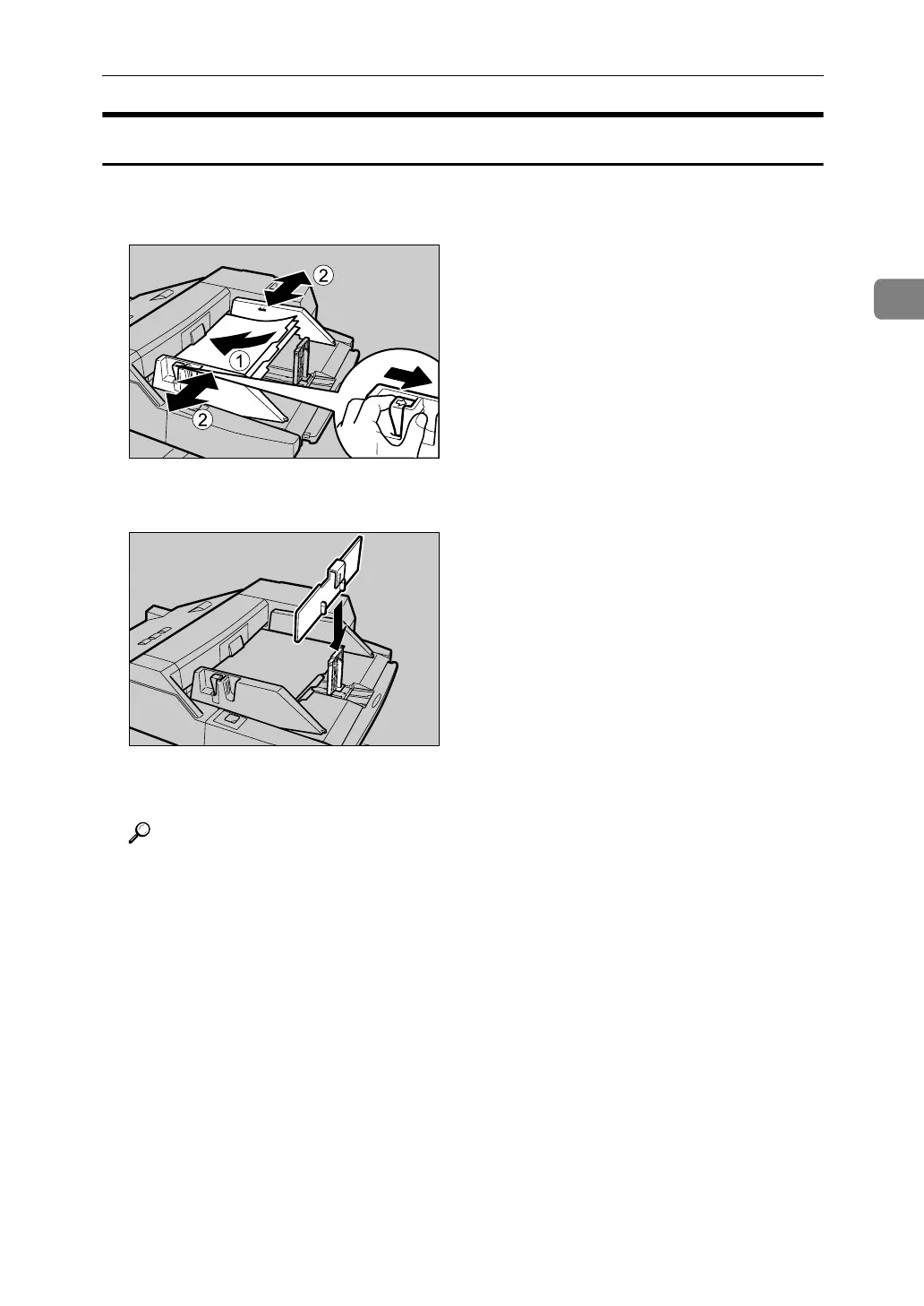
Setting the tab stock in the multi bypass tray (Tray 7)
A Set the tab stock in the multi bypass tray (Tray 7), and fit the side fences to
the tab stock.
B Attach the back fence to the end fence, and then set the end fence.
C Select [Tab Stock] in special paper settings.
Reference
p.31 “Copying onto Tab Stock”
APF031S
APF032S



 To Next Page