Connect Copy
152
3
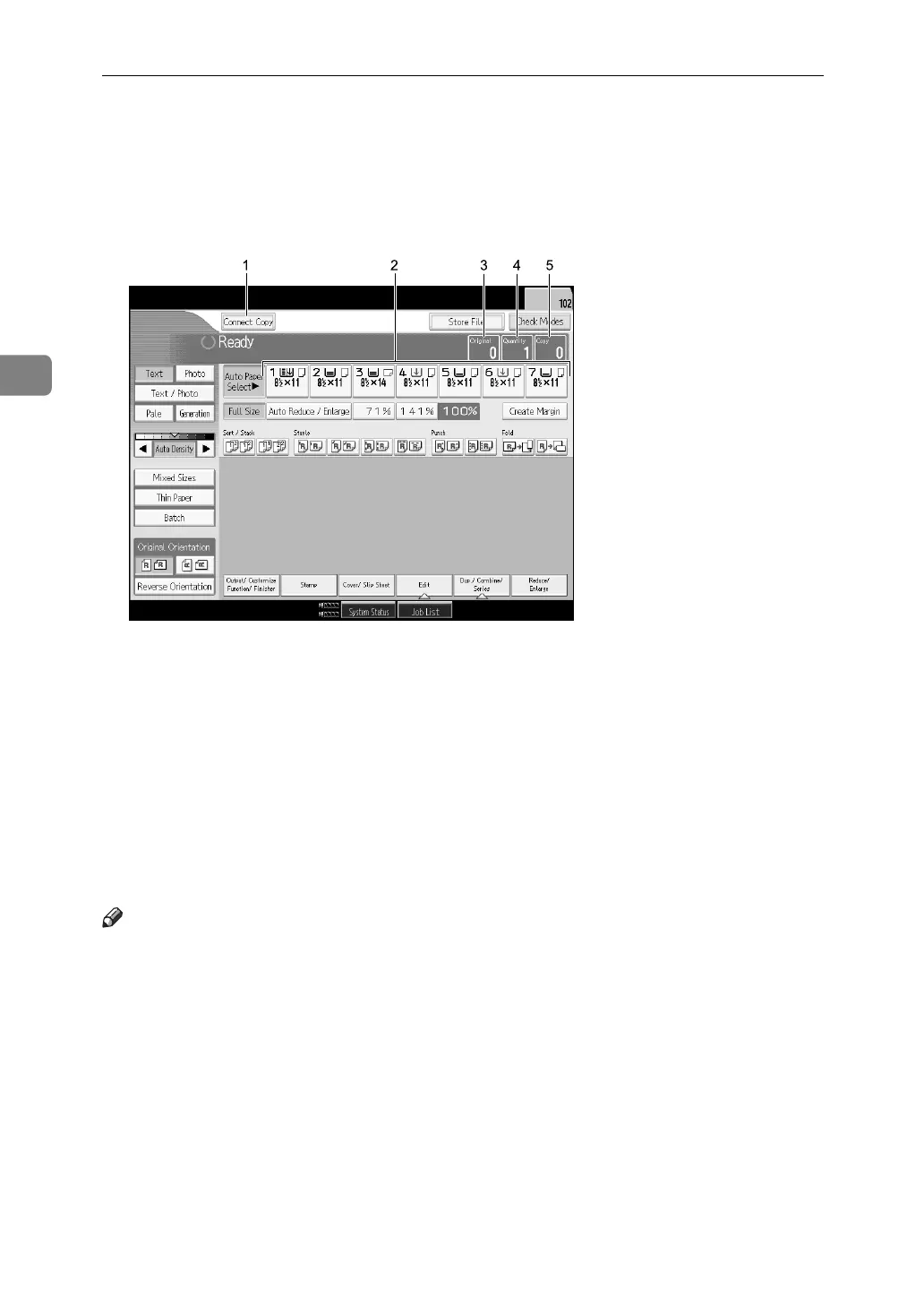
Connect Copy Display Panel
The display panel shows machine status, error messages and function menus.
❖ Initial copy display
1. [Connect Copy]
Press to switch from the initial copy dis-
play to the Connect Copy display.
2. Paper Select
Displays the size, type and orientation of
the paper set on both machines.
3. Numbers of originals
Displays the number of originals scanned
into memory of the main machine.
4. Number of sets
Displays the number of sets of copies.
5. Number of copies
Display the number of copies for the main
machine.
Press this part of the display to display the
total number of copies for two machines.
Note
❒ The connect copy function is not available from the simplified display.
APG065S



 To Next Page