Connecting the Machine
12
1
Connecting to the IEEE 802.11b (Wireless LAN) Interface
Connecting to the IEEE 802.11b (wireless LAN) interface.
Note
❒ Check the setting of IPv4 address and subnet mask of this machine.
❒ For how to set IPv4 address and subnet mask from the control panel of the
machine, see "Interface Settings."
Reference
p.52 “Network”
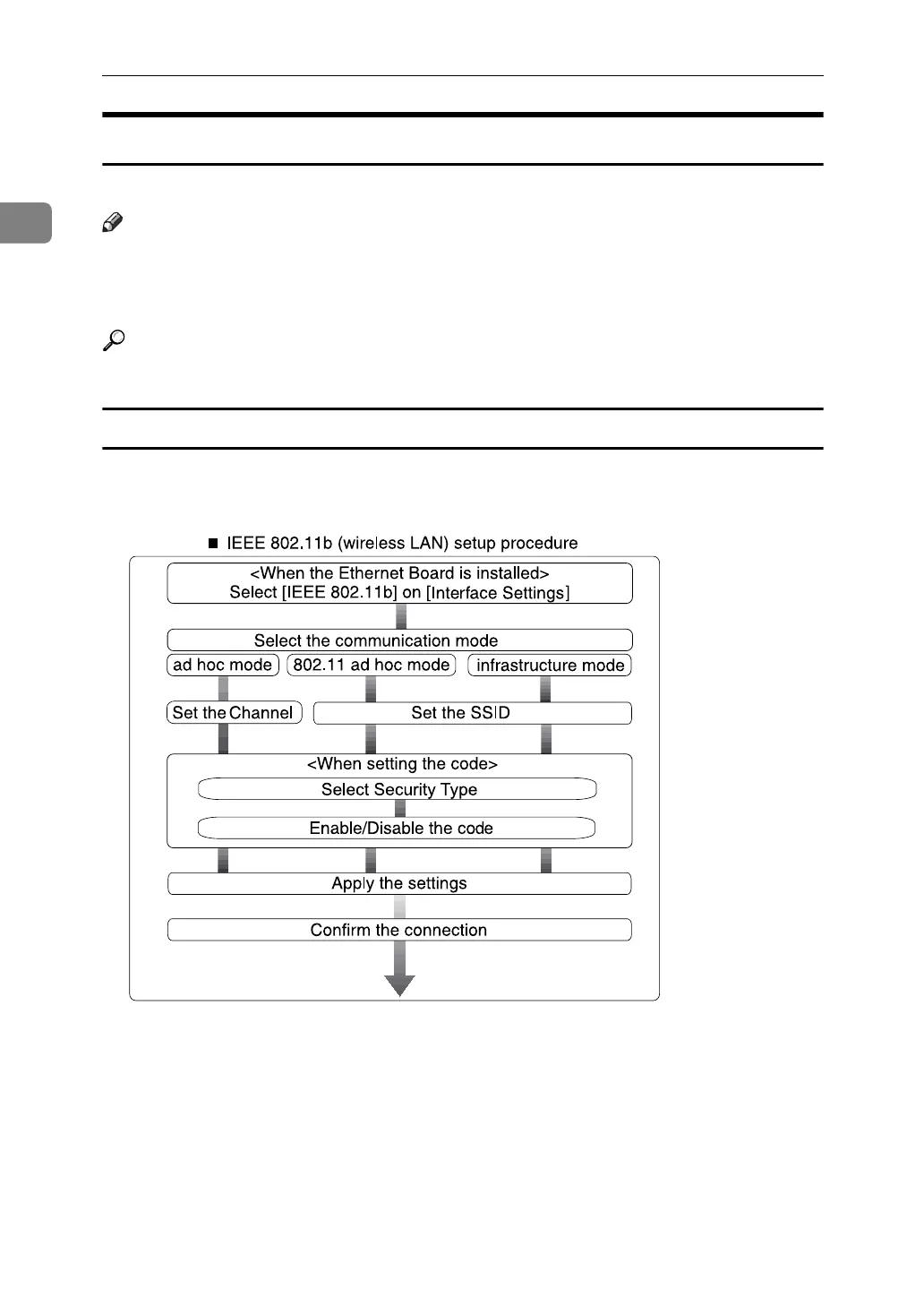
Setup Procedure
Setup IEEE 802.11b (wireless LAN) according to the following flow:
AME006S



 To Next Page