If User Authentication is Specified
69
2
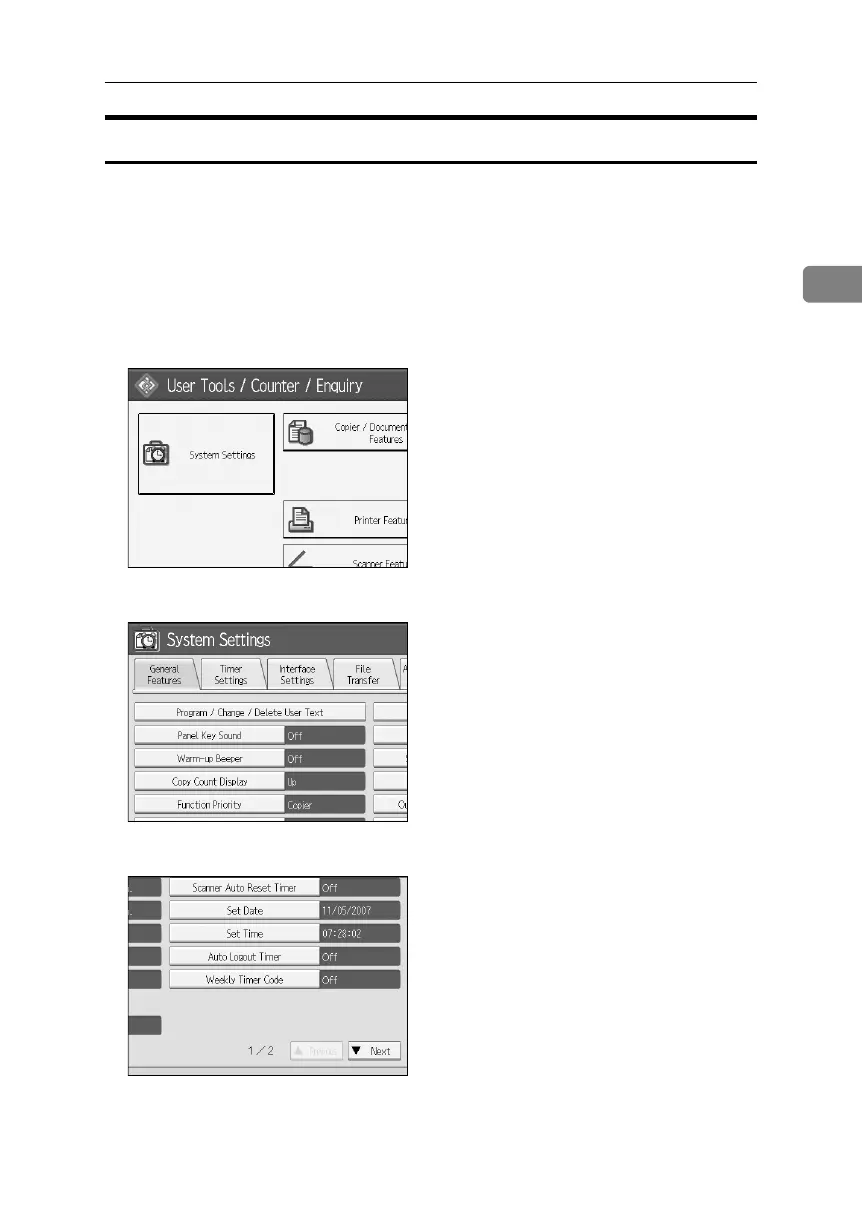
Auto Logout
This can be specified by the machine administrator.
When using user authentication management, the machine automatically logs
you off if you do not use the control panel within a given time. This feature is
called “Auto Logout”. Specify how long the machine is to wait before perform-
ing Auto Logout.
A Press the {User Tools} key.
B Press [System Settings].
C Press [Timer Settings].
D
Press [Auto Logout Timer].
If the setting to be specified does not appear, press [TNext] to scroll down to
other settings.
BelliniC3-EN_Sec_F_FM_forPaper.book Page 69 Friday, December 16, 2005 9:16 AM



 To Next Page