When the Machine Does Not Operate As wanted
4
1
Panel Tone
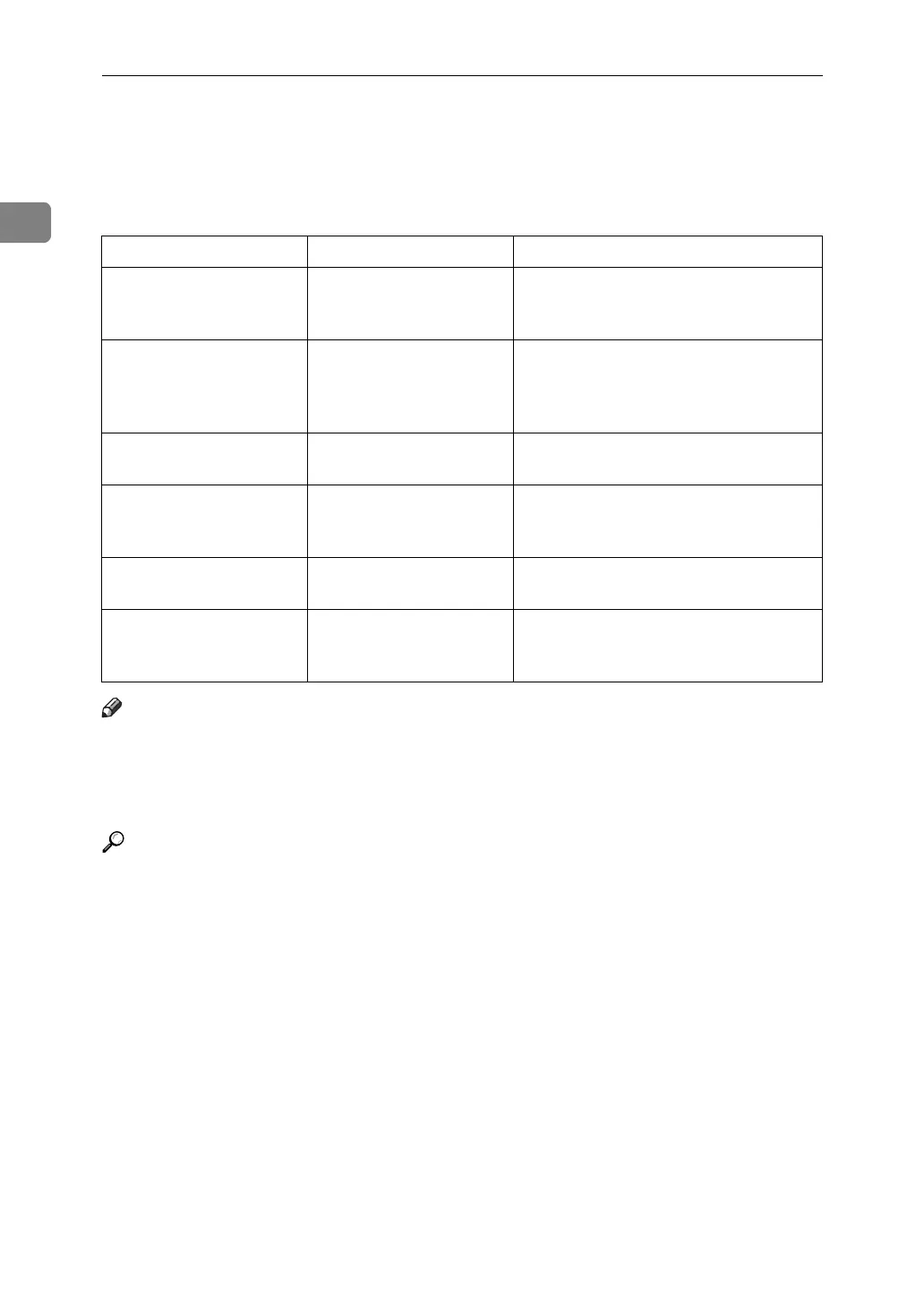
The following table explains the meaning of the various beep patterns that the ma-
chine produces to alert users about left originals and other machine conditions.
Note
❒ Users cannot mute the machine's beep alerts. When the machine beeps to alert
users of a paper jam or toner request, if the machine's covers are opened and
closed repeatedly within a short space of time, the beep alert might continue,
even after normal status has resumed.
Reference
For details about enabling or disabling beep alerts, see “The System Settings”,
General Settings Guide.
Beep pattern Meaning Cause
Two long beeps. Machine has warmed up. After cooling or being switched on, the
machine has fully warmed up and is
ready for use.
Single short beep. Panel/screen input ac-
cepted.
A control panel or screen key was
pressed. Single short beeps are pro-
duced only when valid keys are
pressed.
Single long beep. Job completed. A Copier/Document Server Features
job has finished.
Four long beeps. Soft alert. The screen is changing back to the ini-
tial screen after the machine came out
of energy-saving mode or was reset.
Four long beeps repeated
five times.
Soft alert. An original has been left on the expo-
sure glass.
Five short beeps repeated
five time.
Strong alert. Machine requires user attention. Paper
might have jammed or toner might
need replenishing.


 To Next Page