Copying from the Multi Bypass Tray
43
2
Copying from the Multi Bypass Tray
The multi bypass tray allows you to copy non-standard paper.
Important
❒ Following paper sizes can be copied from the multi bypass tray:
• When using the Large Capacity Tray (LCT)
Vertical: 100-305.0 mm (3.9"-12"), Horizontal: 140-458 mm (5.5"-18")
• When using the Wide Large Capacity Tray (Wide LCT)
Vertical: 100-330.2 mm (3.9"-13"), Horizontal: 140-458 mm (5.5"-18")
❒ The machine can detect the following sizes as regular size copy paper:
A3L, B4 JISL, A4K, B5 JISK, A5L, A6L, 11" × 17"L, 8
1
/
2
" × 11"KL,
8" × 13"L, 5
1
/
2
" × 8
1
/
2
"KL,12" × 18"L. If you want to use the size of paper
other than the above, be sure to specify the size.
❒ The maximum number of sheets you can load into the multi bypass tray de-
pends on paper type. The number should not exceed the upper limit.
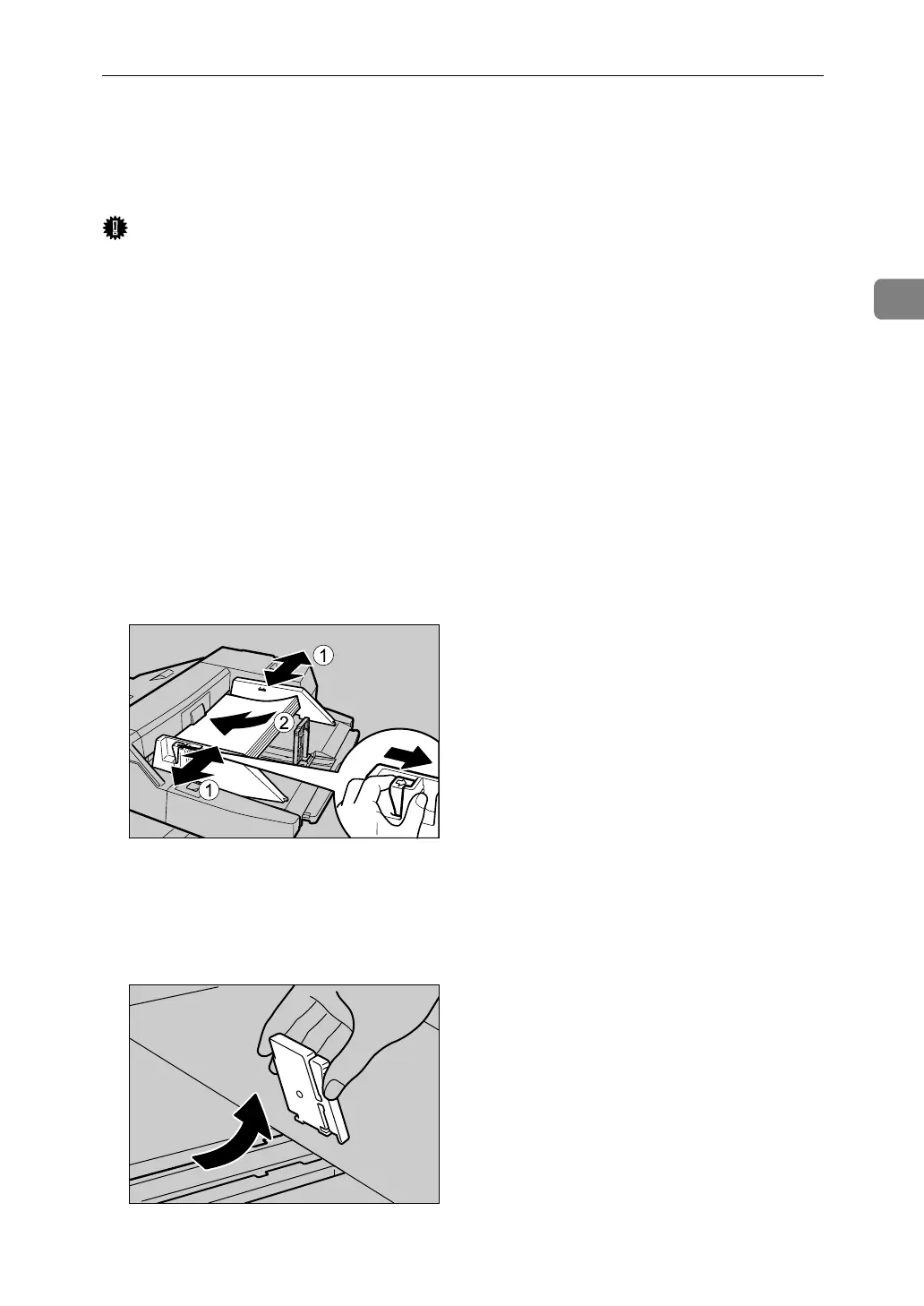
A Set the side fences to the paper size.
B Place paper in the multi bypass tray (Tray 7).
C Adjust the side fences again to ensure they properly fit the paper size.
D Set the end fence.
To remove the end fence, slide it to the right by pressing the stopper down.
APF028S
APF029S



 To Next Page