4
Display Panel
The function items displayed serve as selector keys. You can select or specify an
item by lightly pressing them.
When you select or specify an item on the display panel, it is highlighted like
. Keys appearing as cannot be used.
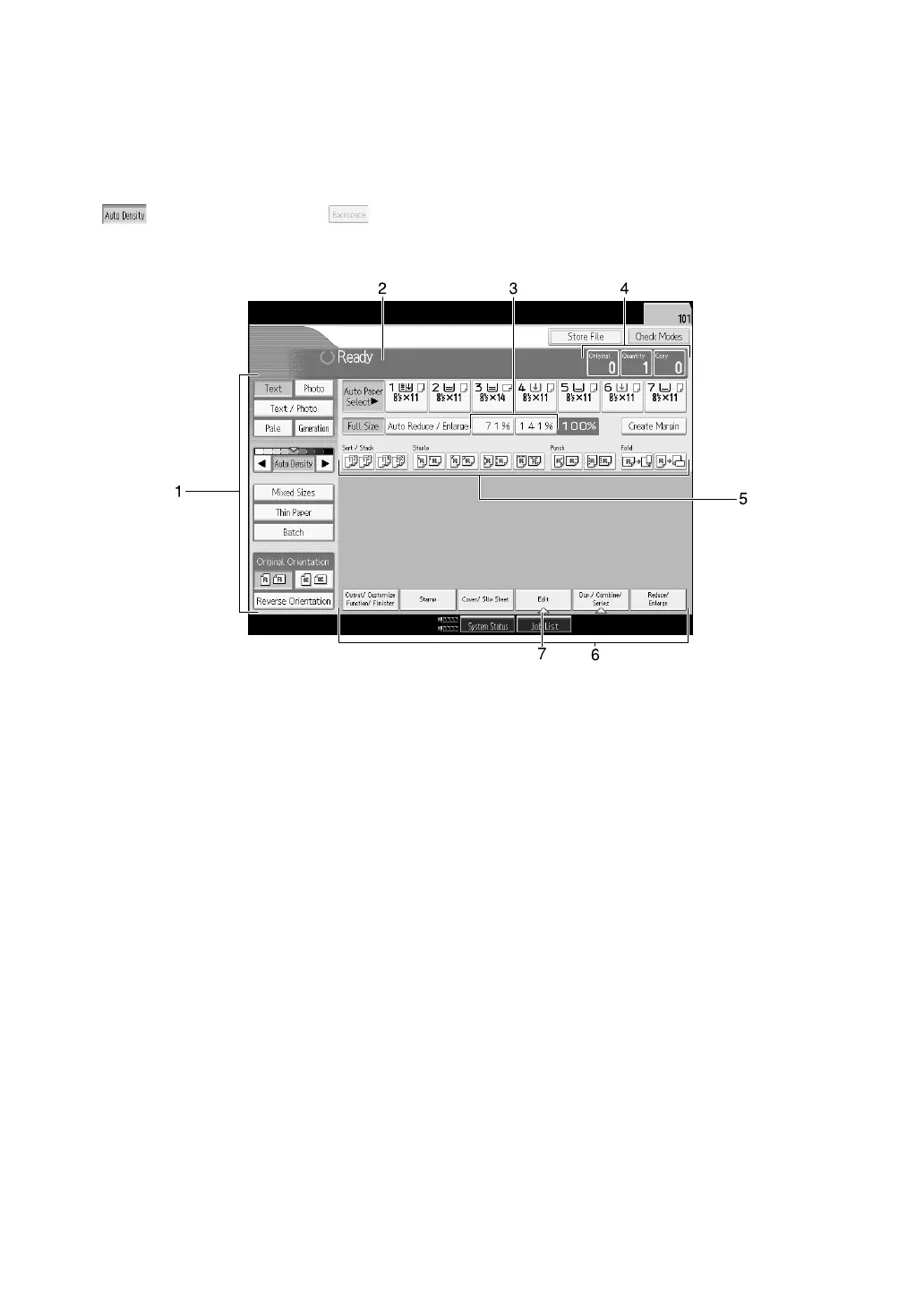
❖ Initial copy display
1. Original function, Image Density
and Special Original function.
2. Operational status and messages.
3. You can register up to two frequently
used reduce/enlarge ratios other than
the fixed reduce/enlarge ratios. See
“Reproduction Ratio”, General Set-
tings Guide.
4. Numbers of originals scanned into
memory, copies set, and copies made.
5. Sort, Stack, Staple functions.
6. Displays available functions. Press
a function name to display its menu.
For example, press [Reduce/ Enlarge]
to switch the Reduce/Enlarge menu.
7. A clip mark indicates the current-
ly selected function.
APG060S



 To Next Page