Placing Originals
26
1
Custom sizes
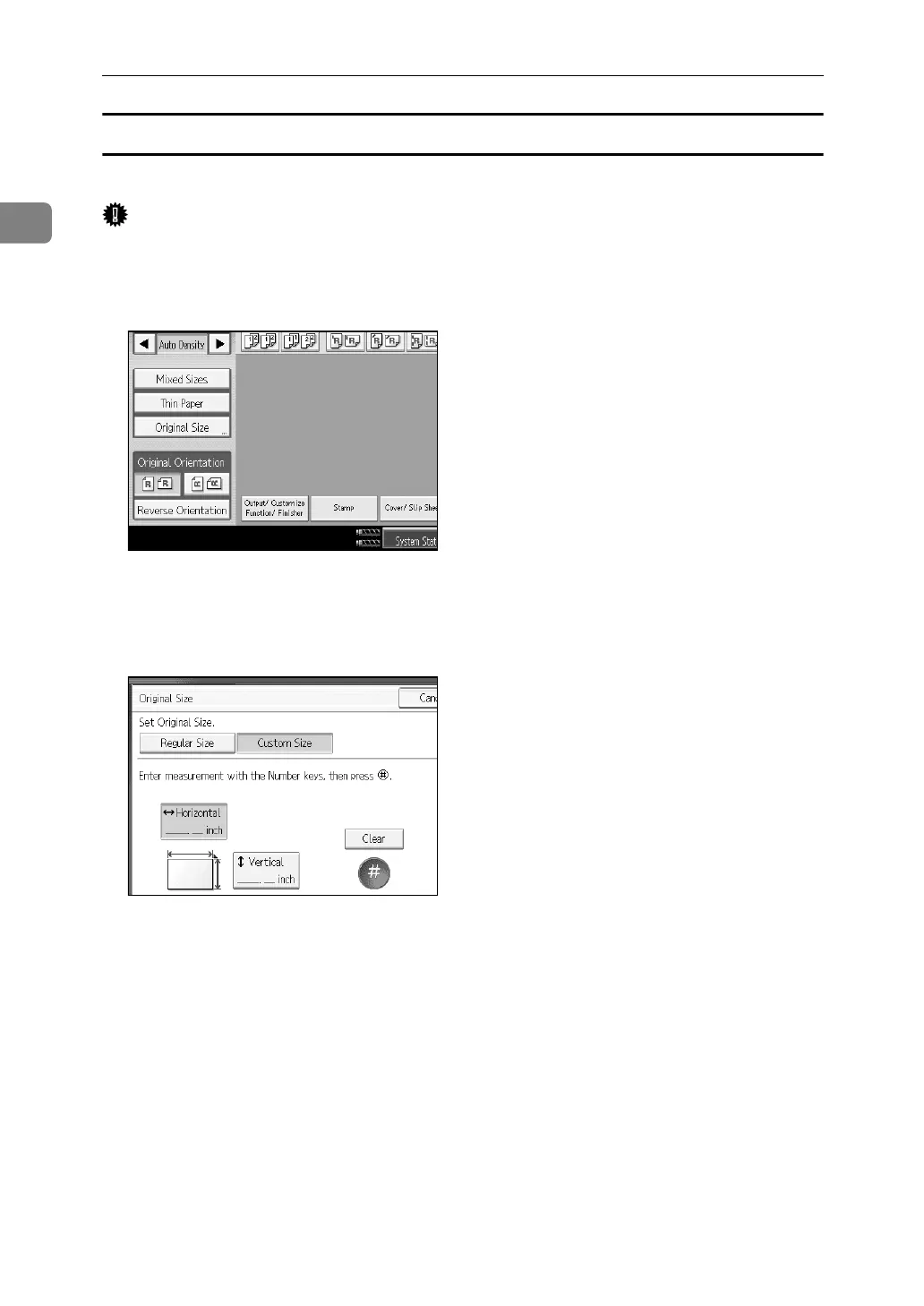
When placing custom size originals in the ADF, specify the size of the originals.
Important
❒ Paper that has a vertical length of 128–297 mm (5.1"-11.6") and a horizontal
length of 128–432 mm (5.1"-17") can be placed with this function.
A Press [Original Size].
B Press [Custom Size].
C Enter the horizontal size of the original with the number keys, and then
press the {q} key.
D Enter the vertical size of the original with the number keys, and then press
the {q} key.
E Press [OK].
F Place the originals, and then press the {Start} key.



 To Next Page