Document Server
170
4
Document Server Display
Following explains the screens and icons displayed in the Document Server
function.
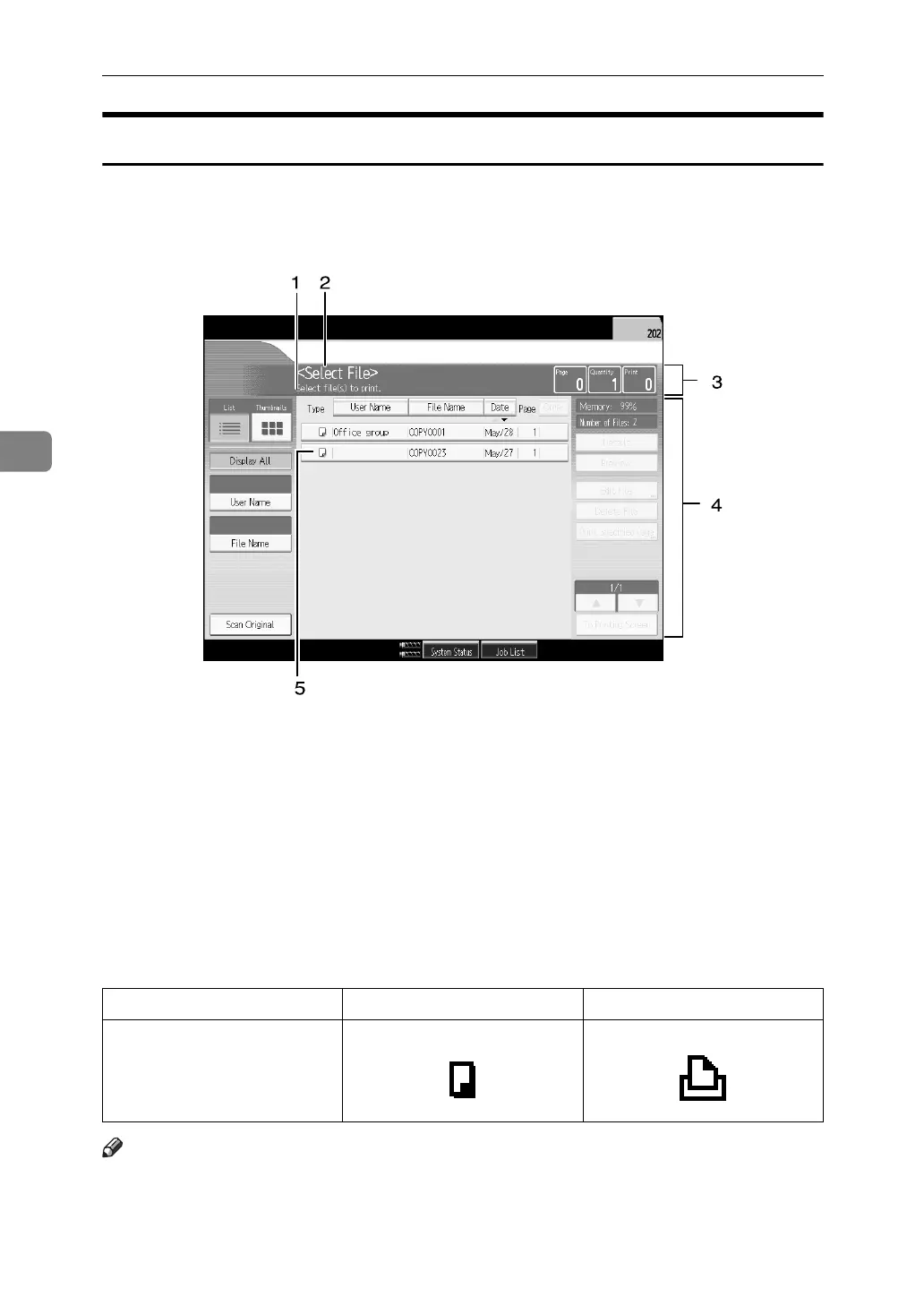
❖ Document Server initial display
1. The operational status or message
is displayed.
2. The currently selected screen's title
is displayed.
3. The number of the originals being
read with the memory as well as the
number of paper set and copied are
displayed.
4. Keys for the operation are displayed.
5. An icon that corresponds to a
stored function is displayed.
The list display of the Document Server shows the following icons depending on
the stored function selected.
Note
❒ All the stored documents may not be displayed depending on the security
function specified.
APG062S
Function Copying Printer
Icons



 To Next Page