Placing Originals
23
1
Mixed size mode
In Mixed size mode, you can place originals of various sizes in the ADF at the
same time if their widths are the same.
Important
❒ When placing originals of different sizes in the ADF and making copies with-
out using the Mixed size mode, paper might become jammed or parts of the
original image might not be copied.
❒ You can place originals that weigh 52-81 g/m
2
(45-70 kg).
❒ The sizes of the originals that can be placed in this mode are follows:
•Metric version
A3L and A4K, B4 JISL and B5 JISK, A4L and A5K
•Inch version
11" × 17"L and 8
1
/
2
" × 11"K, 8
1
/
2
" × 11"L and 5
1
/
2
" × 8
1
/
2
"K
❒ You can place two different sizes of originals in the ADF at the same time.
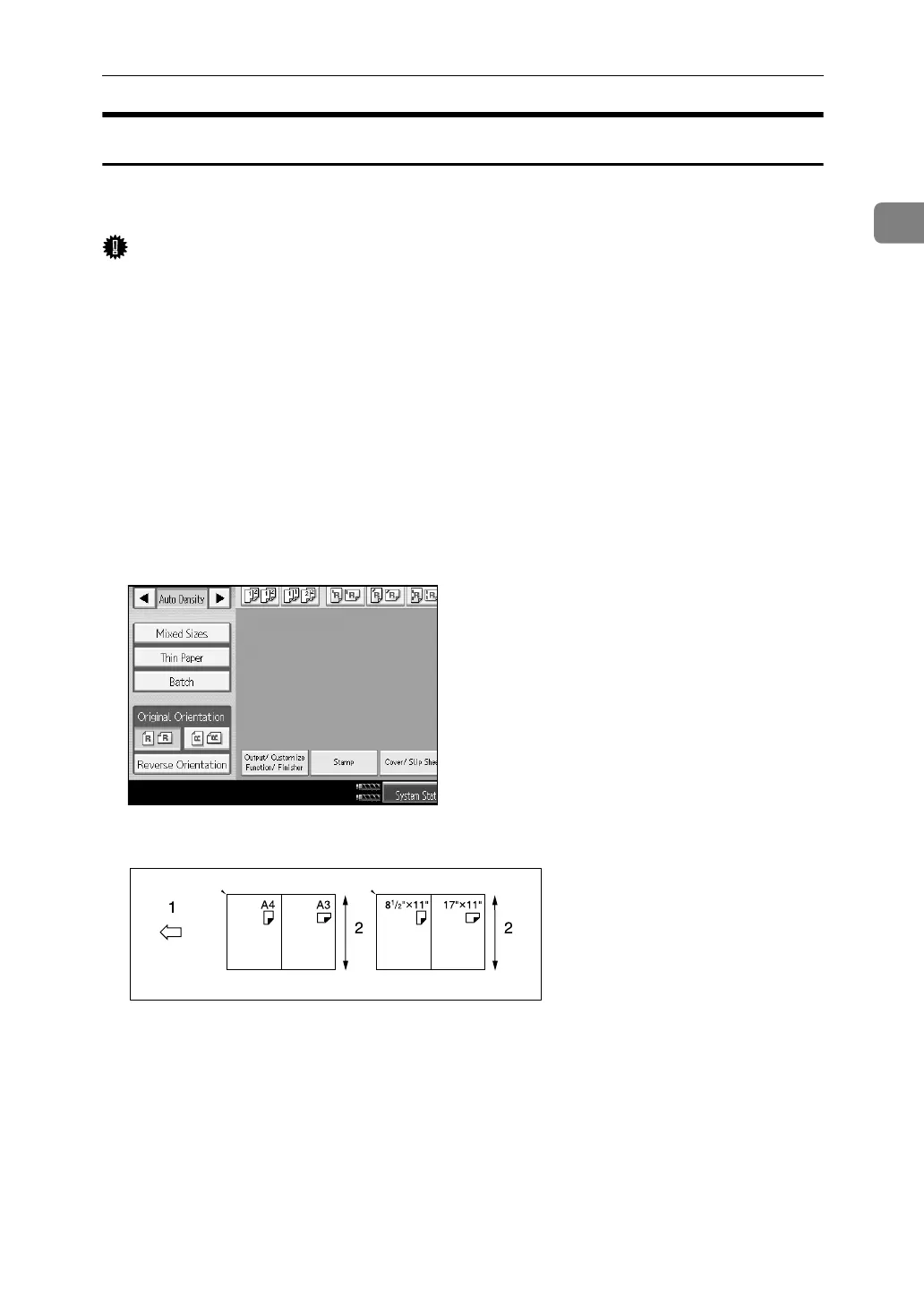
A Press [Mixed Sizes].
B Align the rear and left edges of the originals as shown in the illustration.
A Place the originals into the ADF
B Vertical size
C Adjust the guide to the original size.
D Place the originals in ADF.
E Press the {Start} key.
ANP073S



 To Next Page