Troubleshooting When Using the Scanner Function
58
4
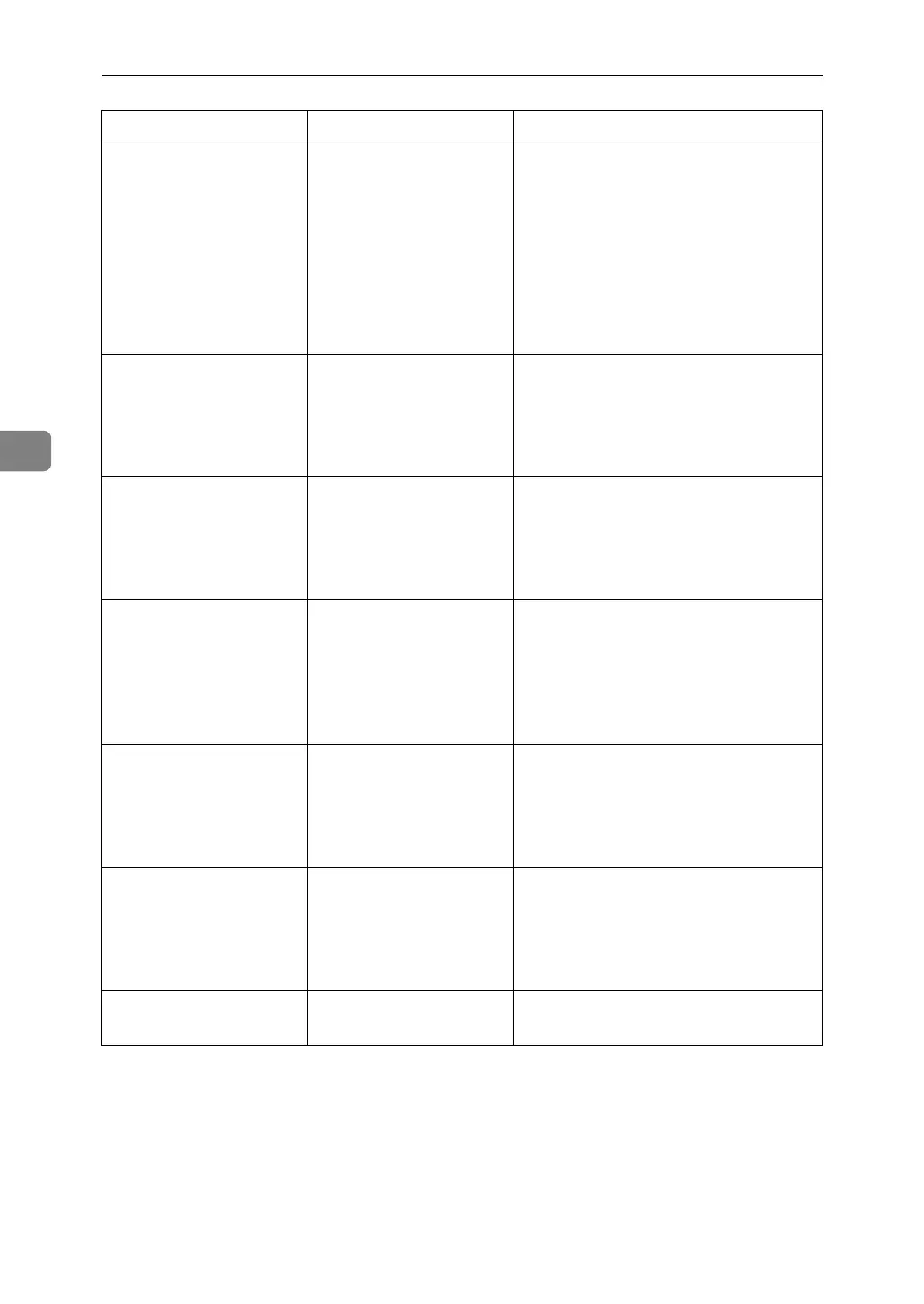
Transmission has
failed. Insuffi-
cient memory in
the destination
hard disk. To
check the current
status, press
[Scanned Files
Status].
Transmission has failed.
There was not enough
free space on the hard
disk of the SMTP server,
FTP server, or client com-
puter at the destination.
Allocate sufficient space.
Output buffer is
full. Sending the
data has been
cancelled. Please
try again later.
The file being stored has
exceeded the max.
number of pages for one
file.
Specify whether to use the data or not.
Scan the pages that were not scanned
and store them as a new file. See Storing
Files Using the Scanner Function Scan-
ner Reference.
Exceeded maximum
number of file to
store. Delete all
unnecessary
files.
Too many files are wait-
ing to be delivered.
Please try again after they have been
delivered.
Exceeded max.
number of stored
files. Cannot send
the scanned data
as capturing files
is unavailable.
Too many files are wait-
ing to be delivered.
Please try again after they have been
delivered.
Exceeded max.
number of files
which can be used
in Document Server
at the same time.
The maximum number of
files that can be stored in
the document server has
been exceeded.
Check the files stored by the other func-
tions, and then delete unneeded files.
See “Document Server”, Copy/Docu-
ment Server Reference.
Entered protec-
tion code for
destination is
incorrect. Please
re-enter.
The correct protect desti-
nation code was not en-
tered.
Make sure the protection code is cor-
rect, and then enter it again. See “Regis-
tering a Protection Code”, General
Settings Guide.
Entered user code
is not correct.
The entered password is
incorrect.
Check the authentication setting, and
then specify a correct password.
Message Cause Solution


 To Next Page