Authentication and its Application
28
2
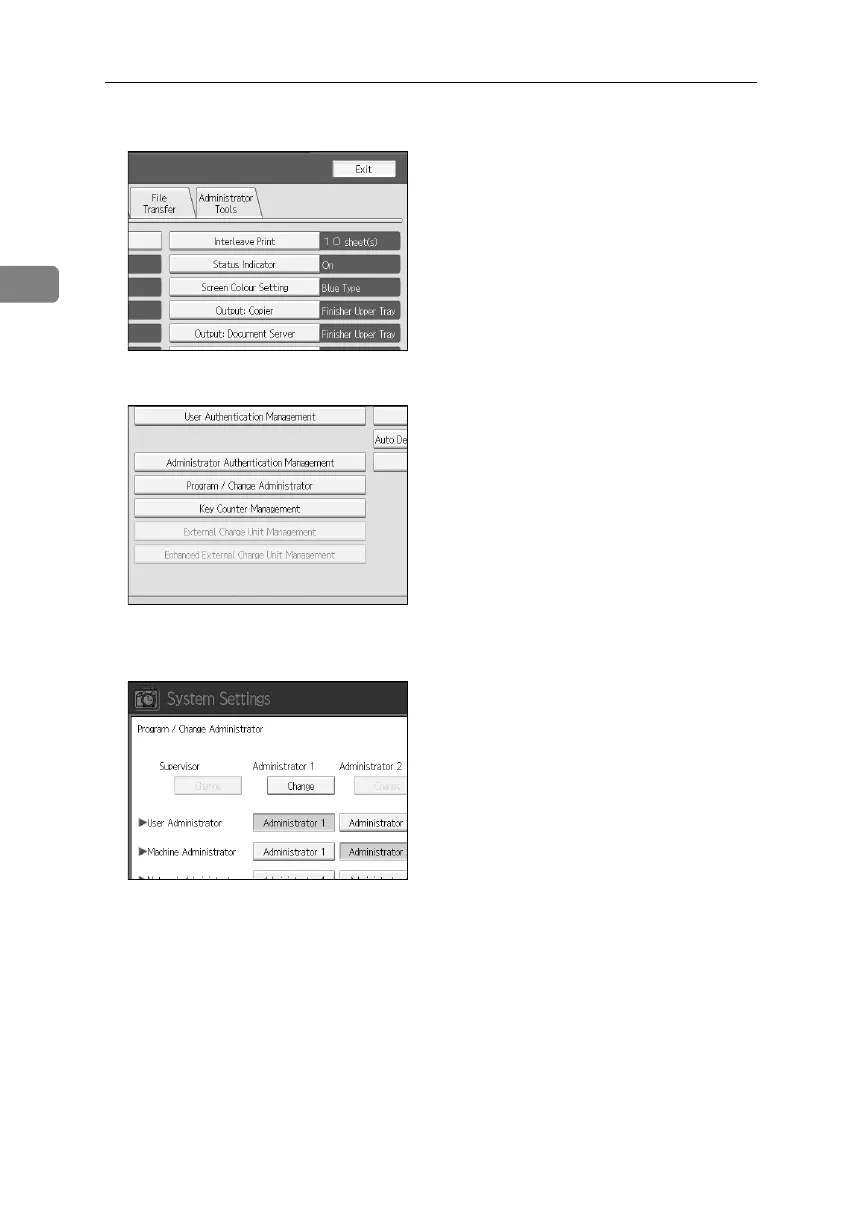
C Press [Administrator Tools].
D Press [Program / Change Administrator].
E In the line for the administrator you want to change, press [Administrator 1],
[Administrator 2], [Administrator 3] or [Administrator 4], and then press [Change].
F Press [Change] for the setting you want to change, and re-enter the setting.
G Press [OK].
H Press [OK] twice.
You are logged off automatically.
I Press the {User Tools} key.
BelliniC3-EN_Sec_F_FM_forPaper.book Page 28 Friday, December 16, 2005 9:16 AM



 To Next Page