User Authentication
51
2
Note
❒ Under LDAP Authentication, if “Anonymous Authentication” in the LDAP
server’s settings is not set to “Prohibit”, users who do not have an LDAP serv-
er account might still be able to gain access.
❒ If the LDAP server is configured using Windows Active Directory, Anony-
mous Authentication might be available. If Windows Authentication is avail-
able, we recommend you use it.
❒ The first time an unregistered user accesses the machine after LDAP authen-
tication has been specified, the user is registered in the machine and can use
the functions available under [Available Functions] during LDAP Authentica-
tion.
❒ To limit the available functions for each user, register each user and corre-
sponding [Available Functions] setting in the address book, or specify [Available
Functions] for each registered user. The [Available Functions] setting becomes ef-
fective when the user accesses the machine subsequently.
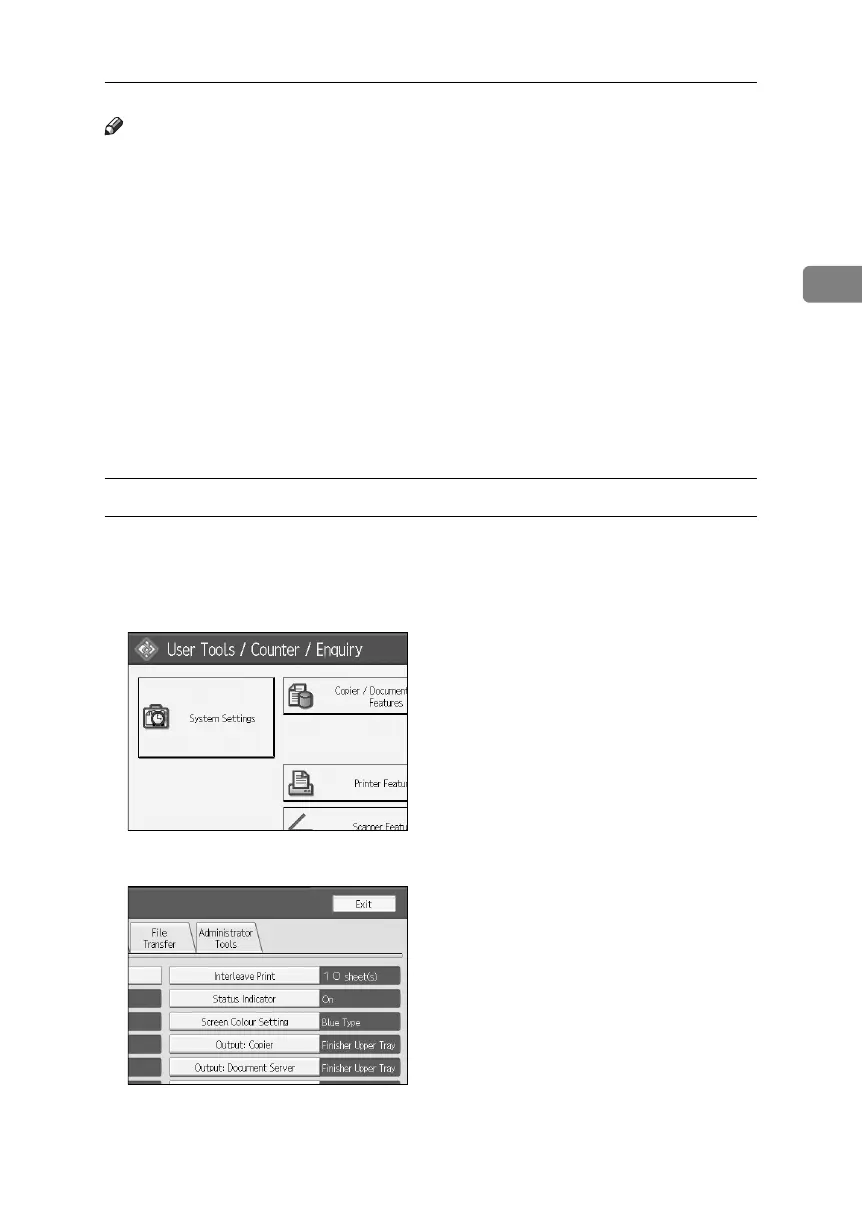
Specifying LDAP Authentication
This can be specified by the machine administrator.
A Press the {User Tools} key.
B Press [System Settings].
C Press [Administrator Tools].
BelliniC3-EN_Sec_F_FM_forPaper.book Page 51 Friday, December 16, 2005 9:16 AM



 To Next Page