Preventing Information Leaks
94
3
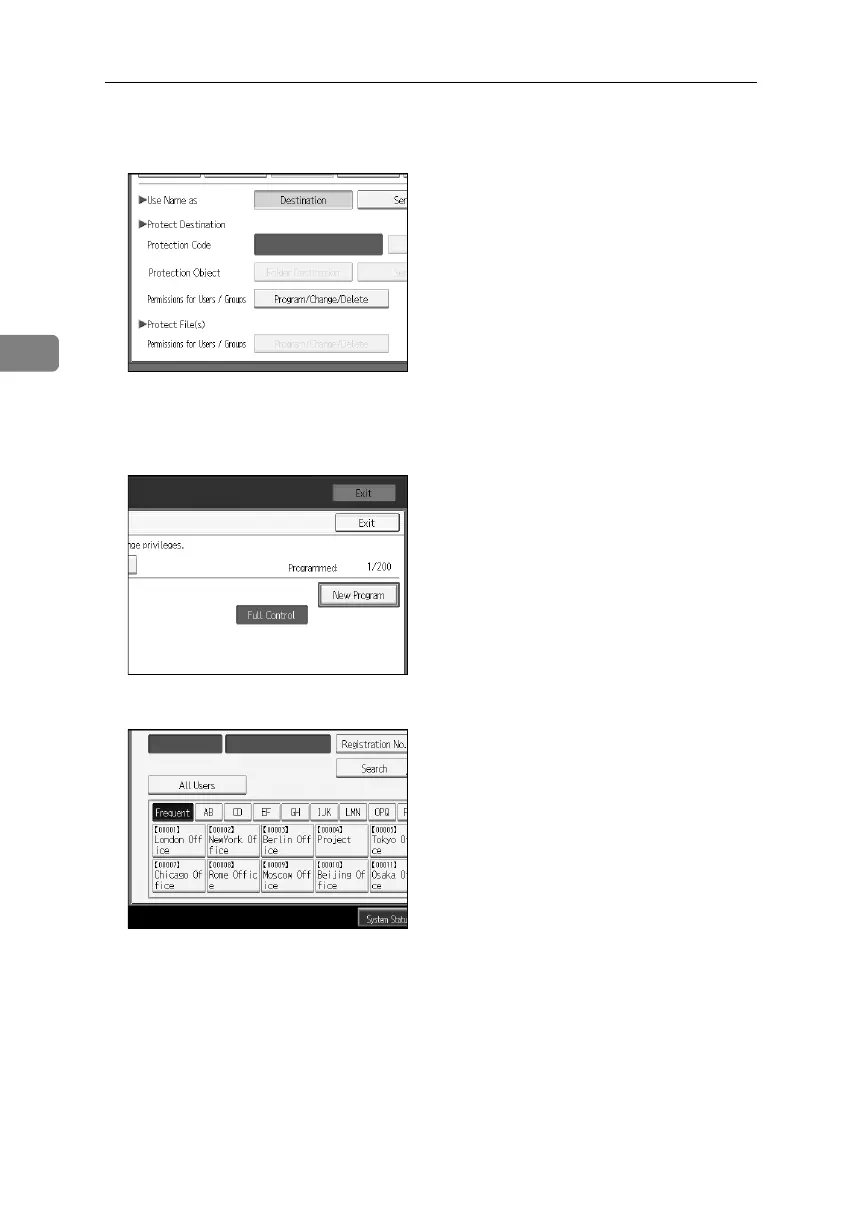
G Under “Protect File(s)”, press [Program/Change/Delete] for “Permissions for
Users/Groups”.
If the setting to be specified does not appear, press [TNext] to scroll down to
other settings.
H Press [New Program].
I Select the users or groups to register.
You can select more than one users.
By pressing [All Users], you can select all the users.
J Press [Exit].
BelliniC3-EN_Sec_F_FM_forPaper.book Page 94 Friday, December 16, 2005 9:16 AM


 To Next Page