Preventing Information Leaks
106
3
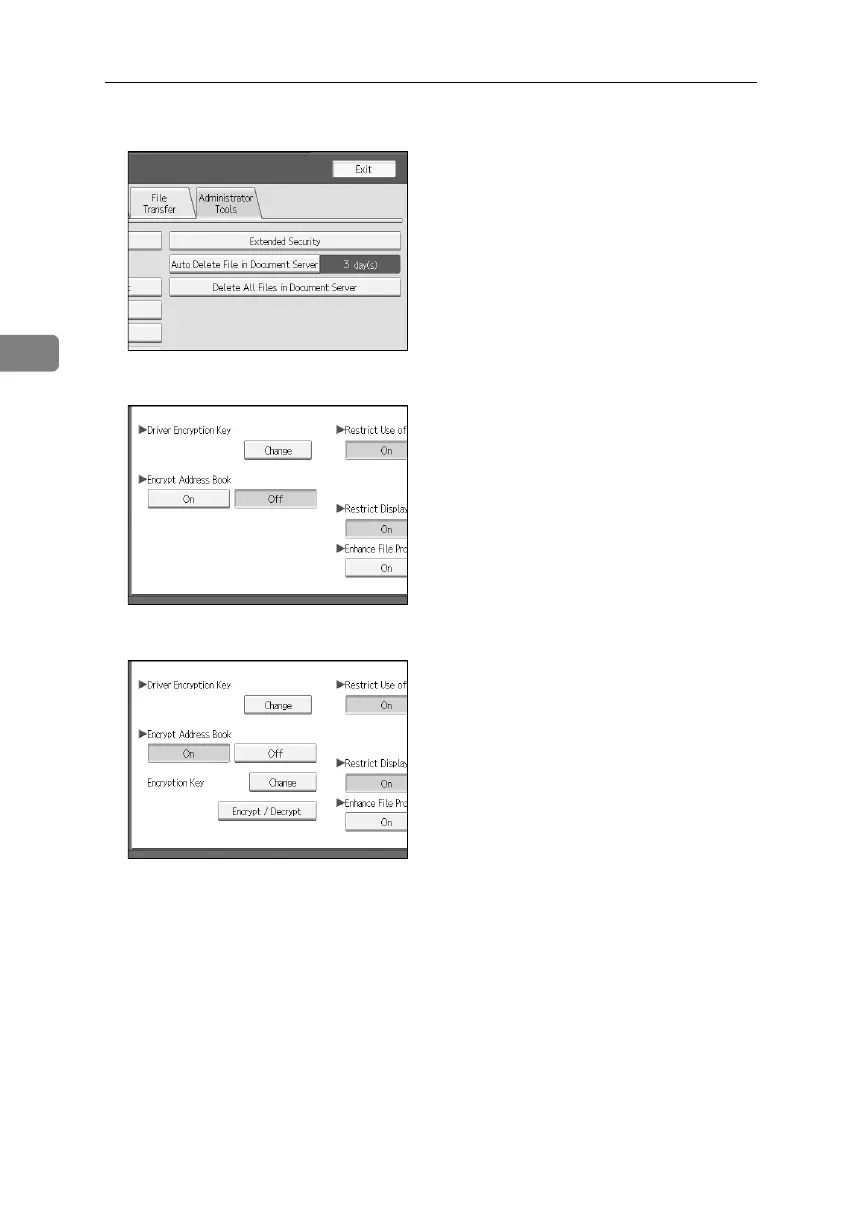
D Press [Extended Security].
E Press [On] for “Encrypt Address Book”.
F Press [Change] for [Encryption Key].
G Enter the encryption key, and then press [OK].
Enter the encryption key using up to 32 alphanumeric characters.
H Press [Encrypt / Decrypt].
BelliniC3-EN_Sec_F_FM_forPaper.book Page 106 Friday, December 16, 2005 9:16 AM



 To Next Page