EasyManua.ls Logo

Ricoh MP9000 - Page 688

Ricoh MP9000
942 pages
Print Icon
To Next Page IconTo Next Page
To Previous Page IconTo Previous Page
Loading...
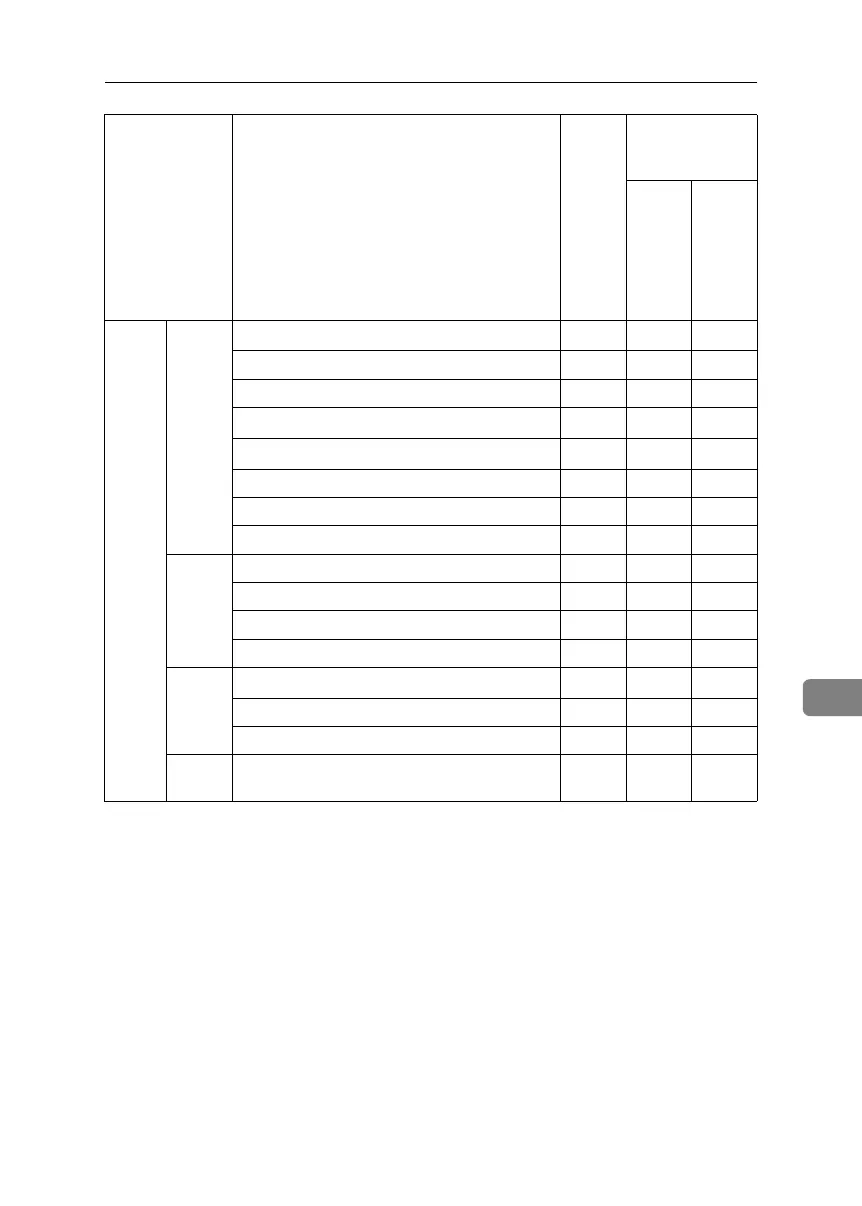
User Settings
203
8
Inter-
face
Settings
IEEE
1394
*5
IP Address
*1
❍❍U
DDNS Configuration ❍❍U
Host Name ❍❍U
Domain Name
*1
❍❍U
WINS Configuration
*1
❍❍U
IP over 1394 ❍❍U
SCSI print (SBP-2) ❍❍U
Bidirectional SCSI print ❍❍U
IEEE
802.11b
*6
Communication Mode ❍❍U
Transmission Speed ❍❍U
SSID Setting ❍❍U
Channel ❍❍U
WEP
(Encryp-
tion)
Setting
WEP (Encryption) Setting
*2
❍❍U
Transmission Speed ❍❍U
Return to Defaults ❍❍U
Print
List
❍❍U
Tab Names Settings
Admin-
istrator
authen-
tication
has not
been
speci-
fied.
Administrator au-
thentication has
been specified.
“Availa-
ble Set-
tings”
has
been
speci-
fied.
“Availa-
ble Set-
tings”
has not
been
speci-
fied.
BelliniC3-EN_Sec_F_FM_forPaper.book Page 203 Friday, December 16, 2005 9:16 AM

Table of Contents