Placing Originals
17
1
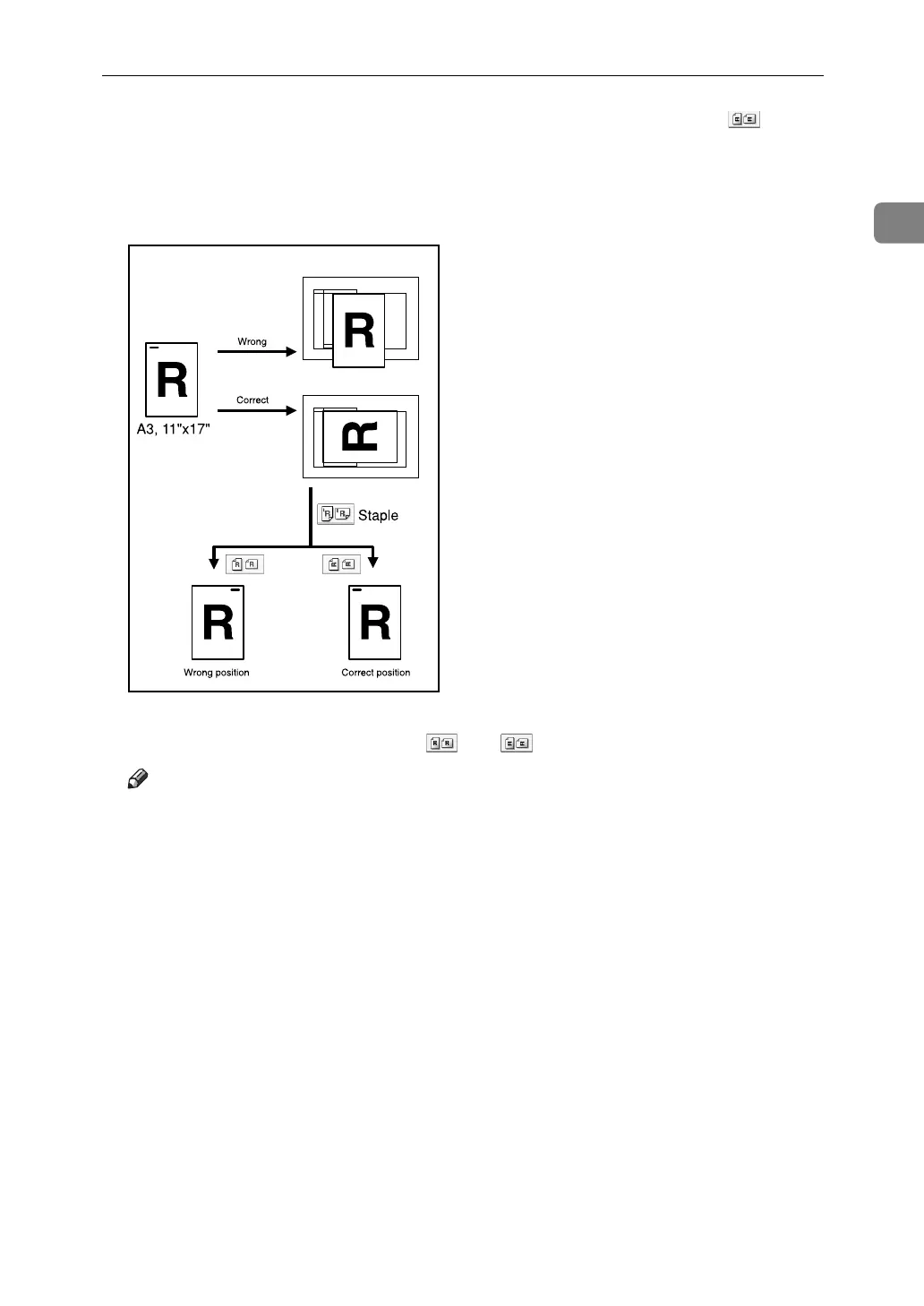
When copying A3K, 11" × 17"K, or B4 JISK size originals, select as the
Original Orientation. The machine then rotates copy image by 90°. This is useful
for copying large originals using the Staple, Duplex, Combine, or Stamp functions.
For example, to copy A3K or 11" × 17"K originals with the Staple function se-
lected:
A Select the original orientation ([] or []).
Note
❒ It is recommended that you use the Original Orientation function with the
Auto Paper Select or Auto Reduce / Enlarge function.
AMG017S



 To Next Page