Supplementary Information
199
5
❖ Sort
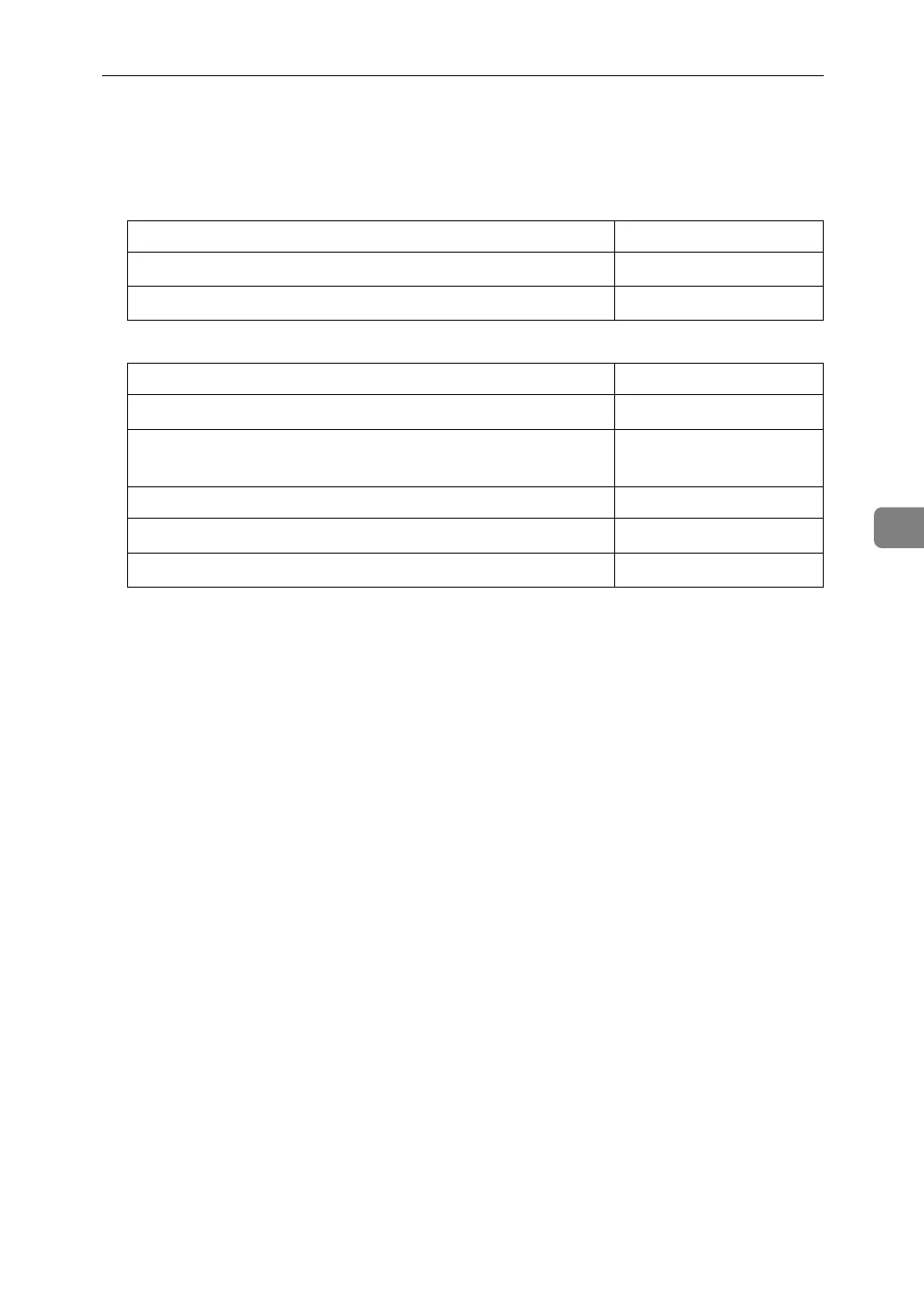
The following table shows you the numbers of copies that the tray can hold.
Remove copies from the tray when the maximum is exceeded.
• Finisher SR5000 (upper tray)
• Finisher SR5000 (shift tray)
• Paper weight is 80 g/m
2
(20 lb.).
• When using the Rotate Sort or Staple functions, the capacity may be reduced.
❖ Staple
• The following types of paper cannot be stapled:
•Postcard
• Translucent paper
• OHP transparencies
• Label paper (adhesive labels)
•Curled paper
• Paper of low stiffness
•Paper of mixed sizes
• In the following cases, copies will be delivered to the shift tray without sta-
pling:
• When the number of sheets for one set is over stapler capacity.
• When memory reaches 0% during copying.
• When using Double Copies, or [1 Sided→1 Sided], [1 Sided→2 Sided], [2
Sided→1 Sided] or [2 Sided→2 Sided]in Combine mode, select K original for
L and L original for K copy.
• When using the Staple function [Staple: Left 2] or [Staple: Top 2] with the
Combine function [1 Sided→1 Sided], [1 Sided→2 Sided], [2 Sided→1 Sided], [2
Sided→2 Sided], or [Double Copies], select K paper for L original and L pa-
per for K original.
Paper size Number of copies
A4, 8
1
/
2
" × 11" or smaller
500 sheets
B4, 8
1
/
2
" × 14" or larger
250 sheets
Paper size and orientation Number of copies
A4K, B5 JISK, 8
1
/
2
" × 11"K
3000 sheets
A3L, B4 JISL, A4L, B5 JISL, 11" × 17"L, 8
1
/
2
" × 14"L,
8
1
/
2
" × 11"L
1500 sheets
12" × 18", 13" × 19" 1000 sheets
A5K, 5
1
/
2
" × 8
1
/
2
"K
500 sheets
A5L, 5
1
/
2
" × 8
1
/
2
"L
100 sheets


 To Next Page