Altera Corporation 12–3
September 2004 Stratix Device Handbook, Volume 2
Remote System Configuration with Stratix & Stratix GX Devices
Remote System Configuration Modes
Stratix and Stratix GX device remote system configuration has two
modes: remote configuration mode and local configuration mode.
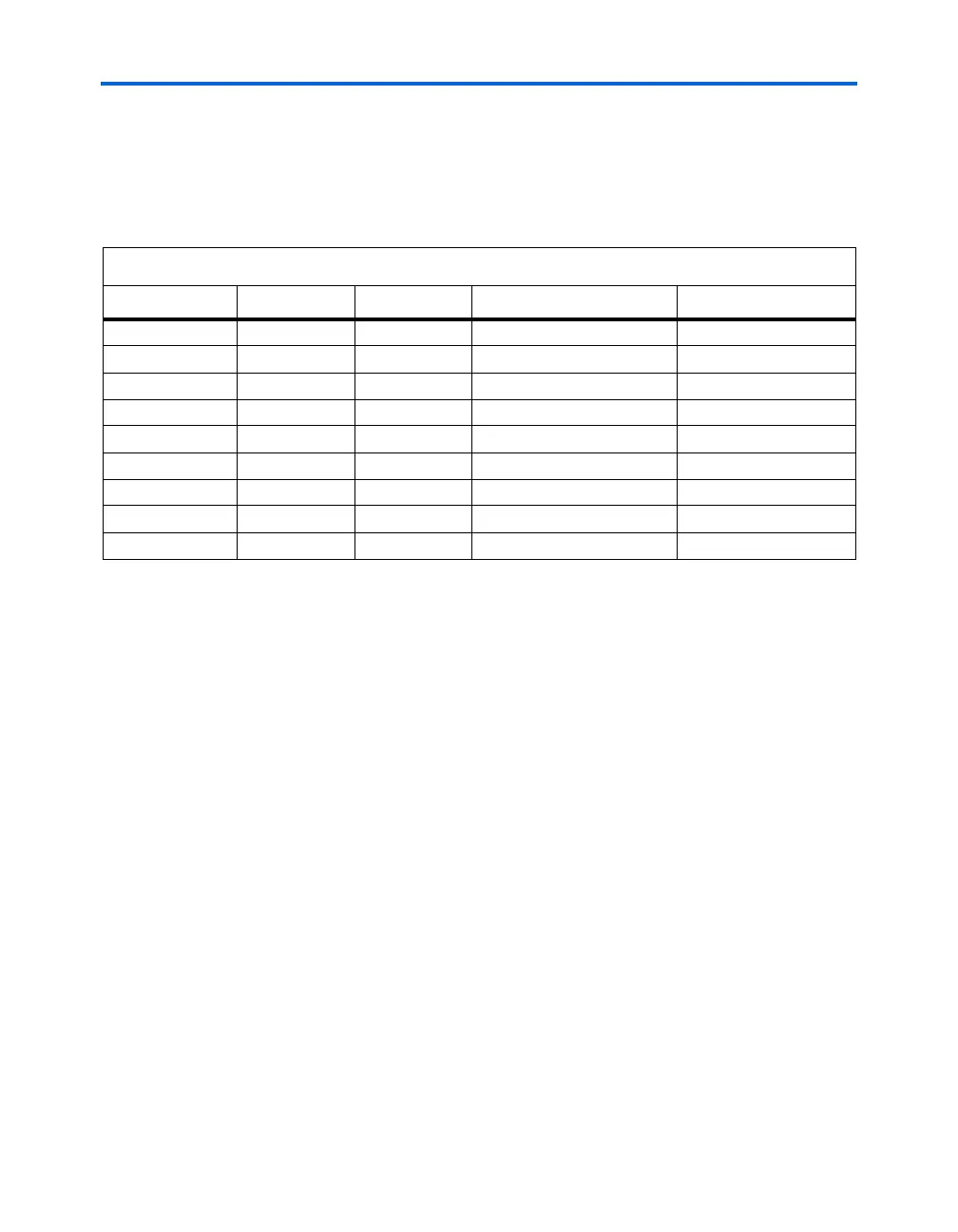
Table 12–1 shows the pin selection settings for each configuration mode.
Remote Configuration Mode
Using remote configuration mode, you can manage up to seven different
application configurations for Stratix and Stratix GX devices. The seven-
configuration-file limit is due to the number of pages that the PGM[] pins
in the Stratix or Stratix GX device and enhanced configuration devices
can select.
1 If more than seven files are sent to a system using remote
configuration mode, previous files are overwritten.
Stratix and Stratix GX devices support remote configuration mode for PS,
FPP, and PPA modes. Specify remote configuration mode by setting the
MSEL2 and RUnLU pins to high. (See Table 12–1).
On power-up in remote configuration mode, the Stratix or Stratix GX
device loads the user-specified factory configuration file, located in the
default page address 000 in the enhanced configuration device. After the
device configures, the remote configuration control register points to the
Table 12–1. Standard, Remote & Local Configuration Options Note (1)
RUnLU (2) MSEL[2] (3)
MSEL[1..0]
System Configuration Mode Configuration Mode
– 0 00 Standard FPP
– 0 01 Standard PPA
– 0 10 Standard PS
1100 Remote FPP
1101 Remote PPA
1110 Remote PS
0 1 00 Local FPP
0 1 01 Local PPA
0 1 10 Local PS
Notes to Table 12–1:
(1) For detailed information on standard PS, FPP, and PPA models, see the Configuring Stratix & Stratix GX Devices
chapter of the Stratix Device Handbook, Volume 2.
(2) In Stratix and Stratix GX devices, the RUnLU (remote update/local update) pin, selects between local or remote
configuration mode.
(3) The MSEL[2] select mode selects between standard or remote system configuration mode.



 To Next Page