12–42 Altera Corporation
Stratix Device Handbook, Volume 2 September 2004
Combining MAX Devices & Flash Memory
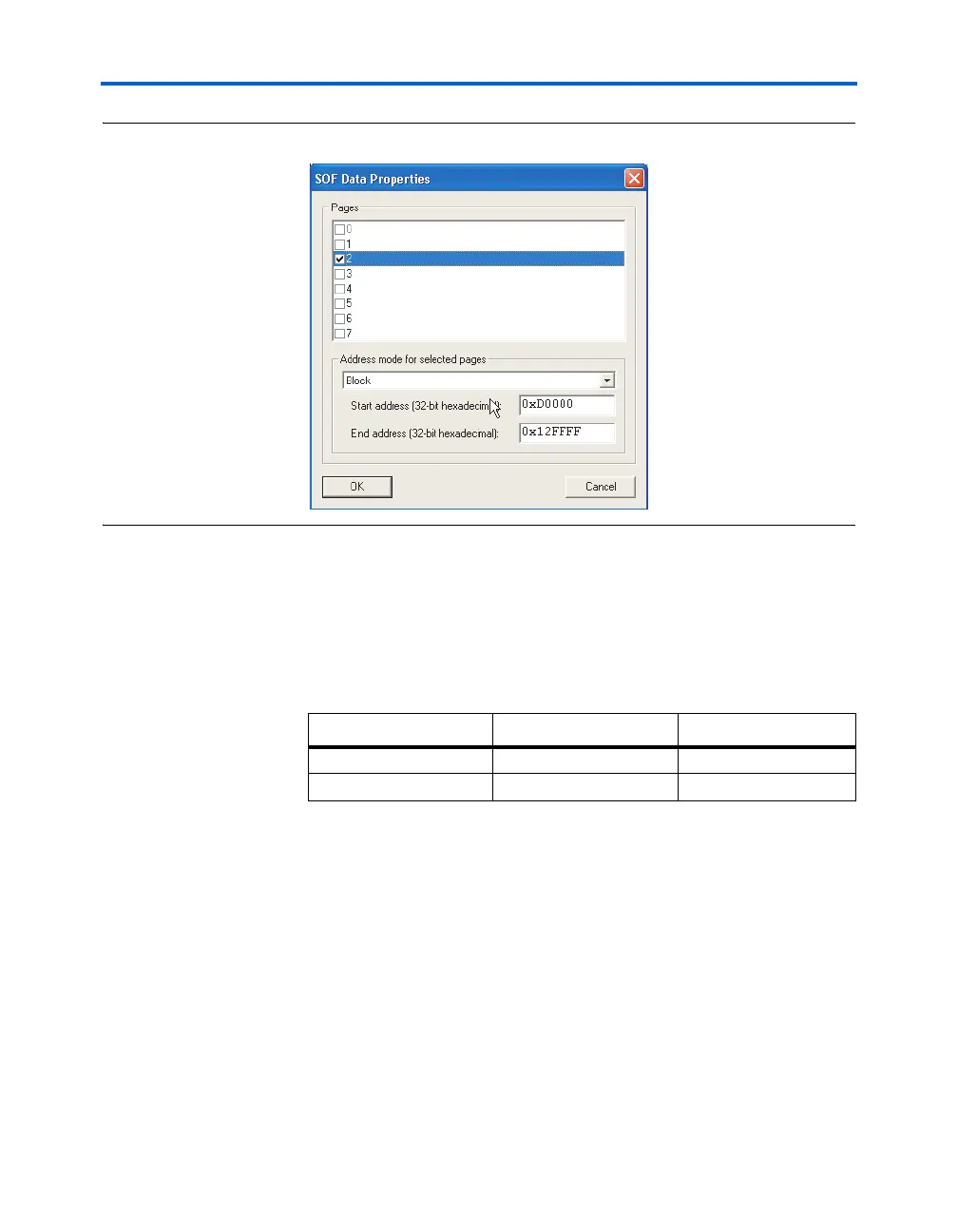
Figure 12–24. Specifying Block Addresses for Application Configuration
For adding a new application configuration, follow the steps listed above
with one modification. In Step 5, select SOF Data and click on Properties.
In the SOF Data Properties dialog box, select a new page (for example,
page 3) and specify the addressing mode information. Continue with
steps 7 through 10. When a new page is added, the memory map output
file lists the start/end addresses for this page. A sample is shown below:
Combining MAX
Devices & Flash
Memory
This section describes remote system configuration with the Stratix or
Stratix GX device and the Nios embedded processor, using a combination
of MAX
®
devices and flash memory.
You can use MAX 3000 or MAX 7000 devices and an industry-standard
flash memory device instead of enhanced configuration devices. In this
scheme, flash memory stores configuration data, and the MAX device
controls reading and writing to the flash memory, keeping track of
address locations.
The MAX device determines which address location and at what length
to store configuration data in flash memory. The Nios embedded
processor, running in the Stratix or Stratix GX device, receives the
Block Start Address End Address
OPTION BITS 0x00010000 0x0001003F
PAGE 3 0x0012FFFA 0x00174EB4



 To Next Page